
Picture your company’s collective knowledge. Is it a static library, full of dusty old manuals? Or is it more like a conversation with an expert colleague who instantly gets what you’re asking and gives you the right answer?
That’s the difference between a traditional knowledge base and an AI-powered knowledge base. It’s a system that uses artificial intelligence to understand, process, and pull up the right information the moment you need it. It’s the solution to that familiar ‘information chaos’ where you know the data exists, but finding it is next to impossible.
Moving Beyond a Simple Search Bar

So many businesses are stuck in the same rut. Critical information is scattered everywhere—buried in Google Drive, lost in old Slack threads, documented in Confluence, and hidden in various internal wikis. Just finding one specific answer can feel like a digital scavenger hunt, killing precious time and grinding productivity to a halt.
A standard knowledge base was a decent first step. It gave teams a central spot for FAQs and how-to guides. The problem? It relied on basic keyword matching. If you didn’t type the exact phrase, you were left scrolling through a long list of vaguely related links. It was really just a search bar—helpful, but fundamentally limited.
An AI-powered knowledge base completely changes the game. It doesn’t just match words; it understands the intent and context behind your question, a bit like a real-life smart assistant.
Understanding What You Really Mean
Here’s a simple way to think about it. A traditional search bar is like asking a library clerk for any book with the word “marketing” in the title. You’ll get a pile of results, from beginner guides to dense analytics textbooks, and the burden is on you to figure out which one you actually need.
An AI-powered system, on the other hand, is like asking a seasoned marketing pro, “What was our social media campaign ROI for Q2?” It doesn’t just hunt for the keyword “ROI.” It actually grasps the concepts of “social media,” “campaign,” and “Q2” to deliver the specific numbers you’re looking for.
This is all possible because the underlying technology can:
- Interpret Natural Language: It understands questions asked in a normal, conversational way—even with typos.
- Analyze Relationships: The system sees the connections between different documents and pieces of data.
- Synthesize Answers: Instead of just giving you a list of links, it can pull information from multiple sources to create a single, direct answer.
The core value is the shift from finding documents to getting answers. This one change can be huge, with some reports showing employees can spend over 5 hours per week just waiting on information they need to do their jobs.
Solving the Problem of Information Chaos
Ultimately, the real strength of an AI-powered knowledge base is its ability to create a single source of truth. By connecting to all your different data silos, it becomes the central brain for your entire organization.
This unified hub makes sure everyone, from customer support reps to the marketing team, is on the same page and using the most up-to-date information. It doesn’t just make things more efficient; it improves the consistency of your customer conversations and sharpens internal decision-making. When your team can instantly trust the information they find, they’re empowered to work faster, smarter, and with a whole lot more confidence.
How AI Makes Your Knowledge Base Intelligent
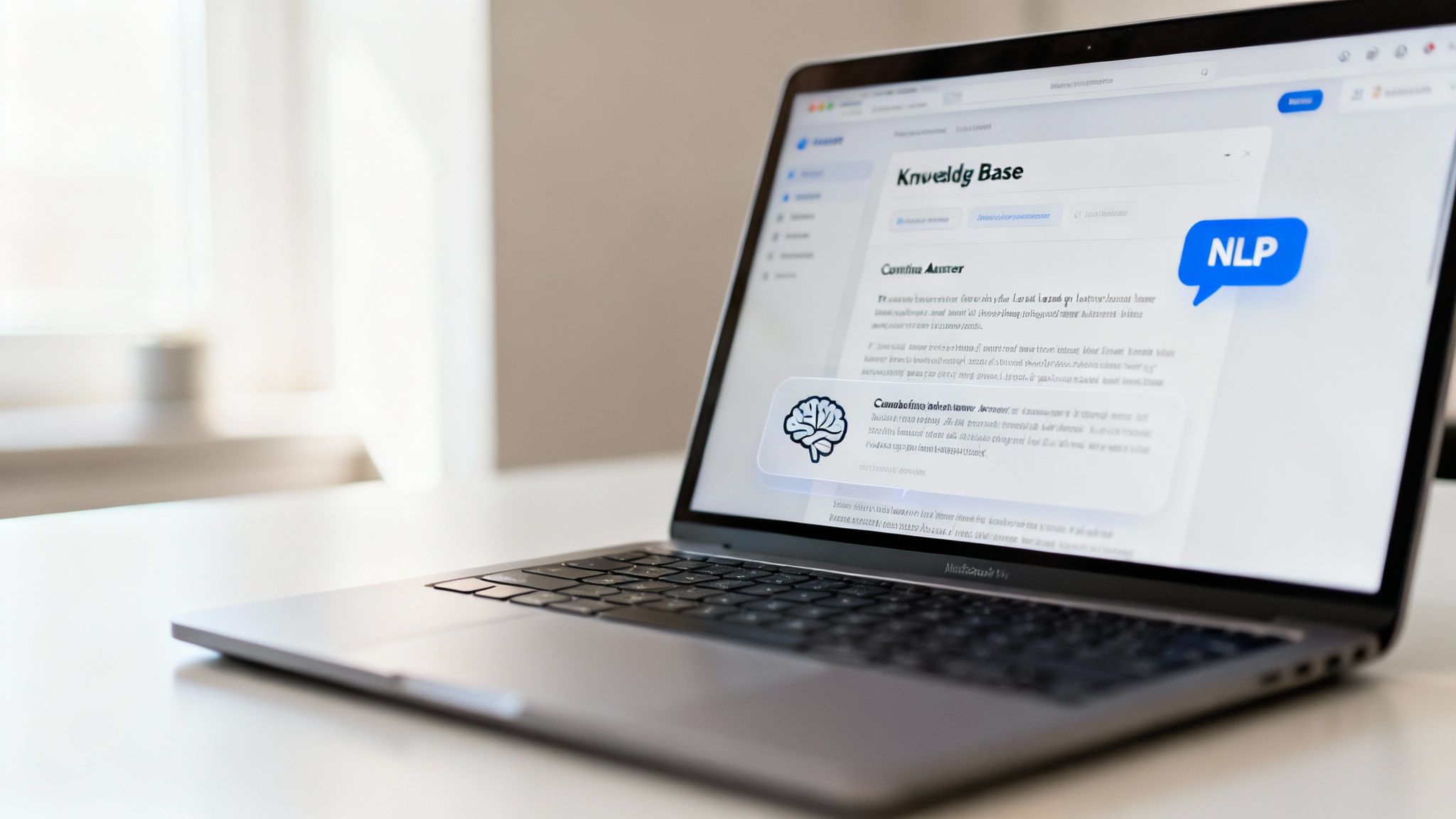
To really get what makes an AI powered knowledge base so different, you have to peek under the hood. It’s not just magic; it’s a clever combination of technologies working together to turn a simple question into a genuinely helpful answer. This process completely changes the game, transforming a dusty digital library into a dynamic resource that feels less like software and more like your most knowledgeable coworker.
The two powerhouses driving this shift are Natural Language Processing (NLP) and Machine Learning (ML). When they work in tandem, they create a system that doesn’t just match keywords but actually understands what you mean and learns from every single interaction.
Let’s break down what each one does in simple terms.
Natural Language Processing: The Universal Translator
Think of NLP as the system’s brainy translator. It’s the tech that lets the knowledge base understand questions posed in normal, everyday language—typos, slang, and all. Instead of making you guess the exact, rigid keywords, NLP figures out the intent behind what you’re asking.
For instance, a user might type, “how do i get money back for my flight to the conference?” A traditional search would look for “money back” or “flight.” NLP is smarter. It grasps the concepts of travel, expenses, and reimbursement policies. It knows you’re looking for the process and forms for submitting travel expenses, even if you never used those exact words.
This is a huge deal for usability. It closes the gap between how we talk and how computers think, making sure people find what they need without having to play a frustrating guessing game with search terms.
Machine Learning: The Ever-Smarter Engine
If NLP is the translator, then Machine Learning is the engine that gets smarter over time. Every question asked and every answer clicked on becomes a new piece of data that helps the system improve. ML algorithms are constantly analyzing these interactions to spot patterns and fine-tune their future responses.
Let’s say a bunch of employees ask about “WFH stipends” and they all end up clicking on the “Remote Work Policy” document. The machine learning model picks up on this pattern. The next time someone asks a similar question, it’ll serve up that document first, because it knows there’s a high probability it’s the right answer.
This continuous learning loop means the AI powered knowledge base gets more accurate and helpful with every use.
This self-improvement is the real game-changer. A traditional knowledge base is only as good as it was on day one. An AI system, on the other hand, is constantly evolving, so its answers stay relevant and accurate without needing endless manual updates.
To show how different these two approaches are, here’s a quick comparison.
Comparing Traditional vs AI Powered Knowledge Bases
This table breaks down the core differences between a standard, static knowledge base and one that’s enhanced with AI. You can really see where the advancements provide a superior experience for the user and less maintenance for the administrator.
| Feature | Traditional Knowledge Base | AI Powered Knowledge Base |
|---|---|---|
| Search Functionality | Relies on exact keyword matching. | Understands natural language, intent, and context. |
| Content Discovery | Users must manually browse or find the right keywords. | Proactively suggests relevant information and synthesizes answers. |
| Maintenance | Requires constant manual updates and tagging. | Learns from user interactions to self-improve and fill gaps. |
| User Experience | Often frustrating; can lead to “no results found.” | Conversational and intuitive; provides direct, accurate answers. |
| Accuracy Over Time | Information can become outdated or hard to find. | Becomes more accurate and relevant with every query. |
The takeaway is clear: AI doesn’t just make the search bar better; it fundamentally changes how information is managed and accessed, making it a living, breathing part of your team’s workflow.
From Simple Query to Intelligent Answer
Let’s walk through a real-world example. A new marketing team member asks the knowledge base: “What are our brand guidelines for social media logos?”
Here’s what happens next:
- NLP Deciphers the Question: First, NLP gets to work. It breaks down the query, identifying key concepts like “brand guidelines,” “social media,” and “logos.” It understands the user needs specific rules for a particular use case.
- ML Predicts the Best Source: The machine learning model then scans all connected information sources—your Google Drive, Confluence, shared marketing folders, everything. It uses its learned patterns to predict which documents are most likely to contain the answer. It might pull up a detailed “Brand Style Guide,” a “Social Media Playbook,” and a folder of logo assets.
- AI Synthesizes the Answer: Here’s the best part. Instead of just giving you a list of links to sort through, the AI synthesizes a direct answer. It pulls the most relevant snippets from those documents—like the specific rules for logo placement on Instagram or the correct hex codes—and presents them as a clear, concise response.
This ability to deliver a precise, ready-to-use answer is what makes the system truly intelligent. It stops the endless searching and lets your team get back to work.
How Your Support and Marketing Teams Get a Serious Edge
An AI-powered knowledge base isn’t just a fancy filing cabinet for your company’s information. It’s a genuine asset that creates real, tangible value for the people on your front lines—your customer support and marketing teams. Think of it as a force multiplier. It takes over the repetitive, time-sucking tasks and uncovers the kind of strategic insights that actually move the needle.
And this isn’t some minor tweak to how you do business; it’s a fundamental shift. The numbers tell the story. The market for this technology was valued at around $5.23 billion in 2024 and is expected to jump to $7.71 billion in 2025. A 47.2% growth rate in a single year shows just how essential this tech has become. You can dig into the specifics in this report on AI’s impact on knowledge management.
Putting a Superpower in Your Support Team’s Hands
For a support agent, an AI knowledge base is like having a seasoned expert sitting next to them on every single call. It’s the ultimate cheat sheet, directly boosting their performance and making customers happier.
Instead of putting someone on hold while they scramble to find an old training doc or ping a manager, an agent can just ask the AI a question. In seconds, they get a clear, verified answer. This ability to find the right information instantly has a massive impact on ticket resolution times and first-contact resolution.
Here’s what that looks like in the real world:
- Instant Answers on Live Calls: Agents can ask the system questions in plain English while talking to a customer, pulling up troubleshooting steps or policy details without breaking the flow of conversation.
- Self-Service That Actually Works: That same AI brain can power your customer-facing help center. This deflects a huge chunk of common questions, letting your human agents focus on the tricky, high-value problems where they’re needed most.
- Rock-Solid Consistency: Every agent gets the exact same answers from the same source. That means customers get consistent information, no matter who they talk to, which is huge for building trust in your brand.
When your support agents are equipped with instant, accurate information, their jobs become less stressful and the customer experience gets a whole lot better. Happy agents and quick solutions are the recipe for customer loyalty.
Fueling a Smarter Marketing Strategy
Marketing teams can also tap into this AI to stop guessing what content to create and start using real data. The knowledge base becomes a goldmine of customer insights, simply by looking at what people are asking day in and day out. It’s like having a direct line into the minds of your audience.
Imagine your marketing team seeing a live dashboard of the most common questions hitting the support queue. That’s not just support data—that’s a ready-made content calendar full of topics your audience is begging to know more about.
This unlocks a few key advantages for marketers:
- Spotting Content Gaps: If dozens of customers are asking how to connect your product with another tool, you’ve just found a glaring gap in your content. That’s a clear signal to create a detailed “how-to” guide.
- Uncovering SEO Gold: Customer questions are a natural source of long-tail keywords. The exact phrasing people use is often different from what you’d find with traditional keyword tools, giving you a unique SEO advantage.
- Creating Content That Hits Home: When you create blog posts, FAQs, or videos based on real problems, you know for a fact that the content will resonate. It directly solves a proven need, which means more engagement and better search rankings.
For example, a marketer might see a sudden surge in questions about a specific feature. They can jump on that insight, quickly producing a timely blog post and video to capture that interest while it’s hot, driving a ton of relevant traffic.
Your Blueprint for Implementing an AI Knowledge Base
Moving from the idea of an AI-powered knowledge base to actually having a live, working one takes a plan. It’s not as simple as flipping a switch. A successful rollout requires some thoughtful groundwork to turn a promising piece of tech into an asset your team can’t live without. This blueprint will walk you through the essentials, from taking stock of your current information to getting your team on board for a smooth launch.
First things first: you need to audit your existing content. Before you can build that single source of truth, you have to get a clear picture of all the places your information is scattered. Where does your company’s knowledge actually live? Is it buried in Google Drive, fragmented across countless Slack channels, or neatly documented in a tool like Confluence?
Mapping out these different data sources helps you see what you have and—more importantly—what you’re missing. This audit will quickly reveal content gaps, shine a light on outdated documents, and give you a realistic idea of the work ahead.
Connecting Your Information Hubs
Once you know where everything is, the next step is to connect it all. The goal is to create one unified place the AI can access and learn from. A good platform will let you seamlessly link your various tools, pulling in everything from documents and chat histories to support tickets to form a complete data pool.
This process is what transforms isolated pockets of information into a cohesive “company brain.” When your AI can see everything—from marketing playbooks in a shared drive to technical troubleshooting guides in a wiki—it gets the context it needs to give truly accurate and useful answers.
This infographic shows how a streamlined process can turn customer questions into successful team outcomes, with an AI knowledge base right in the middle.
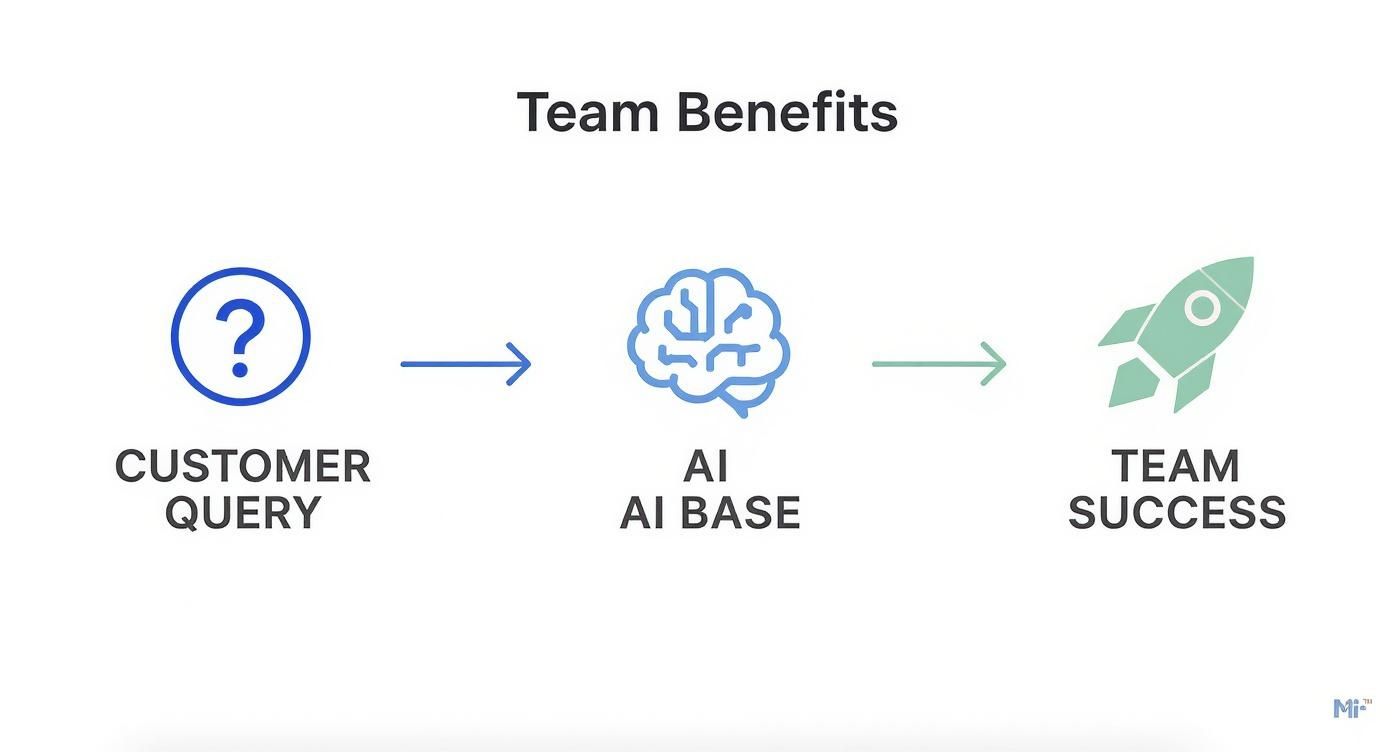
As you can see, the AI acts as an intelligent go-between, empowering your team with the right information to solve problems quickly and effectively.
Structuring Knowledge for AI Success
Just connecting your data isn’t enough. For the AI to make sense of it, your information needs a bit of structure. AI is smart, but it works best when it has clear signals to follow. This doesn’t mean you need to rewrite every single document, but a little organization goes a very long way.
Here are a few practical tips for structuring your content:
- Use Clear Naming Conventions: Title your documents and folders logically. Instead of a vague file name like “Update,” try something descriptive like “Q4-2024-Sales-Comp-Plan.”
- Implement Simple Tagging: If your platform allows it, use tags to categorize content. For instance, tag documents with keywords like “onboarding,” “marketing,” “policy,” or “technical-guide.”
- Establish a Hierarchy: Organize files into folders and subfolders that make intuitive sense. A clear hierarchy helps the AI understand the relationships between different pieces of information.
These simple housekeeping tasks are more important than they seem. They act like signposts that guide the AI, helping it index information correctly and pull up the most relevant answers with greater speed and accuracy. Without this structure, even the most advanced AI-powered knowledge base will struggle to make sense of the chaos.
Pre-Launch Checklist for Success Before you go live, run through these essential tasks to ensure a smooth and successful implementation.
- Define Clear Success Metrics: What does a win look like for you? Is it reducing ticket response times by 25%? Or maybe cutting down new hire onboarding questions by 50%? Set measurable goals from the start.
- Select a Pilot Team for Testing: Grab a small, engaged group of users to test the system first. Their feedback is pure gold for ironing out kinks before a company-wide rollout.
- Create a Simple Training Plan: Put together a brief guide or a short video explaining how to use the new system. Focus on the benefits to get your team excited and encourage them to jump in.
- Communicate the Launch: Announce the new tool and, more importantly, explain why it’s being introduced. Highlight how it will make everyone’s job easier by giving them instant access to reliable information.
By following this practical roadmap, you take the mystery out of the implementation process. You move from a powerful concept to a real tool that’s set up from day one to deliver genuine value, making your team more efficient, informed, and empowered.
Choosing the Right Platform and Proving Its Worth
Picking an AI-powered knowledge base is more than just ticking off features on a list. It’s about finding a partner for your business—one that can scale with you, keep your data safe, and actually make a difference to your bottom line. With so many options popping up, you need a clear way to cut through the marketing fluff and find what truly fits.
There’s a reason this market is exploding. In 2023, the AI in knowledge management space was already valued at $6.7 billion, and forecasts show it rocketing to nearly $62.4 billion by 2033. The fact that software and platforms accounted for over 70.5% of that market tells you one thing: businesses are betting big on these tools. You can dig into more of this data on the AI knowledge management market trends at Market.us.
All this growth means you have more choices, but it also means you have to be smarter about how you choose.
Core Features You Cannot Overlook
When you start looking at different platforms, some features are simply non-negotiable. These are the core capabilities that separate a genuinely helpful system from a glorified search bar. Think of them as the foundation for your entire knowledge strategy.
Your evaluation should boil down to these three critical areas:
- Seamless Integration Capabilities: The best AI knowledge base doesn’t work in a vacuum. It has to plug right into the tools your team already lives in, whether that’s Slack, Google Drive, or your CRM. This creates a single source of truth, letting the AI pull information from everywhere and deliver answers where you’re already working.
- Robust Security Credentials: You’re about to hand over your company’s collective brain to this platform. That’s a huge deal. Look for essentials like SOC 2 compliance, which is a clear sign that a vendor takes data security seriously. Make sure they also offer solid data encryption and fine-grained access controls so you can manage exactly who sees what.
- Proven Scalability: The tool you pick today has to work for you a year from now, and the year after that. It needs to handle more data, more users, and more questions without breaking a sweat. A scalable platform means you won’t have to go through a painful migration process just when you’re starting to see real benefits. This is something we built directly into BizSage, with plans designed to grow right alongside your team.
Proving the Value: Measuring Your ROI
Bringing in any new tech requires a solid business case, and an AI knowledge base is no different. The great thing is, its impact is incredibly easy to measure. If you track the right metrics, you can show exactly how it’s saving money and boosting productivity. The trick is to get your baseline numbers before you start.
Know where you stand today. How long does it currently take your support team to close a ticket? How many repetitive questions does a new hire ask their manager? Once you have that data, the “after” picture will be impossible to argue with.
The goal here is to move from “I feel like this is working” to “This has saved us 15 hours a week and boosted our self-service rate by 40%.” Hard data is your best friend.
Here are the key performance indicators (KPIs) you should be tracking to show a clear return on investment:
- Reduction in Agent Response Time: How long does it take an agent to find an answer and get back to a customer? A huge drop here is a direct win, showing the AI is delivering information instantly.
- Increase in Self-Service Resolution Rate: Keep an eye on how many customers solve their own problems using your help center, without ever creating a support ticket. A higher rate means fewer tickets and lower support overhead.
- Faster Employee Onboarding: Time how long it takes a new hire to get up to speed. When you give them a “company brain” they can ask anything, that learning curve shrinks dramatically, freeing up managers.
- Decrease in Ticket Escalations: When your frontline agents have all the answers, they can solve tougher problems themselves. This means fewer tickets get escalated to senior staff or engineers, letting them focus on bigger issues.
By focusing on these practical features and measurable outcomes, you can confidently choose the right AI-powered knowledge base and prove its value to your entire organization.
Keeping Your Knowledge Base Fresh for the Long Run
Getting an AI-powered knowledge base up and running is a big win, but the real magic happens when you treat it like a living part of your company, not a project you can just set and forget. Think of it less like a finished library and more like a company garden—it needs consistent attention to thrive. If you don’t have a plan to tend to it, even the most advanced system can get cluttered with old, irrelevant information, making it less trustworthy over time.
This commitment to upkeep is what ensures your knowledge base grows right alongside your business, solidifying its place as your company’s source of truth. It’s all about building good habits that pay off in the long run. The market projections back this up, too. The AI-driven knowledge management space is expected to jump from $9.6 billion in 2025 to a massive $251.2 billion by 2034. You can dig into the numbers in this growth forecast for AI knowledge management at dimensionmarketresearch.com.
Set Up a Simple Governance Plan
To keep everything accurate, you need a simple plan for who does what. “Governance” might sound a bit corporate, but it’s really just about assigning clear ownership so content doesn’t get stale. A great place to start is by figuring out who your subject matter experts are for different areas of the business.
Your plan should cover a few basics:
- Content Owners: Pinpoint a person or team responsible for specific knowledge areas. For example, your marketing team is the natural owner of all things brand-related, while engineering should oversee the technical docs.
- Scheduled Reviews: Decide on a regular schedule for content check-ups. Maybe quarterly for fast-moving topics like sales promotions, and annually for more static info like company policies. This simple step stops outdated information from tripping up your team or frustrating customers.
Putting this structure in place creates accountability and turns maintenance into a shared responsibility instead of a task that gets pushed to the bottom of the list.
Use Feedback to Plug the Gaps
Honestly, your best source for making the knowledge base better is the people who use it every day. Their questions and feedback are a goldmine, showing you exactly what’s missing, what’s confusing, or what’s just plain wrong. A platform like BizSage can give you analytics that highlight what people are searching for, especially when the AI can’t find a good answer.
A “no results found” search isn’t a failure—it’s an opportunity. It’s your system waving a little flag to show you where a knowledge gap exists, pointing you directly to the next article you need to create.
Use these insights to spot trends and make your content better. If a bunch of people are suddenly asking about the new expense policy, that’s your cue to write a crystal-clear guide or update the old one. This feedback loop makes your AI-powered knowledge base smarter and more helpful with every single search.
Ultimately, the goal is to build a culture where everyone feels comfortable sharing what they know. Encourage your team to flag outdated info or contribute new articles. When everyone takes a little ownership of your company’s collective brain, the system becomes a powerful, dynamic asset that truly helps you grow.
Got Questions About AI-Powered Knowledge Bases?
Jumping into any new tech always brings up a few questions, and AI-powered knowledge bases are no exception. Let’s tackle some of the most common ones that pop up when teams are thinking about making the move.
How Secure Is Our Company Data?
This is usually the first question, and for good reason. Handing over company information requires a ton of trust. That’s why top-tier platforms are built with enterprise-grade security from the ground up. You should always look for providers with SOC 2 compliance—that’s a serious, independent audit confirming they handle customer data according to the strictest security standards.
Beyond that, make sure your data is protected with:
- End-to-end encryption, which keeps your information safe whether it’s being sent across the internet or just sitting on a server.
- Granular access controls, giving you the power to decide exactly who can see what.
These aren’t just features; they’re essentials for making sure your internal knowledge stays internal.
How Much Manual Work Are We Talking About After Setup?
Look, while the AI does a phenomenal job with the heavy lifting, the best systems are a partnership between the tech and your team. The AI is a genius at pulling in, organizing, and finding information, but it can’t replace human judgment.
Your subject matter experts are still essential for double-checking critical information and helping the AI learn and get better over time. A good way to think about it is that the AI handles 90% of the grunt work, while your team provides that final 10% of expert polish that makes the system truly reliable.
An AI-powered knowledge base slashes the manual workload, but it doesn’t get rid of it completely. Human oversight is what turns a smart tool into a trustworthy source of truth for your entire company.
Can This Actually Work with Slack or Microsoft Teams?
Yes, absolutely! And honestly, this is where the magic really happens. The best AI knowledge bases don’t live on an island; they offer seamless integrations with the collaboration tools your team is already using all day long.
This means you can pull knowledge right into your existing conversations. Instead of making someone jump out of Slack to go search for a document, they can just ask a question and get an answer right there in a channel. It’s this kind of smooth integration that gets people to actually use the tool and makes finding information feel effortless.
What’s a Realistic Timeline to Get This Running?
Getting set up is probably faster than you imagine. For most teams, a typical implementation takes anywhere from a few days to a couple of weeks.
The timeline really depends on things like how many different data sources you’re connecting and how organized (or messy) your current documents are. If you have a clear goal and relatively clean data, you could be up and running in less than a week.
Ready to stop searching and start getting answers? BizSage turns your company’s scattered documents into a reliable, on-brand AI assistant that your team and customers can trust. Get started in minutes and see how an AI powered knowledge base can transform your operations. Explore BizSage today.
Article created using Outrank