
Picture this: you hire the perfect employee. They've memorized every single document, website, and internal process your business has ever created. This employee is on the clock 24/7, never gets tired, and delivers flawless, on-brand answers every single time. That’s exactly what a personalized AI agent does—it's a smart assistant, custom-trained on your unique business knowledge.
Beyond Generic Bots Into True Personalization
Forget everything you know about those clunky, rules-based chatbots that trip over any question that isn't on their pre-approved list. Personalized AI agents are a completely different league.
A standard chatbot is like a rigid call center script—it's limited and incredibly frustrating the moment you stray from the path. A personalized AI agent, on the other hand, is like having your most seasoned team member on standby, ready to give detailed, accurate answers pulled directly from your company’s own data.
This isn't just a small step up; it’s a fundamental change in how a business can operate. For small teams, this is a massive advantage. Instead of your people answering the same questions over and over, you can build a digital expert that truly extends your team’s reach. This frees everyone up to focus on the complex, high-value work that actually grows the business.
The Core Difference Explained
The magic is all in the customization. A general-purpose AI like ChatGPT knows a little bit about everything, but it knows absolutely nothing about your company's specific pricing, return policies, or internal workflows.
A personalized AI agent is built differently. It's trained exclusively on the curated content you provide it.
A personalized AI agent doesn't guess or make things up. It works like a student taking an open-book test—it's only allowed to use the information you've given it. This is how you guarantee every single response is accurate, consistent, and perfectly aligned with your brand.
This targeted training is what turns a neat tool into a game-changing asset. It’s what allows the AI to become the single source of truth for your customers and your internal team.
A Market on the Rise
This is far more than just a passing trend. The global AI agents market was valued at USD 5.4 billion in 2024 and is expected to explode to USD 50 billion by 2030. That’s not just hype.
A recent survey found that 79% of companies are already using AI agents, with the vast majority reporting clear productivity gains. This kind of explosive growth tells us we're seeing a major shift in how businesses solve everyday problems. For a deeper dive into the mechanics, understanding What Are AI Agents and how they automate complex tasks is a great place to start.
How AI Agents Learn About Your Business
So, how does a personalized AI agent go from knowing nothing to being an expert on your business? It’s less like traditional teaching and more like giving a brilliant researcher a library dedicated solely to your company. The technology making this happen is called Retrieval-Augmented Generation (RAG).
Think of it like this: A general AI like ChatGPT has read most of the internet—a massive, sprawling public library. It tries to answer your questions from this vast, general knowledge. An AI agent using RAG, on the other hand, is given a curated, private collection of your company’s "approved texts." This includes your website content, product manuals, internal wikis, and support articles.
When a question comes in, the agent doesn't just pull an answer from memory. First, it retrieves the most relevant snippets from your company-approved materials. Then, it generates a fresh answer based only on that specific, trusted information. This two-step dance is what keeps the agent accurate and stops it from making things up.
It's a critical distinction. This is what separates a fun, general-purpose AI from a reliable, specialized agent that a business can actually depend on.
The diagram below shows exactly where these personalized agents sit in the wider world of AI. You can see they are a specialized branch, far more focused than a general AI or a simple, scripted chatbot.
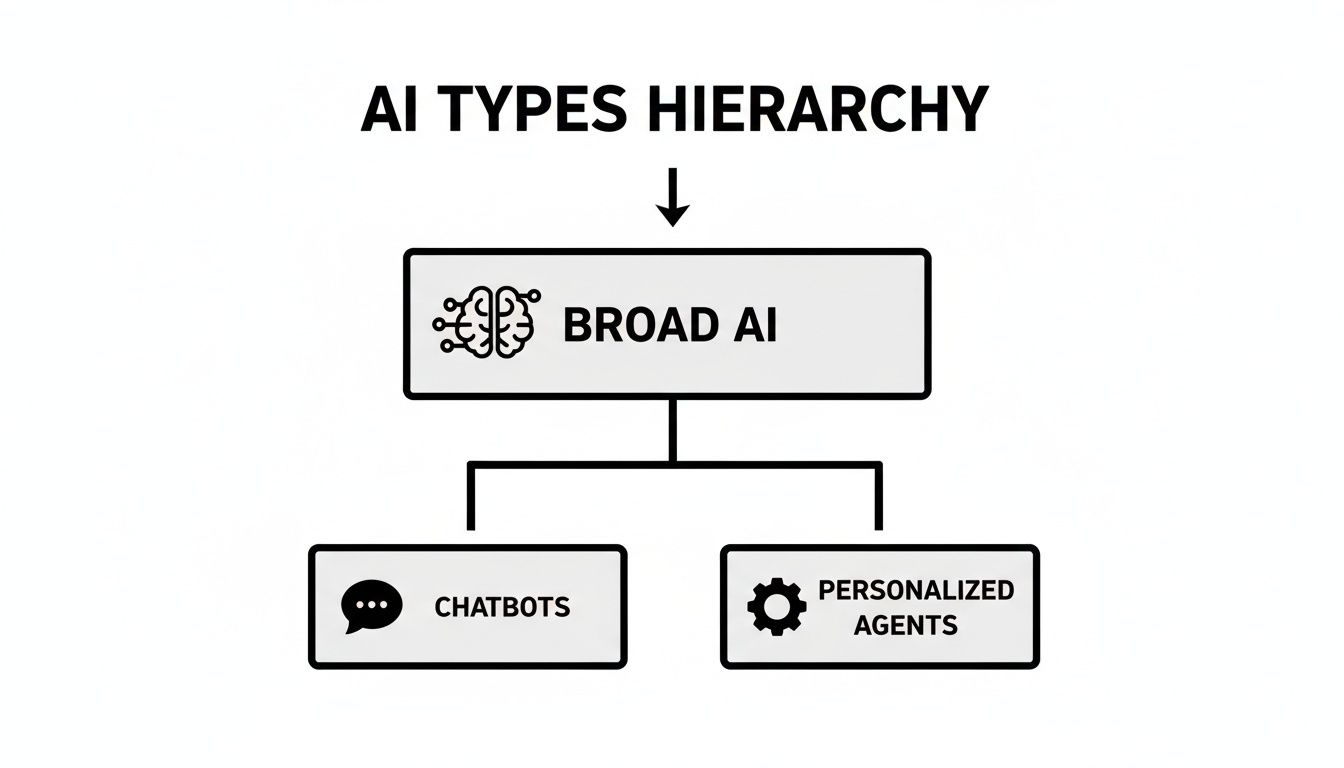
This hierarchy makes it clear that while they're all under the "AI" umbrella, personalized agents are a huge step forward, built for specific, high-stakes tasks, not just casual chats.
The Three Stages of AI Training
To make this all happen, a platform like BizSage runs a continuous, three-stage learning cycle. This isn't a one-and-done setup; it’s an ongoing process that keeps your AI agent sharp and current.
-
Ingestion: The Data Collection Phase
First things first, the system needs its library. This is where you feed it all of your business knowledge by providing website URLs, uploading PDFs, or connecting other data sources. Think marketing brochures, sales playbooks, technical spec sheets, and even HR policies. The quality and depth of this initial data dump are the bedrock of your agent’s future performance. -
Indexing: The Smart Library Organization
Once the content is in, it doesn't just sit in a digital pile. The system meticulously breaks everything down into small, meaningful chunks and creates a sophisticated, searchable index. This process, called "embedding," translates your text into a numerical format the AI can work with. It’s like creating a hyper-detailed index for a book, allowing the AI to pinpoint the exact right paragraph to answer a question in a split second. -
Generation: The Answer Formulation
This is where the RAG model really performs. When a user asks a question, the agent instantly scans its indexed library for the most relevant pieces of information. It then uses its powerful language capabilities to weave those retrieved pieces into a clear, helpful, and natural-sounding answer, often citing the exact source documents it used.
This method ensures that every answer is grounded in your verified content. If the information isn't in the knowledge base you provided, a well-built agent will simply say it doesn't know. That simple act prevents bad information and builds trust with your users.
Getting a handle on this learning process is key to getting it right. For a deeper dive, you can explore how to train an AI agent for customer support to see how these principles apply in a real-world setting. By taking the time to build a high-quality knowledge base, you are directly shaping your agent's expertise and reliability.
The Real Business Impact of Using AI Agents
So, what can personalized AI agents actually do for your business? We can talk about the tech all day, but the real magic is what happens when you put one to work. This isn't about small tweaks; it's about a direct impact on your efficiency, your customer relationships, and ultimately, your bottom line.
Think about your support team. How much of their day is spent answering the same questions over and over? Things like pricing, shipping status, or password resets are important, but they pull your experts away from the tough problems where they really make a difference. An AI agent can field a massive chunk of those common queries instantly, letting your team focus on the work that matters most.
This is more than just saving a few hours. It’s about reallocating your most precious asset—your team’s brainpower—to tasks that actually grow the business. The agent becomes your first line of defense, a tireless expert on the basics, freeing your people to solve complex issues and build relationships.
Boosting Productivity Across the Board
One of the biggest drags on productivity is the "knowledge hunt"—that endless search for the right document, the right answer, or the right person to ask. AI agents solve this by becoming a central hub for your company's knowledge, ready with an accurate answer 24/7.
Here’s how that looks in the real world:
- For Your Support Team: A customer has a technical question at 2 a.m. Instead of them waiting until morning, the AI agent pulls the exact solution from your help docs and walks them through it. The ticket gets solved before your team even clocks in.
- For Your Sales Team: A hot lead is on your website after hours, trying to figure out which plan is right for them. The agent can ask a few qualifying questions, get their contact info, and even schedule a demo for the next morning.
- For a New Hire: Your new marketing coordinator needs to find the brand style guide on their first day. Instead of bugging a colleague, they just ask the internal agent and get a direct link in seconds.
Giving your team instant access to information removes the friction from their daily work. Problems get solved faster, and everyone feels more empowered to do their job well. It's no wonder that 90% of businesses now see AI agents as a key competitive advantage. You can find more data on the rapidly growing AI agents market on marketsandmarkets.com.
Improving Customer Satisfaction and Brand Consistency
Your brand’s voice is everything. But keeping it consistent across every single interaction, with every single team member, is a constant struggle. A personalized AI agent, trained on your brand guidelines, ensures every customer gets the same on-brand, high-quality response, every single time.
This consistency is what builds trust. Your customers start to see you as a reliable resource they can count on for fast, accurate help.
This isn't just about efficiency; it's about delivering a superior customer experience that sets you apart. When a customer gets an instant, helpful answer at midnight, that positive interaction directly reflects on your brand.
This reliability makes a huge difference. Studies show that 54% of customers have a more positive view of a brand when its support is powered by effective AI. And people actually want this—81% prefer self-service for simple issues.
By offering an intelligent, always-on resource, you’re not just deflecting support tickets. You’re building a stronger, more dependable brand that meets people where they are.
Real-World AI in Action: Use Cases for Every Department
The true magic of personalized AI agents happens when you see them solving real, day-to-day business headaches. This isn't just theory—it's about putting a custom-trained expert to work inside the unique flows of each team. From answering customer questions to smoothing out internal operations, these agents are a serious force multiplier for your people.

When you embed an AI agent fed with department-specific documents, website content, and internal guides, you automate the repetitive stuff and deliver instant, correct answers right where they're needed. Your human experts are then freed up to focus on the big-picture work that actually moves the needle.
Let's look at a few practical examples of how this plays out across a business.
A Smarter Frontline for Customer Support
The support team is usually the first and most obvious place to deploy a personalized AI agent. They are constantly drowning in a high volume of repetitive questions that, while important, eat up a ton of time.
- The Problem: Your small support team is buried under common tickets about return policies, shipping times, and product specs. This leaves almost no time for them to tackle the complex customer issues that require real thinking.
- The AI Agent Fix: An agent is trained on your company’s entire knowledge base—help articles, product manuals, policy documents, the works. You then embed it right into your support portal and website.
- The Bottom Line: The agent immediately deflects over 70% of routine questions, giving customers 24/7 answers without a wait. This crushes ticket volume, slashes first-response times, and lets your human team focus on the toughest problems, making everyone happier.
Supercharging Your Sales and Marketing Teams
In sales and marketing, speed is everything. A personalized agent can jump in and engage potential customers the second they show interest, making sure you never miss an opportunity, even after hours.
Think about it: a hot lead is browsing your pricing page at 10 PM. A well-trained agent can answer their specific questions about feature comparisons, qualify their interest, and even book a demo for the next morning. Your website just went from a static brochure to an active, around-the-clock sales assistant.
Here's how that looks in practice:
- The Problem: The marketing team launches a new campaign, and the website is flooded with questions about the promotion's terms. The sales team can't keep up with the inquiries, leading to frustrating delays and lost leads.
- The AI Agent Fix: A dedicated agent is trained on all the campaign materials, FAQs, and product info. It’s placed right on the campaign landing page to act as an interactive guide.
- The Bottom Line: The agent becomes a campaign expert, answering visitor questions on the spot and capturing qualified leads. This boosts conversion rates and gives the marketing team incredible insight into what customers are really asking about.
Building a Central "Company Brain" for Internal Ops
Beyond customer-facing roles, personalized AI agents are a game-changer for your internal operations. They can tear down knowledge silos and create a single, reliable source of truth for the entire company. This is a lifesaver for departments like HR and IT.
- The Problem: Employees are constantly pinging HR about PTO policies, benefits enrollment, or how to file expenses. New hires can't find onboarding documents, and the IT team is swamped with requests for the Wi-Fi password and software setup guides.
- The AI Agent Fix: You create an internal "Company Brain" agent trained on all company policies, employee handbooks, and IT guides. It's then made available right inside your company's Slack, Teams, or intranet.
- The Bottom Line: Employees get instant, correct answers to their internal questions, which means fewer interruptions and more self-sufficiency. This makes onboarding faster, takes a huge load off your HR and IT staff, and ensures everyone is working with the most up-to-date information. The whole company just got more efficient.
Launching Your First AI Agent in Four Steps
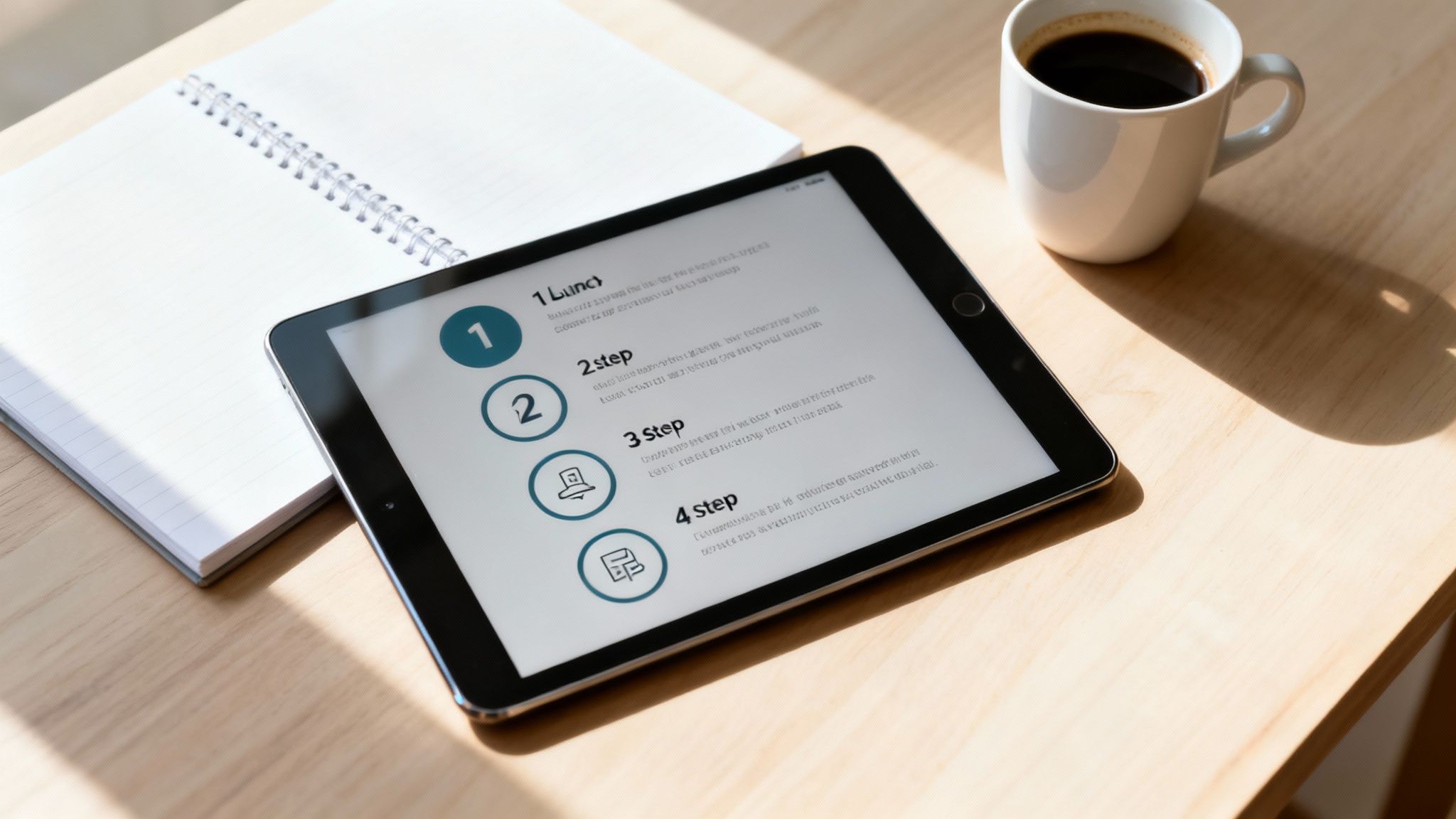
Getting a custom AI solution off the ground might seem intimidating, but today's tools have made it surprisingly simple. You don't need a team of data scientists or any machine learning background. With a no-code platform like BizSage, you can get a fully functional, personalized AI agent up and running in minutes.
This isn't theory. This is a practical, four-step guide that will walk you through the whole process. Let's look at exactly how to turn your company's knowledge into a digital expert that works for you 24/7.
Step 1: Gather Your Knowledge Sources
First things first: your AI agent needs something to learn from. This is probably the most important part of the entire process because the quality of your source material directly impacts how accurate and helpful your agent will be. Your mission here is to create a "single source of truth" for the AI.
Start pulling together all the information that defines your business—how you operate, what you sell, and your internal policies. Don't just think about what's on your public website; your internal docs are goldmines for creating a truly knowledgeable assistant.
Your knowledge base should include things like:
- Website URLs: Your homepage, product pages, pricing info, and blog posts are all great places to start.
- Help Center Articles: Any existing FAQs, support articles, or troubleshooting guides are perfect training material.
- Company Documents: Upload your product manuals, internal playbooks, sales scripts, and brand guidelines as PDFs or other documents.
Think of it like you're helping someone study for an open-book test. The better the textbooks you provide, the better they'll do. A platform like BizSage makes this a breeze—you just paste links and upload your files.
Step 2: Create and Customize Your Agent
Now for the fun part. With your knowledge base ready, it's time to build your agent and give it a personality. This is where you make sure every interaction feels like it’s coming from your company. You aren't just building a chatbot; you're crafting a digital ambassador for your brand.
Customization is what makes the agent feel like a natural part of your team, not some generic robot bolted onto your website.
This step is all about brand consistency. Whether your tone is formal and corporate or fun and casual, you can instruct your AI to match it perfectly. This builds trust and reinforces your brand identity with every single conversation.
You’ll typically set up a few key things:
- Name and Title: Give your agent a name that fits, like "Support Pro" or "Captain Compliance."
- Welcome Message: Write the first thing users see when they open the chat.
- Tone of Voice: Give the AI a simple prompt that defines its personality. Something like, "You're a friendly and upbeat support expert. Keep your answers clear and use emojis when they make sense."
This kind of setup means you can dial in the agent's behavior and look without touching a single line of code.
Step 3: Train and Test Your Agent
Once your agent is built, it's time for a little quality control. You need to put yourself in your customers' or employees' shoes and start asking questions to see how it performs.
Mix it up with both simple and challenging questions. Ask about pricing, dig into specific product features, and quiz it on company policies. You're looking for any gaps in its knowledge or spots where your source documents might be a bit fuzzy. If it gives a wrong answer or says "I don't know," that’s your cue to add or clarify information in its knowledge base.
This back-and-forth process of testing and tweaking is what takes an agent from pretty good to genuinely great.
Step 4: Publish and Deploy Your Agent
When you're happy with how your agent responds, you're ready to set it loose. Modern platforms make this part incredibly straightforward. You can get your personalized AI agent out into the world in a few different ways:
- Embed it on your website as a chat widget.
- Share it with a direct link for quick access.
- Host it on a dedicated subdomain for a fully branded experience.
After you go live, just remember to set a refresh schedule for your knowledge sources. This keeps your agent in sync with your website or documents, whether it’s a daily, weekly, or monthly update. It's a simple maintenance step that ensures your AI expert stays accurate and trustworthy for the long haul.
Common Pitfalls and How to Avoid Them
Bringing a personalized AI agent into your workflow can feel like a game-changer. But like any powerful tool, its success depends entirely on how you use it. I've seen a few common, and totally avoidable, missteps that can quickly turn a promising AI into a source of frustration for everyone involved.
Knowing what these traps are ahead of time is half the battle. Let's walk through them.
The "Garbage In, Garbage Out" Problem
This is the big one. An AI agent is only as good as the information it learns from. If you feed it a knowledge base filled with outdated company policies, old product specs, or confusing internal jargon, it's going to serve up wrong answers with complete confidence.
That's a fast way to lose customer trust and create some serious headaches for your business. The fix? Be ruthless about curating your content before you start training. Think of it as spring cleaning for your company knowledge. Get rid of old files, update your core documents, and make sure everything is accurate and easy to understand.
Key Takeaway: Treat your knowledge base like a well-organized library, not a forgotten storage closet. An agent built on clean, current data becomes an asset you can rely on. Some platforms, like BizSage, make this easier with auto-refresh schedules that keep your website content in sync without you having to lift a finger.
Forgetting Your Brand Voice
Another mistake I see all the time is letting the AI sound like a generic robot. That kind of sterile, impersonal tone can be really jarring for customers and feels completely disconnected from your brand. Remember, your AI agent is an extension of your company—a digital front-line employee.
Its personality should match yours. Are you formal and professional? Fun and casual? Whatever your brand voice is, the agent should reflect it.
The good news is that this is usually a simple fix. Dive into your AI platform’s customization settings and give it a clear persona. Something as straightforward as, "You are a friendly and patient support specialist. Keep your answers concise and encouraging," can make a world of difference. It’s a small step that ensures every interaction feels authentically you.
Ignoring Performance Analytics
Setting up your agent and then just walking away is a recipe for stagnation. If you aren't looking at the data, you’re flying blind. You won't know what questions people are actually asking, where the agent is getting stuck, or what you need to teach it next.
You're leaving a goldmine of insights on the table. The questions your users ask are direct feedback on their needs, wants, and confusion points.
Make it a habit to check your analytics dashboard regularly. Focus on these key areas:
- Top Queries: What are people asking about most? This can clue you in on what to feature in your marketing or where your product documentation needs work.
- Unanswered Questions: Look for every time the agent said, "I don't know." This is your to-do list for new knowledge base articles.
- User Feedback: Those little thumbs-up/thumbs-down ratings are invaluable. They tell you exactly which answers are hitting the mark and which ones are falling flat.
Hiding Your AI Agent
Finally, you can have the most brilliant AI in the world, but it’s completely useless if no one knows it exists. I’ve seen businesses bury their chat widget on a hard-to-find contact page or deep inside a help portal. If a customer has to go on a scavenger hunt to find help, they're more likely to just give up—or worse, fire off an angry email.
Put your agent front and center. The best practice is to place the chat widget on high-traffic pages where people are most likely to have questions, like your homepage, pricing page, and support center. The whole point is to make help instant and effortless, right when and where your users need it.
Common Questions About AI Agents
Even with a clear game plan, it's smart to ask a few questions before bringing new tech into your business. Here are some of the most common things we hear from business owners about personalized AI agents, with straightforward answers to clear things up.
How Do I Know The AI Agent Will Give Accurate Answers?
This is probably the most important question, and for good reason. Accuracy is everything. The great thing is that these agents aren't just making things up from the whole internet. They use a method called Retrieval-Augmented Generation (RAG).
In simple terms, RAG forces the AI to find answers only within the specific documents, files, and web pages you give it. This grounding in your own content is what stops it from inventing information or "hallucinating."
On top of that, good platforms like BizSage add extra safety nets. For example, agents can show you exactly where they found an answer by citing the source. They’re also taught to say "I don't know" if the information simply isn't in your knowledge base, which is far better than giving a wrong answer.
Do I Need Technical Skills To Build An AI Agent?
Not at all. The latest platforms are built for business users, not developers. You don't need to know a single line of code. Everything is handled through a simple, visual dashboard.
It really boils down to three simple steps:
- Add your content by pasting website links or uploading files.
- Give your agent a name, a personality, and tweak its look to match your brand.
- Publish it to your site or share a direct link with a couple of clicks.
Honestly, you can get the whole thing set up and running in just a few minutes. It's designed to be that easy for any small business owner or team.
How Much Does a Personalized AI Agent Typically Cost?
You'll usually find these services offered as a monthly or annual subscription, and they're priced to be well within reach for small and growing businesses. The plans are often tiered based on things like how many agents you need, the number of questions it can answer per month, and how much content you can upload.
A huge plus with solutions like BizSage is that the plans cover your entire company, with unlimited users. This means everyone on your team can use the AI without you having to pay extra for each person, which is a big deal compared to per-seat pricing models.
Can The AI Agent Match My Company's Brand Voice?
Yes, and this is one of the coolest parts. You have complete control over the agent's tone and personality so that every conversation feels like it's coming from your team. You can tell it to be professional and direct, or friendly and casual—whatever fits your brand.
This is usually handled with a "custom prompt," which is just a simple instruction you write to guide its behavior. This makes sure that whether it's helping a customer or talking to a new sales lead, the tone is always spot on.
Ready to see what a personalized AI agent can do for your business? Get started with BizSage today and turn your company knowledge into an expert assistant that's on duty 24/7. Build your first AI agent for free.