
A no-code chatbot platform lets you build and launch sophisticated AI assistants for your clients, all without touching a single line of code. The best no code AI chatbot builder gives you a central dashboard to create, train, and manage every client's agent, turning what was once a complex technical project into a scalable, repeatable service. This approach slashes your overhead and gets clients up and running incredibly fast.
Why Agencies Are Shifting to No Code AI Chatbots

If you run a marketing, web design, or lead-gen agency, you know the struggle: how do you scale personalized communication for dozens of clients without your operational costs spiraling out of control? The old ways—custom-coded solutions or rigid, script-based bots—were slow, expensive, and required developers. Frankly, that model is broken for modern agencies juggling a diverse client roster.
This is exactly why the shift to a no code chatbot platform is happening. These tools directly solve the scalability problem. Instead of waiting weeks or months, you can deploy an intelligent, brand-aligned AI agent for a new client in minutes.
The Power of Client-Trained AI
The real magic here is the AI's ability to learn directly from a client's own content. Using technology like Retrieval-Augmented Generation (RAG), a no code AI chatbot builder can be trained to:
- Crawl a client’s website and instantly absorb everything about their services, products, and unique voice.
- Ingest documents like FAQs, product catalogs, or support manuals to create a comprehensive knowledge base.
- Deliver factually accurate answers pulled exclusively from the client's data, which prevents the generic (and sometimes wrong) responses you see from untrained AI.
For an agency, this is a total game-changer. It guarantees that every single chat interaction is on-brand, genuinely helpful, and builds trust with your client’s customers. That’s how you drive conversions and prove your value.
The market numbers back this up. The global chatbot market reached $7.76 billion in 2024 and is projected to hit $27.3 billion by 2030. At the same time, the no-code AI platform space is expected to explode from $6.7 billion in 2025 to $72.9 billion by 2035, a massive signal of where the industry is headed.
The real advantage for an agency is transforming from a service provider into a strategic partner. By deploying a client-trained AI, you're not just adding a widget to a site; you're implementing a 24/7 lead-generation and support system that learns and improves over time.
This movement is bigger than just chatbots, too. The wider adoption of no-code tools is clear, with many agencies also turning to guides on no code website builders to simplify their development workflows. It’s all part of a fundamental shift toward efficiency, scalability, and delivering better results for clients, faster.
Key Features to Look For in an Agency-Ready AI Chatbot Builder
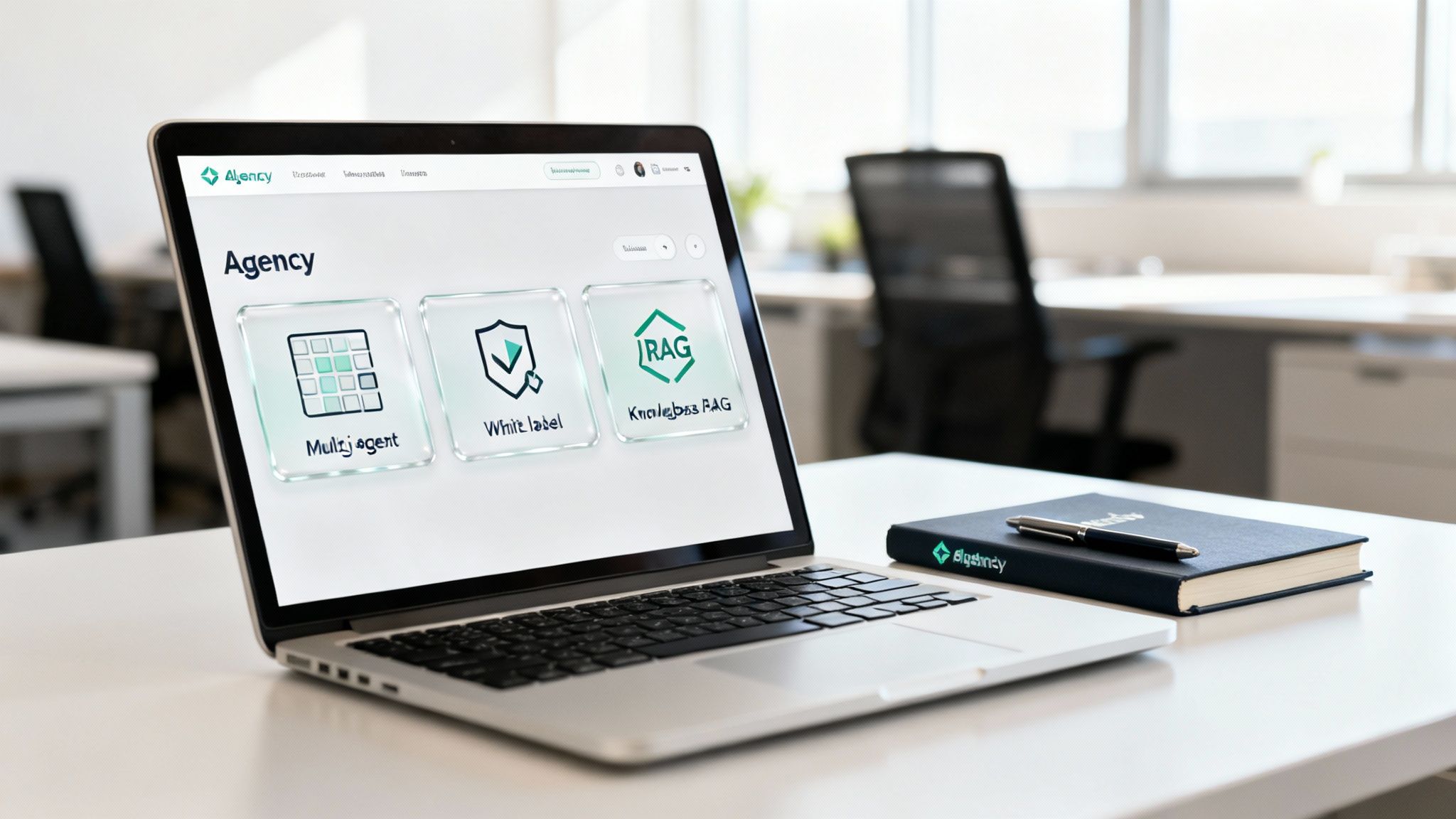
Before we get into a side-by-side comparison, let's set the stage. The truth is, not every no code chatbot platform is built to handle the unique grind of an agency. Your toolset needs to do more than just power a basic chat widget; it has to be the foundation for scaling your services across a whole roster of clients.
Think of an agency-centric builder less like a single tool and more like a mission control. It needs to be engineered from day one to handle multiple client bots, protect your brand, and deliver the kind of results that make your retainer feel like a bargain. Here are the absolute must-have features that separate the real agency platforms from the rest.
Multi-Agent and Multi-Client Management
For any agency, the absolute number one feature is managing all your clients from a single command center. Constantly logging in and out of different accounts is a fast track to wasted time and costly mistakes. A unified dashboard is non-negotiable for monitoring performance, rolling out updates, and getting new clients set up smoothly.
A top-tier AI chatbot dashboard is the cornerstone of this. It should give you that crucial bird's-eye view of every agent's performance while still letting you dive into individual chat logs or tweak a specific knowledge base for any client you manage.
This kind of structure is what lets you build repeatable, scalable workflows. Imagine creating a killer baseline chatbot for a real estate agency. With a multi-agent system, you can clone that configuration and customize it for the next realtor you sign, turning hours of setup into just a few minutes of work.
True White-Labeling for Your Agency's Brand
Your clients hired you, not some software company they've never heard of. This is why genuine white-labeling isn't just a nice-to-have; it's a deal-breaker. The best platforms let you strip out their branding and slap yours on, positioning the chatbot as a proprietary tool you've built specifically for them.
This is about more than just matching the widget color to a client’s CSS. It’s about ensuring the "Powered by" message points back to your agency, solidifying your value. That small detail changes the chatbot from a third-party plugin to a core part of your service offering, which goes a long way in strengthening client relationships.
For an agency, white-labeling isn't a vanity feature; it's a strategic tool for client retention. When the AI solution is visibly part of your service offering, it becomes stickier and harder for a client to replace.
RAG and Automated Knowledge Base Training
An AI chatbot is only as smart as the data it's trained on. A powerful no code ai chatbot builder must use a technology called Retrieval-Augmented Generation (RAG) to make sure its answers are pulled directly from your client's actual business information. RAG is what stops the AI from making things up ("hallucinating") by forcing it to reference a verified knowledge base.
To make this work in an agency setting, the whole training process needs to be quick and hands-off. You should be looking for platforms that offer:
- Automated Site Crawling: The ability to just plug in a client's website URL and let the platform automatically crawl the pages to build out the initial knowledge base.
- Document Uploads: Support for various file types—think PDFs, DOCX, and CSVs—so you can enrich the knowledge base with internal docs, product manuals, or detailed FAQ sheets.
- Scheduled Refreshes: The option to set up automatic re-crawls of a client’s site on a daily, weekly, or monthly schedule to keep the chatbot’s information from getting stale.
Comparing the Top No Code Chatbot Platforms for Agencies
Alright, now that we have a solid checklist of what agencies really need, let's put the leading platforms under the microscope. A generic features list just doesn't work for us. The small details—how a platform handles multi-client dashboards, the true depth of its white-labeling, or how smoothly it captures leads—are what separate a useful tool from a game-changing one for your agency.
Our goal here isn't to crown a single "best" no code chatbot platform. Instead, we're going to dig into the practical differences that impact your daily workflow. This is about finding the right tool for the right job, depending on your agency’s model and the types of clients you serve.
Multi-Client Management and Dashboard Usability
The very first hurdle for any agency tool is simple: can it centralize control? Trying to manage dozens of client accounts with separate logins isn't just a headache; it’s a direct path to mistakes and wasted time.
- BizSage was clearly built with agencies in mind. It gives you a single, unified dashboard where you can access every client agent. This design makes onboarding a breeze—you can spin up, train, and test a new client’s bot in minutes. The ability to clone configurations from one client to another is a huge time-saver.
- Platform A provides a similar multi-account setup, but it’s not nearly as smooth. You can manage multiple clients, but switching between them feels clunky and involves extra clicks that really add up throughout the day. It gets the job done but lacks that purpose-built feel.
- Platform B takes a different route with a workspace model. Each client gets their own walled-off workspace. This is great for organization, especially if you give clients direct access, but it's less efficient for an agency team trying to manage everything centrally.
The growth in this space is absolutely wild, which is why these features are so critical. The global no-code market shot up from $14.9 billion in 2022 and is projected to hit an incredible $102.7 billion by 2031. With 65% of enterprises already using these kinds of tools, agencies that master them gain a massive edge, shrinking deployment time from weeks down to hours. You can explore more statistics on the no-code market to see just how big this shift is.
The Depth of White-Labeling Capabilities
White-labeling is about more than just slapping your logo on something; it’s about brand ownership. Your agency needs to be the star of the show, with the chatbot platform acting as a silent, powerful partner in the background.
The real test for any white-label feature is this: Does it reinforce your agency's value or the software vendor's? Proper white-labeling makes the client see the chatbot as an essential part of your service.
This is where BizSage truly shines. It offers deep white-labeling that lets you replace the default "Powered by" text with your own agency's name and link. This reinforces your brand every time a user interacts with the bot, positioning the AI agent as a proprietary tool you're providing.
In contrast, Platform A lets you customize colors and styles but often leaves some subtle vendor branding behind. It might be a tiny logo or a less obvious "Powered by" link, but it’s just enough to remind the client they're using a third-party tool, which can subtly undermine your value.
Platform B offers a middle-of-the-road solution. You can remove its branding entirely on the higher-tier plans, but this usually comes with a hefty price tag, making it a tough sell for agencies just starting to scale their AI services.
Knowledge Base Creation and RAG Efficiency
A chatbot is only as smart as its training data. For an agency, how efficiently you can feed an AI agent a client's specific information is a make-or-break operational factor.
Here’s how the platforms stack up on this critical step:
Automated Site Crawling:
- With BizSage, you just pop in a client's website URL, and it automatically crawls the site to build the initial knowledge base in minutes. It also supports scheduled re-crawls, which is fantastic for keeping information up to date.
- Platform A has a similar feature, but I’ve found it can be less thorough, sometimes missing nested pages or forcing you to manually add URLs to get a complete picture.
- Platform B tends to lean more on manual data entry or document uploads, making the initial setup a more hands-on, time-consuming process.
Document and Data Handling:
- All three platforms can handle uploads like PDFs and text files. However, BizSage is remarkably good at parsing complex, messy documents accurately without needing you to pre-format everything. This is a massive win when clients hand you a pile of unstructured data.
The underlying technology here, Retrieval-Augmented Generation (RAG), is what ensures the bot sticks to the facts you’ve provided. It's the key to preventing AI "hallucinations" and stopping the bot from giving wrong answers—something that's non-negotiable for maintaining client trust.
Lead Capture and CRM Integration
For most marketing agencies, a chatbot's number one job is to generate qualified leads. How a no code AI chatbot builder handles this is everything.
BizSage builds lead capture right into the conversation. It can sense a user's intent and proactively offer a lead form to grab their contact info. The real game-changer for agencies, though, is the lightweight, built-in CRM. Each client agent gets its own Kanban-style board where new leads pop up, making it dead simple to show your client the tangible ROI.
Platform A has lead capture forms too, but they often feel tacked on—more like a standard web form dropped into a chat window. It usually depends on third-party tools like Zapier to send leads to an external CRM, which adds another layer of complexity and potential cost.
Platform B comes with powerful lead qualification tools that let you build complex, conditional logic to score leads. The catch is that the data often stays stuck in the platform’s analytics dashboard, requiring manual export or a more technical integration to get it into the hands of a client's sales team.
Making the Right Choice for Your Agency
Picking the right platform is a strategic move that will directly affect your efficiency, profitability, and client retention. There’s no single perfect tool, so it all comes down to your agency's specific priorities.
To help you decide, here’s a table that summarizes the key differences we've covered, letting you match your needs to the right solution.
Agency-Centric Feature Comparison of No Code AI Chatbot Builders
This matrix evaluates key platforms on features most critical to marketing, web, and SEO agencies, such as multi-agent management, white-labeling depth, and lead capture integration.
| Feature | BizSage | Platform A | Platform B |
|---|---|---|---|
| Multi-Client Dashboard | Unified, agency-first design. Fast management. | Functional but less intuitive navigation. | Workspace model, better for client collaboration. |
| White-Labeling | Deep: "Powered by Your Agency" branding. | Superficial: Vendor branding often remains. | Full removal on expensive tiers only. |
| Knowledge Base (RAG) | Fast, automated site crawling & document parsing. | Good crawling but may need manual help. | More reliant on manual uploads/data entry. |
| Lead Capture & CRM | Integrated forms with a built-in, per-client CRM. | Relies on third-party tools like Zapier. | Strong qualification but requires manual export. |
For an agency focused on scaling fast and delivering a fully branded experience, BizSage offers a seriously compelling package. Its agency-first dashboard, true white-labeling, and integrated lead tracking solve the core challenges of managing a roster of clients.
On the other hand, an agency working with big enterprise clients who need deep, complex lead qualification might find Platform B's advanced logic a better fit—as long as they have the budget and tech know-how to handle the integrations. Platform A is a solid entry point for agencies just dipping their toes into AI services, offering the core features without the specialized, agency-centric polish.
Putting Theory into Practice: How Agencies Get Real Client Wins
It's easy to get lost in feature lists and technical specs, but let's be honest—what really matters is how these no-code chatbot platforms actually perform in the wild. For an agency, the true test is turning a cool piece of tech into tangible, bottom-line results for your clients.
So, let's cut through the noise. Here are a few concrete examples of how different types of agencies can use a no-code AI chatbot builder to solve real-world problems and deliver some serious ROI.
Marketing Agencies: From Clicks to Qualified Leads
For marketing agencies, it's all about lead gen. A chatbot is your secret weapon here, acting as a tireless frontline qualifier that engages visitors the second they hit a landing page from a paid ad or organic search.
Think about a client in the hyper-competitive real estate market. You've trained their new chatbot on every property listing, neighborhood guide, and mortgage FAQ document they have.
- The Scene: A prospect lands on a specific property page after clicking a Google Ad.
- The Bot's Move: Instead of waiting, the chatbot proactively engages: "Hi there! Interested in scheduling a tour for this home, or would you like to see similar properties in the area?"
- The Qualification: The bot follows up with a couple of smart questions, like, "What’s your ideal move-in date?" and "Are you already pre-approved for a mortgage?" This simple exchange instantly separates the serious buyers from the window shoppers.
- The Win: The client’s sales team gets a hot, qualified lead dropped right into their CRM, complete with context. No more sifting through generic "contact us" forms. This directly shortens the sales cycle and proves the value of your campaign in a way that's impossible to ignore.
A well-implemented chatbot doesn't just sit there; it transforms passive website traffic into an active lead qualification pipeline. You're no longer just delivering clicks—you're delivering pre-vetted prospects, a metric that speaks directly to revenue.
Web Design Studios: Slashing the Support Burden
Every web design studio knows the post-launch pain. The beautiful site you built is live, but now your client is drowning in the same handful of customer support questions over and over. This not only frustrates them but can also lead to scope creep when they ask for yet another FAQ page.
A no-code chatbot is a clean, simple fix. Let's say your studio just launched an e-commerce site for a boutique fashion brand.
- The Scene: A shopper lands on the site and immediately wants to know about the return policy or if they ship internationally.
- The Bot's Move: The chatbot, armed with all the client's support docs, provides a perfect, instant answer. It might even drop a direct link to the full policy page for good measure.
- The Result: That's one less support ticket and one less frustrated email. When you multiply that by hundreds of visitors a day, you're saving the client’s small team an incredible amount of time.
- The Win: The client sees a measurable drop in their support workload, freeing up their team to focus on bigger issues. You look like a strategic partner who delivered not just a website, but a 24/7 support agent baked right in.
SEO Agencies: Driving Deeper On-Site Engagement
SEO pros know that traffic is only half the equation. Keeping people on the site and guiding them toward a conversion is where the real magic happens—both for search rankings and for the client's business.
Picture an SEO agency working with a B2B software company. Their blog gets great organic traffic, but the bounce rate on those deep, informational posts is stubbornly high.
- The Scene: A visitor is reading a detailed blog post that outlines a specific industry problem your client’s software happens to solve.
- The Bot's Move: The chatbot is smart enough to know what page the user is on. It pops up with a perfectly timed, contextual message: "Found this article helpful? See exactly how our platform solves this with a quick 2-minute demo video."
- The Conversion: Just like that, you’ve moved the user from passive reading to active evaluation. The bot can even handle follow-up questions about pricing or features, turning informational traffic into product-aware leads on the spot.
- The Win: The agency can now show the client hard data: improved time-on-page, lower bounce rates, and—most importantly—a clear increase in conversions coming straight from organic search. This draws a direct line from your SEO work to their sales pipeline, making that monthly retainer an easy decision.
How to Choose the Right Platform for Your Agency
Moving past a side-by-side feature list to an actual decision takes a bit of strategy. Picking a no code chatbot platform isn't just about grabbing the tool with the longest feature list. You're really choosing a partner that has to mesh with your agency's entire way of working—from your operational model to your client base and your plans for growth.
This choice is a big deal. It directly affects your profitability and whether you can scale your services without burning out your team.
Answering a few pointed questions is the best way to get clear on the right fit. Don't just think about what you need today; project out 12 to 24 months. A little extra thought now can save you from a world of pain, like costly migrations and upset clients, down the road.
This flowchart maps out how your agency's main goal—whether that's landing new clients, shoring up customer support, or just getting users more engaged—points you toward the right kind of platform.
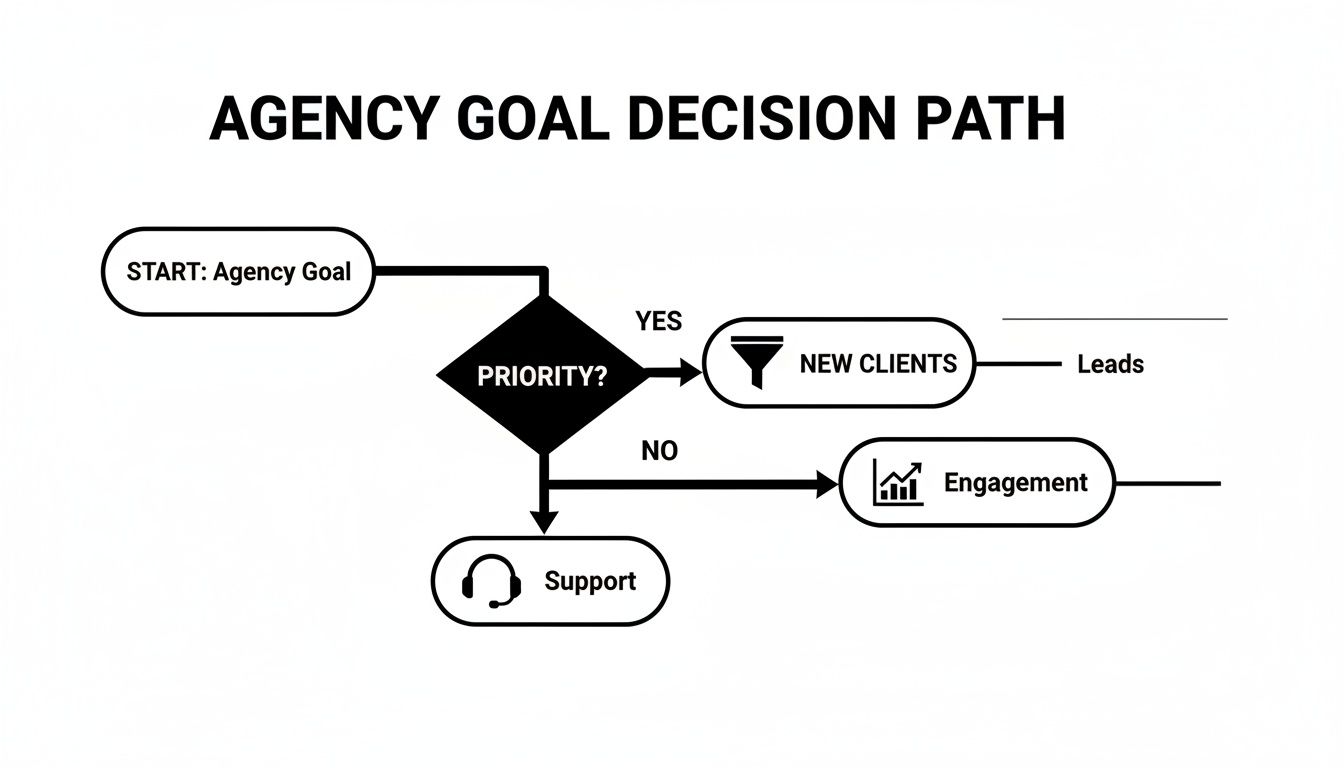
As you can see, the first and most critical step is making sure the platform's strengths align with the core service you're offering.
Assess Pricing Models for Agency Scalability
Pricing isn't just a number; it tells you a lot about how a vendor thinks about its agency partners. When you’re managing a growing list of clients, you absolutely need a pricing model that scales with you, not against you.
Per-Agent vs. Usage-Based: Does the platform hit you with a flat fee for every single client bot you launch? Or is the cost based on the total conversation volume across all your clients? Per-agent pricing is predictable, sure, but a usage-based model might be way more cost-effective if your clients have wildly different traffic levels.
White-Labeling Costs: Is full white-labeling a core part of the package, or is it a pricey add-on they'll try to upsell you on later? A platform like BizSage that bakes agency branding into its main offering delivers more value right out of the gate.
Hidden Fees: Keep a sharp eye out for the "gotchas"—extra charges for essential things like CRM integrations, deeper analytics, or priority support. These can easily double your cost of ownership if you're not careful.
Your goal here is to find a pricing structure that lets you keep healthy margins as your client roster grows. Any model that penalizes you for success is a major red flag.
Evaluate Onboarding and Maintenance Effort
For an agency, time is money. Period. The hours it takes to get a new client’s chatbot live and keep it running smoothly is a massive factor. A clunky no code AI chatbot builder can chew through your profit margins with hidden, non-billable work.
Ask yourself these real-world questions:
- Initial Setup Time: Realistically, how fast can you go from signing a client to having a trained, functional bot on their website? Platforms with automated site crawlers are a game-changer here, drastically cutting down that initial setup time.
- Ongoing Maintenance: How much time will your team really spend each month updating knowledge bases and checking chat logs? Look for tools that have automated, scheduled content refreshes to put this on autopilot.
- Ease of Use for Your Team: Can your account managers handle the platform, or does it require a developer? An intuitive interface empowers your whole team to contribute, not just the tech folks.
A platform's true cost isn't just its subscription fee; it's the total number of non-billable hours your team sinks into managing it. The right tool should feel like an extension of your team, not another operational burden.
Scrutinize Security and Compliance Standards
Last but definitely not least, you can’t afford to overlook security. The moment you deploy a chatbot on a client's website, you become a custodian of their data—and their customers' private information. Your chosen platform absolutely must be built on a rock-solid security foundation.
Make sure the provider has clear, accessible documentation on their data handling policies, encryption standards, and compliance with major regulations like GDPR or CCPA. This isn't just about protecting your clients; it's about protecting your own agency from massive liability. A trustworthy partner will be completely transparent about their security posture, which gives you the confidence to make their tool a core part of your service offering.
Frequently Asked Questions About No-Code AI Chatbots
Even when you've done your homework, adopting new tech always brings up a few last-minute questions. For agencies, this is especially true—you need to be completely sure of a platform before you start offering it to clients. This section tackles the most common questions we hear from agencies looking to get into the no-code chatbot game.
Think of this as the final check-in before you commit. We'll get straight to the point on the practical realities of training, branding, and proving the value of your AI chatbot services.
How Difficult Is It to Train an AI Chatbot on Client Data?
With a modern no-code AI chatbot builder, it’s surprisingly straightforward and mostly automated. You can forget about the old days of complex coding or spending hours on manual data entry.
The best platforms have boiled this down to just a few clicks. For instance, you can usually just drop in a client's website URL, and the system’s crawler will automatically read the entire site to train the bot. That first pass can be done in a matter of minutes.
From there, you can easily deepen its knowledge by uploading specific documents:
- Product or service catalogs (PDFs work great)
- Detailed FAQ sheets
- Internal support guides or policy handbooks
This layered approach gives the chatbot a rich, accurate understanding of your client’s business right out of the box.
Can a Platform Be Fully White-Labeled for My Agency?
Yes, but this is one of the most important things to look at when comparing platforms. The degree of white-labeling varies wildly. True agency-focused tools offer deep customization that goes way beyond just matching the chatbot widget's colors to a client's website.
The real game-changer is the ability to completely replace the platform’s branding with your own. You want to look for the option to display a "Powered by [Your Agency]" label. It’s a small detail, but it’s huge for reinforcing your agency’s value and making the chatbot feel like a core part of your service package.
This makes the chatbot feel like a natural part of your client's website, not some tacked-on, third-party plugin. It cements the idea that you're delivering a complete, branded solution.
How Do These Platforms Help Me Prove ROI to Clients?
Showing real, tangible results is everything when it comes to keeping clients happy. Agency-centric platforms are built for this, with built-in analytics and lead management tools that make it easy to prove your worth.
For each client, you’ll be able to track the key metrics that matter:
- Total number of conversations to show how much people are using it.
- Most frequently asked questions to uncover what customers are struggling with.
- Leads captured to draw a direct line from the chatbot to new business.
Many of the top platforms even come with a simple, built-in CRM. This lets you show your clients a clean, visual dashboard of every single lead the bot has generated, creating an undeniable link between your service and their bottom line.
Ready to offer powerful, client-trained AI chatbots under your own brand? BizSage provides the agency-first dashboard, true white-labeling, and integrated lead tracking you need to scale your services and prove your value. Start deploying intelligent AI agents for your clients in minutes.