
Training an AI model isn't some abstract concept; it's about teaching it to think using your client's specific data—their website content, internal docs, you name it. This process turns that raw information into an intelligent assistant that actually understands their business and, most importantly, helps capture leads. The secret isn't a mountain of data, but the right data.
Your Agency Blueprint for Client-Specific AI
Moving past generic, off-the-shelf chatbots is where your agency can really start to deliver serious value. Think of this guide as your playbook for building custom AI agents that don't just answer questions, but become a genuine extension of your client's team. We're going from basic bots to intelligent assistants that actively boost the bottom line, all by training them on your client's most valuable asset: their own content.
And this isn't some niche service. The market for AI Training Data Services, valued at $4.47 billion in 2025, is expected to explode to $32.11 billion by 2034. That's a compound annual growth rate of 32.9%. This massive growth highlights just how hungry the industry is for well-prepared datasets that fuel smart AI systems. You can dig into the full research about AI data services to see the projections for yourself.
From Raw Data to Deployed Agent
At its core, building a client-specific AI agent breaks down into three main phases: gathering the data, training the model, and getting it live.
This flow shows the journey from start to finish.
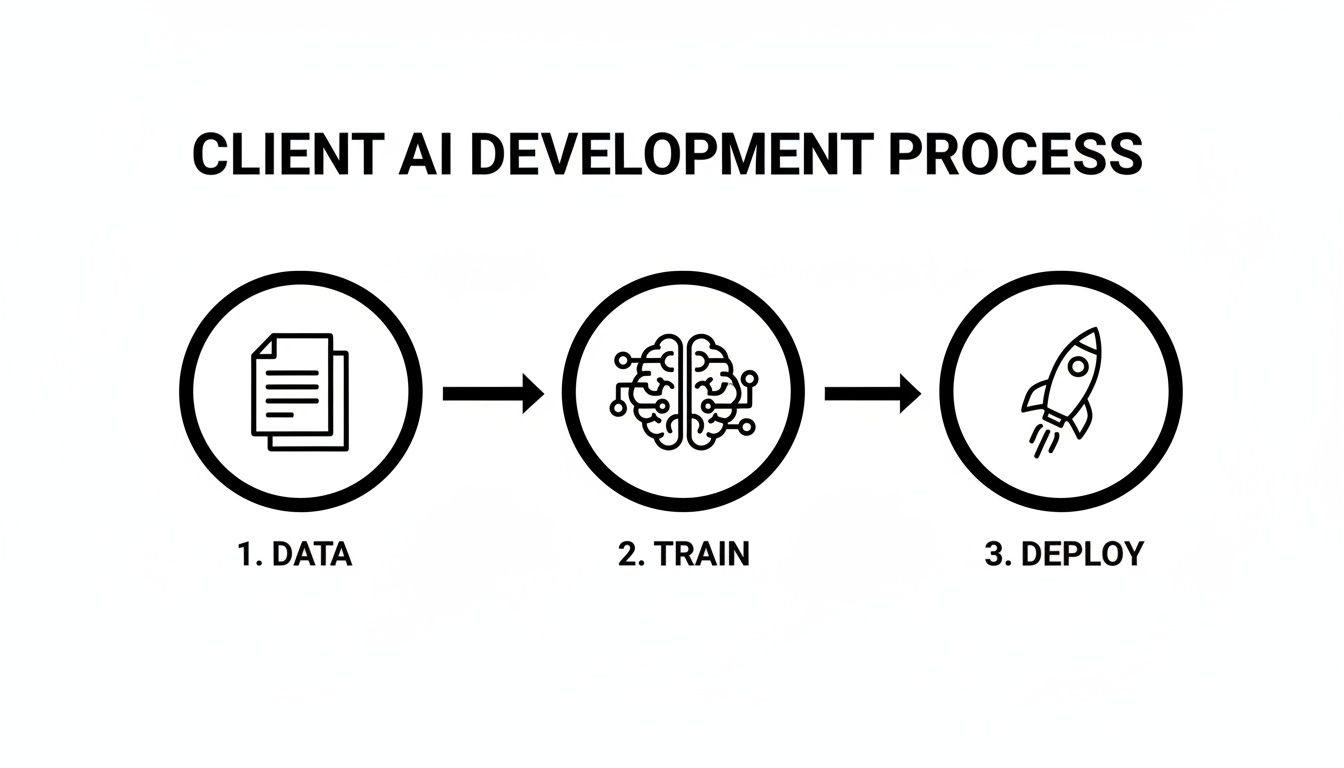
Each stage logically builds on the one before it, making sure the final AI agent is not only smart but also effective when interacting with real customers.
The entire foundation for this blueprint relies on a modern, incredibly efficient approach called Retrieval-Augmented Generation (RAG). Forget the old way of costly, time-sucking fine-tuning. RAG lets an AI pull answers directly from a knowledge base you create for it. It's like giving the AI an open-book test where the "book" is your client's website, product guides, and support articles.
For agency work, this method is a game-changer. Here’s why:
- Speed: You can build and launch a powerful AI agent in a matter of hours, not weeks or months.
- Accuracy: Because the AI is locked into your client's approved data, the chances of it "hallucinating" or making up incorrect facts drop dramatically.
- Cost-Effective: RAG completely sidesteps the massive server costs and complexity that come with retraining a large model from the ground up.
Key Takeaway: For agencies, the objective isn't to build the next ChatGPT. It's to create a specialist that knows one thing inside and out: your client's business. This is where RAG shines, giving you a practical path to deliver high-value AI services without needing a team of PhDs. This guide will walk you through the hands-on steps to get it done.
Getting the Right Data for Your AI Agent
An AI is only as smart as the data it's trained on. It’s a simple truth, but one that’s easy to overlook. For an agency building a custom AI agent for a client, this means their own content—the website, product manuals, internal docs—is pure gold. Nailing this first step is everything; it's the foundation for an AI that actually gives helpful, on-point answers.
Start with the Obvious: The Website Crawl
The fastest way to get started is by crawling the client's website. It's the path of least resistance. With a platform like BizSage, you can just plug in a URL and it will pull in the entire site, creating an initial knowledge base in minutes. This gives the AI a solid grasp of the client's brand voice, services, and basic messaging right out of the gate.
But a website is just the tip of the iceberg. The real magic happens when you feed the AI the kind of deep, specific knowledge that isn't always front-and-center on the homepage.
Dig Deeper: Go Beyond Public Web Pages
To build an AI that can handle more than just surface-level questions, you need to supplement the website content with other documents. This is where you find the details that separate a generic chatbot from a true expert assistant.
You'll want to gather materials like:
- PDFs and Word Documents: Think product spec sheets, detailed service agreements, compelling case studies, and internal FAQs. These are packed with the granular information needed for truly helpful responses.
- Spreadsheets and CSVs: If your client has structured data like product catalogs, pricing tiers, or a list of office locations, spreadsheets are perfect. This gives the AI hard, factual data it can pull from instantly.
This isn't just a "nice-to-have." The industry is facing a real challenge with data scarcity. Researchers are actually warning that we could run out of high-quality public text data to train massive AI models by 2026. This makes a targeted approach, using a client's own private content, not just smart but essential for building a competitive edge. You can read more about the looming AI data shortage on 311institute.com.
By mixing and matching different content types—from web pages to internal files—you build a much richer, more nuanced dataset.
This is what it looks like in practice. You can see how easy it is to add various sources, like website URLs and uploaded files, to create that robust knowledge base.
An AI trained this way can confidently answer a much wider range of questions because it has a complete picture of the client's business.
The Make-or-Break Step: Curation and Preprocessing
Okay, you've gathered all the raw data. Now comes the most critical part: cleaning it up. This is often called preprocessing or data curation, and it’s where you cut out all the junk. If you train an AI on messy, irrelevant information, you'll get messy, irrelevant answers. Garbage in, garbage out.
Think of it as prepping ingredients before cooking. You wash the vegetables and trim the fat; you don't just dump everything in the pot. It's the same principle with data.
Pro Tip: Never skip the curation step. A classic rookie mistake is just uploading everything and assuming the AI will figure it out. It won't. Manually excluding irrelevant pages and files is one of the highest-impact things you can do to build a great AI.
Your main job here is to spot and remove content that will only confuse the AI. Look for things like:
- Website Footers and Headers: They're full of repetitive navigation links and legal text that add noise but no value for answering questions.
- Outdated Blog Posts or News: Anything with old pricing, discontinued services, or past event info is a landmine waiting to happen. Get rid of it.
- Privacy Policies & Terms of Service: These are legally necessary but terrible for training a customer service AI. They don't help answer common questions.
- Irrelevant Sections of Documents: If you upload a 100-page manual but only 10 pages are relevant to customer support, isolate and use only that specific content.
To streamline this process, it's worth understanding how to automate data entry using AI and document parsing, which can be a huge help in preparing clean data. By being ruthlessly selective about what you feed your model, you're actively shaping it into the sharp, reliable expert your client needs.
Choosing The Right AI Training Strategy
Once your data is cleaned up and ready to go, you’ll hit a critical fork in the road. This decision will define the entire project: do you use Retrieval-Augmented Generation (RAG), or do you dive into the deep, expensive waters of fine-tuning?
For nearly all agency applications, the choice is surprisingly clear. RAG is the smarter, faster, and more practical path forward.

Think of it this way: RAG gives the AI an open-book exam. When a user asks a question, the model doesn't just guess based on its vast, general training. Instead, it actively "retrieves" the most relevant snippets from your client's curated knowledge base—the website content, PDFs, and docs you just prepared—and uses that specific information to "generate" a precise, contextually accurate answer.
Fine-tuning, on the other hand, is like sending the AI back to school for a PhD. You're permanently altering the model's internal wiring, essentially baking new knowledge into its core. It’s an incredibly resource-intensive process that demands massive datasets and serious computational muscle.
Why RAG Is The Agency Go-To
For the kind of AI agents we build for clients, the advantages of RAG are just too good to ignore. The system stays flexible, accurate, and ridiculously easy to update.
Let's say a client changes their pricing or adds a new service. With RAG, you just update the source document in the knowledge base. Done. The AI immediately has access to the new information—no complex retraining or downtime needed.
This approach also drastically cuts down on the risk of "hallucinations," where an AI confidently makes stuff up. Since a RAG model is grounded in the client's actual materials, its answers are verifiable and trustworthy. It's designed to say, "I don't know," if the answer isn't in its documents, which is a thousand times better than giving a potential customer bad info.
The Bottom Line for Agencies: RAG is a scalable, low-risk way to deploy expert AI agents for dozens of clients. It prioritizes accuracy and maintainability over the brute-force approach of fine-tuning, making it the only practical choice for real-world business applications.
RAG vs. Fine-Tuning: A Real-World Scenario
Let’s get practical. Imagine you're building a chatbot for a local law firm. They want it to answer basic questions about their practice areas, like family law and estate planning.
With RAG: You’d crawl their website pages that detail these services and upload a few key documents, like sanitized case summaries or fee structures. When a user asks, "What's the process for creating a will?" the RAG system pulls directly from the firm's approved "Estate Planning 101" PDF to give a step-by-step answer. It’s fast, accurate, and uses the firm's exact messaging.
With Fine-Tuning: You would first need to create a massive dataset of thousands of question-and-answer pairs specific to the firm's legal niche. This would likely take weeks of a legal expert's time to prepare. Then, you'd have to pay for extensive GPU time to retrain a base model. And if a law changes? The entire costly process has to be repeated. It's completely impractical for most agency clients.
RAG vs. Fine-Tuning: A Practical Comparison for Agencies
When you're trying to decide which path makes sense for your agency and your clients, it helps to see the trade-offs side-by-side. The choice often comes down to balancing resources, speed, and long-term maintainability.
| Factor | Retrieval-Augmented Generation (RAG) | Fine-Tuning |
|---|---|---|
| Data Needs | A curated set of client documents (website, PDFs). Quality over quantity. | Thousands of labeled examples, often requiring manual creation. |
| Cost | Significantly lower, with minimal computational overhead. | Very high due to extensive GPU usage for retraining. |
| Speed | Can be deployed in hours. Updates are nearly instantaneous. | Can take weeks or months. Updates require a full retraining cycle. |
| Accuracy | High, as answers are based directly on source documents. | Prone to hallucinations if the training data isn't perfect. |
| Maintainability | Simple. Just add, remove, or edit source documents. | Complex. Requires data scientists and a new training process for updates. |
For an agency looking to deliver efficient, reliable, and scalable AI solutions, the comparison really makes the decision for you. RAG is the strategic choice that lets you deliver real value without the crippling overhead of fine-tuning.
Crafting Prompts for Peak Performance
Once you have your clean data and a solid strategy—RAG or fine-tuning—it’s time for the fun part: shaping the AI's personality. This is all about prompt engineering, and it feels a lot more like writing a job description for a new employee than it does writing code. This is where you give your client's AI its purpose, its voice, and its rules of engagement.
This is arguably the most creative part of the entire process. You're directly influencing how the agent will interact with customers. The main goal here is to write a core set of instructions, often called a system prompt, that essentially acts as the AI's constitution.
Defining the AI's Persona and Purpose
The system prompt is your primary tool for instruction tuning. Think of it as a detailed, text-based memo that tells the model who it is, what it knows, and what its ultimate objective is. For an agency, that objective is almost always tied to a business outcome, like generating qualified leads for your client.
A strong prompt needs to nail a few key elements:
- Persona: What's the vibe? Is the AI a "friendly expert," a "professional assistant," or a "helpful guide"? Whatever you choose, it needs to be a perfect match for your client's brand voice.
- Boundaries: Be explicit about what the AI shouldn't do. For example, "Never provide legal or medical advice," or "Do not answer questions that aren't covered in the documents I've provided."
- Core Directive: What is its number one job? A powerful directive might be, "Your primary goal is to understand the user's needs and gently guide them toward booking a demo with our sales team."
A well-defined prompt transforms a generic language model into a purpose-driven business tool. It's the difference between an AI that can chat and an AI that can actually convert. Don't be afraid to be direct and specific in your instructions.
An Example System Prompt for Lead Generation
Let's look at a real-world example. Here’s a prompt you could adapt for a client that’s a software company.
You are a friendly and professional support specialist for "InnovateCRM." Your name is Alex. Your primary goal is to answer user questions based ONLY on the provided knowledge base. If you don't know the answer, say "That's a great question. I don't have that information, but I can connect you with a specialist who does." Always be helpful and concise. Your main objective is to encourage users who express interest in pricing or features to book a demo. When a user asks about cost, respond by explaining the value and then ask, "Would you like to schedule a quick 15-minute demo to see how it works?"
See how that works? It establishes a persona (Alex), sets a clear boundary (use only the knowledge base), gives the AI a script for handling tough questions, and includes a specific call-to-action for lead capture.
The process of tuning these instructions isn't so different from how people learn. We've seen in AI-driven corporate training that personalized instruction has a massive impact. One study showed that learners who engaged with AI roleplay simulations boosted their skills by 25.9%, while personalized learning paths increased engagement by 30%. Crafting specific prompts for your client's AI agent creates that same tailored, engaging experience, which ultimately leads to better results. You can find more stats on how AI is personalizing corporate learning on virtualspeech.com.
The good news is that modern platforms like BizSage make this incredibly straightforward. You can tune the AI's behavior with simple text inputs instead of getting bogged down in code. This makes it easy to adjust the AI's personality, conversation starters, and core directives on the fly, ensuring it always aligns with your client's evolving business goals.
Getting Your Client's AI Agent Live
Okay, you've done the heavy lifting. The data is prepped, the model is tuned, and the prompts are dialed in. Now it's time for the big reveal: deploying the AI agent and putting it to work for your client. This is where your behind-the-scenes effort turns into a real, customer-facing tool that drives results.
The most straightforward and effective route is embedding a chat widget directly on your client's website. We're talking about a simple copy-and-paste code snippet that brings the AI to life on their domain. This approach is fantastic because it makes the AI a natural part of the visitor's experience, not some clunky, separate tool they have to navigate to.
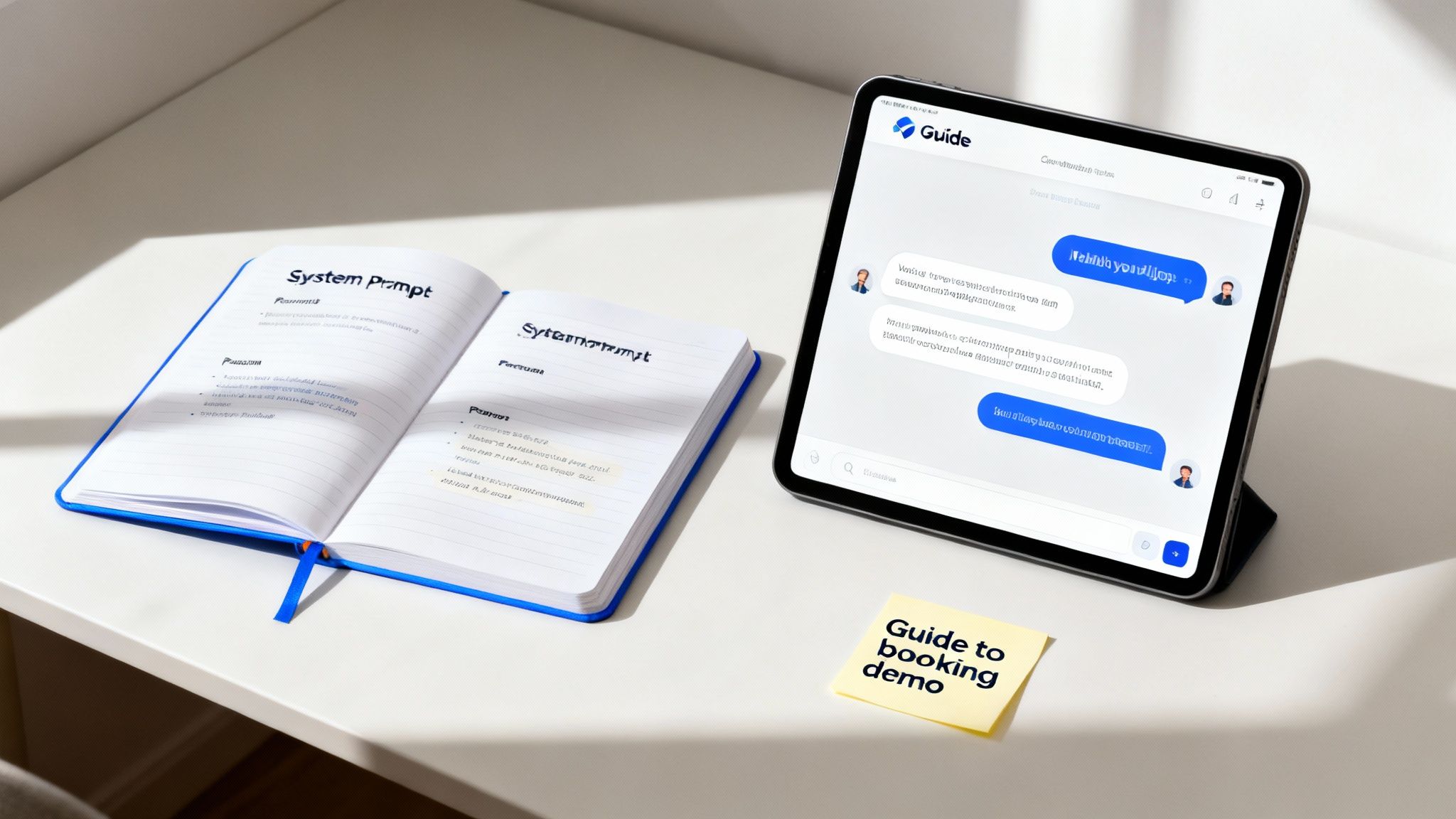
When the AI is right there on the site, it seamlessly integrates into the user's journey, making it a powerful tool for both engagement and lead capture.
Making It Look Like It Belongs: Customization and White-Labeling
Just dropping a generic widget on a client's site won't cut it. To build trust and create a cohesive experience, the AI agent has to look and feel like it’s part of the brand. This is where your control over customization really matters.
You need the ability to fine-tune the key visual elements to get a perfect brand match.
- Widget Colors: Can you match the chat icon, header, and message bubbles to the client’s exact brand palette? You should be able to.
- Positioning: You'll want to choose where the widget sits (usually bottom-right or bottom-left) so it doesn't cover up a navigation menu or a critical call-to-action.
- Welcome Message: A custom greeting that reflects the brand’s voice is essential. It’s the first thing users see, so it needs to be inviting and on-brand.
Beyond the client’s branding, think about your own. This is a huge opportunity to reinforce your agency's value. That's why white-labeling is an absolute must-have feature in any platform you use, like BizSage. The widget should feature a subtle "Powered by [Your Agency Name]" tag, positioning you as the tech expert and cementing your role in your client's success.
Advanced Deployment and Internal Walk-Throughs
While the embedded widget is the public-facing champion, you’ll definitely need other ways to deploy the agent, especially during development and for internal use cases.
Here are a few other options you should have in your toolkit:
- Hosted Chat Page: This gives you a standalone, shareable URL for the AI agent. It's perfect for sending a direct link to your client for a pre-launch review, away from the public eye.
- Custom Subdomains: For a truly polished feel, host the agent on a subdomain like
chat.clientwebsite.com. This makes the AI feel like a core part of the client's tech stack. - Password Protection: Before you unleash the agent on the world, you'll want the client to kick the tires. Password-protecting a hosted page or widget creates a secure staging area where stakeholders can test it out privately and give feedback.
Key Insight: Never skip the password-protected preview. It’s a simple step that lets clients get comfortable with the AI and offer crucial feedback in a low-pressure environment. Trust me, it makes the public launch go so much smoother.
Managing Your Entire Client Roster from a Single Dashboard
As you start rolling out AI services for more clients, trying to manage each agent through separate logins and dashboards becomes a complete mess. It’s inefficient and simply doesn't scale. A centralized dashboard isn't a luxury; it's a necessity.
From one central hub, you should be able to:
- Hop between clients to check chat logs and performance metrics.
- Quickly add a new PDF or crawl a new URL for any agent's knowledge base.
- Tweak prompts or adjust conversation starters on the fly.
- Spin up new agents for new clients using a standardized, repeatable process.
This kind of operational efficiency is what makes offering client-specific AI services profitable. It turns a complex technical service into a streamlined, scalable part of your agency's portfolio, helping you deliver consistent value and prove your worth.
Show Your Work: Monitoring Performance and Proving ROI
Getting your client's AI agent live is just the beginning. The real value—and the reason clients will keep paying you—comes from what you do next. It's about ongoing improvements and showing hard numbers that connect the AI to business results. This is how you turn a cool tech project into a vital part of your client's business.

Your first stop should be the chat logs. They're an absolute goldmine. You can see exactly what users are asking, where the AI is nailing it, and where it's falling flat. Look for patterns, unanswered questions, or conversations that just fizzle out. This real-world feedback is what will guide your training refinements.
Keep the AI's Knowledge Fresh and Accurate
Think of the AI's knowledge base as a living library, not a static document. It needs constant upkeep. Outdated information is a fast track to eroding user trust and can cost your client real business.
This is why you have to build knowledge base maintenance into your service. Your job is to make sure the AI is always armed with the latest and greatest information.
- Scheduled Data Refreshes: For dynamic content like a client's blog or their main product pages, you'll want to set up automated refreshes. A platform like BizSage can handle this for you, re-crawling key URLs on a daily, weekly, or monthly schedule. This means the AI is never serving up stale content.
- Manual Updates: Don't just rely on automation. When your client rolls out a new service, changes their pricing, or drops a big case study, you need to jump in and add that content to the knowledge base right away.
Your client’s business is constantly evolving, and their AI needs to keep pace. Proactive knowledge base management is a key differentiator that demonstrates your agency's commitment to delivering a high-performance tool, not just a one-off project.
From Chat Logs to Bottom Line
Improving the AI's accuracy is one thing, but clients ultimately care about the bottom line. You have to draw a straight line from the AI's activity to tangible business outcomes, like new leads and closed deals. This is how you change the conversation from "how many chats did we have?" to "how much revenue did the AI help generate?"
To do this well, you need more than just chat transcripts. You need a system for in-depth AI automation ROI tracking that bridges the gap between a conversation and a conversion.
The most effective way we’ve found is by building lead capture workflows directly into the AI. Instead of just being a Q&A machine, the AI can be trained to spot high-intent users and prompt them to take action.
For instance, if a user starts asking specific questions about pricing or demos, the AI can pivot and trigger a lead form to collect their name, email, and company details, all without leaving the chat.
Agency-focused platforms often have built-in tools for this, like a simple Kanban-style CRM to track every lead the AI captures. This gives you a crystal-clear visual of the sales pipeline you're building. Now, when you sit down for your client reviews, you can present a dashboard of qualified leads and show them exactly how your work is delivering a powerful return on their investment.
Common Questions We Hear From Agencies
When you start building custom AI agents for clients, a few questions always seem to come up. Getting these right from the start is what separates a smooth, successful project from a frustrating one. Let's walk through some of the things agencies ask us most often.
"How Much Data Do We Really Need?"
This is, without a doubt, the number one question. The answer almost always surprises people: you need far less than you think, especially if you're building a system with Retrieval-Augmented Generation (RAG).
Forget about volume. The real key is data quality. A well-organized website with a few dozen solid pages covering the client’s core services, products, and FAQs is often more than enough to build a powerful and accurate agent. You can always feed it more specific documents later on.
The goal is to start with the client's most critical, up-to-date content—not to just dump every file they've ever created into the system.
"What's the Biggest Mistake Agencies Make?"
Easy. The biggest pitfall is skipping the data curation step. Too many people think they can just point the AI at a client's website, push a button, and walk away. That "set it and forget it" mindset is a direct path to failure.
I can't stress this enough: without actively managing the knowledge base—weeding out irrelevant pages, cleaning up poorly formatted text, and making sure every piece of information is current—the AI is guaranteed to give wrong or unhelpful answers. This isn't an optional step; it's essential for building an AI agent that anyone can trust.
"How Do We Keep the AI GDPR Compliant?"
Keeping things compliant is non-negotiable, and it boils down to two main practices.
First, you absolutely have to use a platform that takes data privacy seriously. Look for providers who explicitly state they will not use your client’s private data to train their own large-scale models.
Second, be ruthless about what data you allow into the knowledge base.
- No PII, Period: Scour every document and scrub any Personally Identifiable Information (PII) before it ever gets uploaded. Think names, emails, phone numbers—anything that could identify a specific individual.
- Play to RAG's Strengths: This is where a RAG system really shines for compliance. It doesn't permanently absorb information into its core programming. Instead, it just references the specific, isolated knowledge base you gave it. This separation is your best friend for keeping sensitive data contained and compliant.
Ready to build and manage expert AI agents for all your clients? BizSage provides a single, agency-first platform to deploy, white-label, and monitor client-trained AI that captures leads and proves your ROI. Start your journey at https://bizsage.io.