
Choosing the right digital marketing agency tools is the difference between chaotic workflows and scalable growth. A powerful, integrated tech stack doesn't just automate tasks; it unlocks new revenue streams, enhances client reporting, and provides a clear competitive edge. Yet, with thousands of options available, from all-in-one platforms like HubSpot to specialized solutions, building the perfect toolkit for your agency remains a persistent challenge. The goal is to create an ecosystem where data flows seamlessly from SEO and PPC campaigns to your CRM and client reports.
This guide cuts through the noise. We move beyond generic feature lists to deliver a comprehensive resource focused on real-world application. For agencies aiming to maximize their efficiency and client results, exploring dedicated social media management tools for agencies is essential, and this article provides that level of specific insight across every marketing function. We are breaking down the agency-specific use cases, honest limitations, and strategic workflows for essential platforms that can define your success.
Inside, you will find detailed analysis on tools for every core agency function:
- SEO & PPC: From keyword research to campaign management.
- Content & Social Media: Creation, scheduling, and community engagement.
- Automation & CRM: Streamlining workflows and client relationships.
- Analytics & Reporting: Proving value and identifying opportunities.
Each entry includes screenshots, direct links, and practical implementation tips to help you make informed decisions. Whether you are a startup agency building from scratch or a seasoned team looking to optimize your stack, this is your blueprint for building a smarter, more efficient, and more profitable operation.
1. BizSage
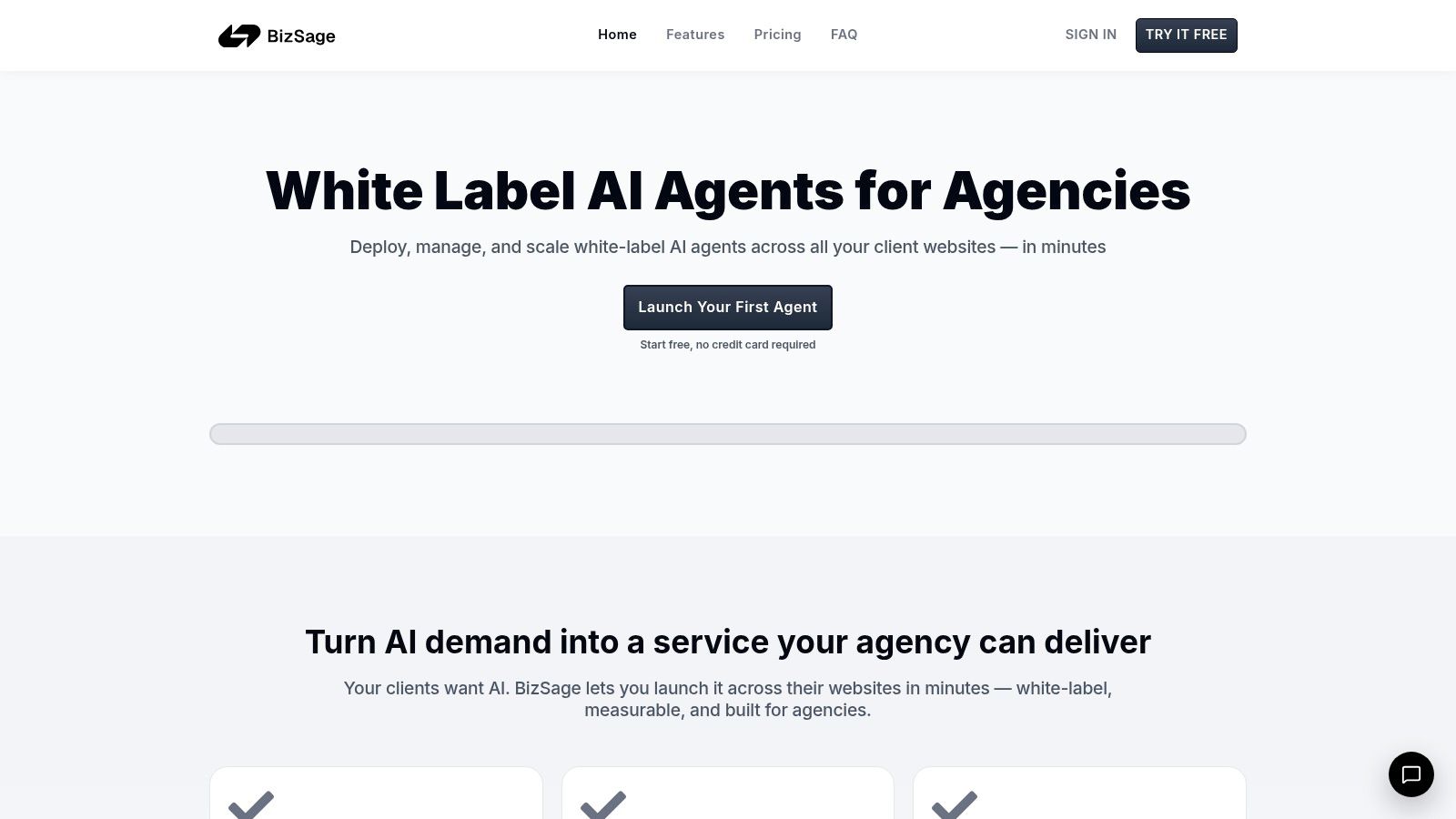
BizSage earns its place as a featured choice by offering a powerful, agency-first solution to a rapidly growing client demand: custom AI. It’s a white-label platform designed specifically for agencies to deploy client-trained AI chat agents across their entire client roster, transforming a complex technology into a scalable, recurring revenue stream. The platform stands out by focusing on ease of use, agency branding, and measurable results, making it one of the most practical digital marketing agency tools for converting AI hype into a tangible service.
Its core strength lies in its Retrieval-Augmented Generation (RAG) approach. Instead of relying on generic public AI models, BizSage automatically crawls a client's website and ingests uploaded files (like PDFs and spreadsheets) to create a bespoke knowledge base. This ensures the AI agent provides answers grounded in the client’s actual content, reflecting their brand voice, product details, and operational specifics with high fidelity.
Key Features & Agency Use Cases
- True White-Label Experience: Agencies can deploy agents with their own branding. There are no mandatory "powered by" badges, and agents can be published on custom domains (e.g.,
chat.client.com), reinforcing the agency's value. - Built-in Lead Capture & CRM: BizSage connects conversations directly to outcomes. In-chat actions and intent detection can replace static lead forms, capturing qualified leads within the chat. These leads populate a simple, Kanban-style "Lead Hub" that can be shared with clients for full transparency.
- Scalable Agency-First Model: The platform is built for volume. It offers unlimited agents, pooled usage across all clients, and a pricing model that decreases per client as your agency grows. This structure makes it profitable to add AI to every client account.
Implementation & Pricing
Onboarding a new client is remarkably fast: simply enter a domain, and BizSage crawls the site to build a testable agent in minutes. Deployment involves adding a single script to the client’s website. The interface is clean and intuitive, requiring minimal technical expertise.
BizSage offers a free trial with no credit card required. Paid plans are designed for agency scale, with per-client costs dropping significantly at higher volumes. For example, a 20-client plan brings the cost to approximately $4.95 per client per month, which can fall even lower on larger plans, creating a healthy margin for a white-labeled service.
Pros & Cons
| Pros | Cons |
|---|---|
| Truly agency-first with full white-labeling, custom domains, and scalable pricing. | Limited public case studies or third-party compliance certifications visible on the site. |
| Client-trained RAG agents ensure answers are accurate and brand-aligned. | Complex verticals may require manual knowledge base tuning for optimal accuracy. |
| Integrated Lead Hub directly connects AI chat to measurable business results (leads). | |
| Extremely fast onboarding allows agencies to deploy a new client agent in minutes. |
Website: https://bizsage.io
2. Semrush
Semrush stands as a powerhouse among digital marketing agency tools, offering an expansive all-in-one suite that covers nearly every facet of online visibility. Its core strength lies in providing a single, unified dashboard for SEO, PPC, content marketing, social media, and competitive intelligence. This makes it exceptionally valuable for agencies juggling multiple client accounts, as it streamlines data collection and analysis.
The platform excels at providing a comprehensive view of a client's digital footprint alongside their competitors. You can conduct in-depth site audits, track keyword rankings with daily updates, and perform sophisticated backlink analysis. The competitive research tools are particularly robust, allowing agencies to deconstruct a competitor's organic and paid strategies, from their top keywords to their ad copy.
Agency Use-Cases & Implementation
- Client Onboarding: Use the Domain Overview to create an instant snapshot of a new client's current digital health and competitive landscape for initial strategy meetings.
- Content Strategy: Employ the Keyword Magic Tool and Topic Research features to build data-driven content calendars that target valuable organic search opportunities.
- Reporting: Leverage the white-label reporting features to create custom, branded monthly performance reports for clients, integrating data from Google Analytics and Search Console.
Pricing: Semrush offers three main tiers: Pro (starting at $129.95/mo), Guru (starting at $249.95/mo), and Business (starting at $499.95/mo). Agencies often need the Guru or Business plans to access features like historical data, content marketing tools, and API access.
| Feature Comparison | Pro Plan | Guru Plan | Business Plan |
|---|---|---|---|
| Projects | 5 | 15 | 40 |
| Keywords to Track | 500 | 1,500 | 5,000 |
| Content Marketing Platform | No | Yes | Yes |
| API Access | No | No | Yes |
Pros & Cons
- Pro: Its sheer breadth of features makes it a one-stop-shop for most search-related agency tasks.
- Pro: Strong training resources and certifications help onboard new agency team members quickly.
- Con: The cost can escalate quickly with additional user seats and specialized toolkits like Semrush Local.
- Con: Some of its most powerful datasets are locked behind the more expensive Business tier.
Implementation Tip: Integrate Semrush with your project management system via its API or a tool like Zapier. You can create automated tasks for your team whenever the Site Audit tool flags new critical errors on a client's website.
Website: https://www.semrush.com
3. Ahrefs
Ahrefs is a titan in the world of digital marketing agency tools, celebrated primarily for its industry-leading backlink index and powerful competitive analysis features. Its core value for agencies lies in its ability to deconstruct a competitor's SEO strategy with surgical precision, making it an indispensable asset for link building, keyword research, and content gap analysis. The platform provides a clean, data-rich interface that simplifies complex SEO metrics.
Agencies rely on Ahrefs to uncover not just what competitors rank for, but why they rank. Its Site Explorer tool offers an unparalleled view of a domain's backlink profile, organic keywords, and top-performing content. This depth of data is crucial for crafting evidence-based SEO strategies that can realistically challenge established market players and deliver tangible results for clients.
Agency Use-Cases & Implementation
- Competitive Gap Analysis: Use the Content Gap feature within Site Explorer to find valuable keywords that multiple competitors rank for but your client does not.
- Link Building Prospecting: Leverage the vast backlink index to identify high-authority link opportunities by analyzing where top competitors are getting their links.
- Technical SEO Audits: Run the Site Audit tool on new client sites to quickly identify and prioritize technical issues like broken links, slow pages, and meta tag problems for initial wins.
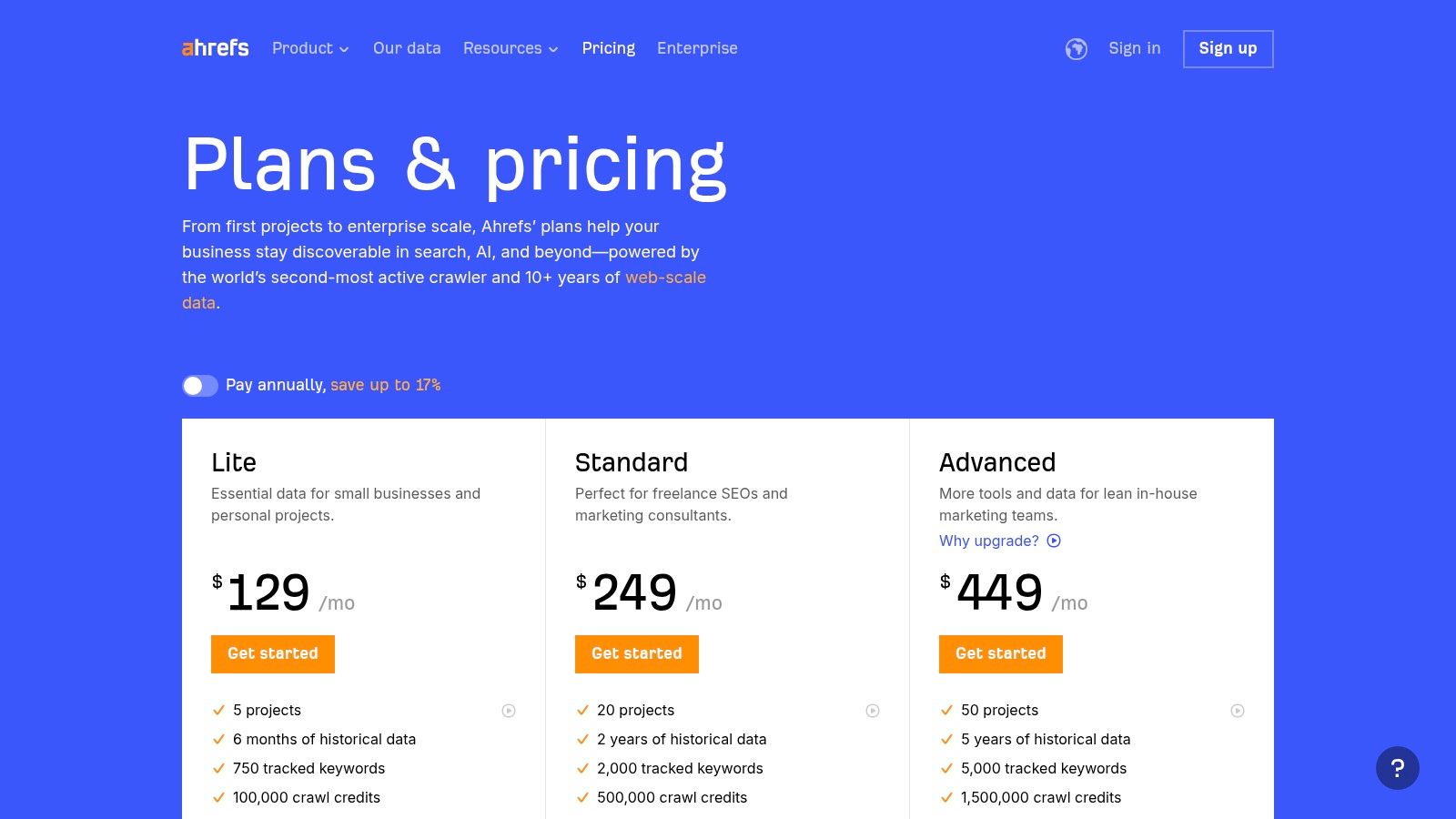
Pricing: Ahrefs offers four primary plans: Lite ($99/mo), Standard ($199/mo), Advanced ($399/mo), and Enterprise ($999/mo). Most agencies will find the Standard plan to be the minimum viable option for managing multiple clients due to its increased limits on projects and tracked keywords.
| Feature Comparison | Lite Plan | Standard Plan | Advanced Plan |
|---|---|---|---|
| Users | 1 | 1 | 1 |
| Projects | 5 | 20 | 50 |
| Tracked Keywords | 750 | 2,000 | 5,000 |
| Site Audit Crawl Credits | 100k/mo | 500k/mo | 1.5m/mo |
Pros & Cons
- Pro: Widely considered to have the best-in-class backlink database, which is critical for competitive analysis and link building.
- Pro: The user interface is clean, intuitive, and presents complex data in an easy-to-understand format.
- Con: The per-user pricing model can make it expensive for larger agency teams, as each seat costs extra.
- Con: While powerful, its feature set is more SEO-focused compared to broader suites like Semrush, lacking integrated PPC or social media tools.
Implementation Tip: Connect your Ahrefs account to Google Looker Studio (formerly Data Studio) using their native connector. This allows you to pull live rank tracking and site audit data directly into your custom, branded client reports for a more automated workflow.
Website: https://ahrefs.com/pricing
4. HubSpot Marketing Hub
HubSpot Marketing Hub is a cornerstone platform among digital marketing agency tools, especially for agencies that manage the entire customer lifecycle for their clients. Its unique selling proposition is the seamless integration between its powerful marketing automation features and its world-class CRM. This creates a unified system for tracking leads from their first touchpoint through to becoming a loyal customer, providing unparalleled attribution reporting.
For agencies, this means you can build, execute, and report on entire inbound marketing campaigns from a single dashboard. From creating landing pages and forms to nurturing leads with email automation and tracking ad spend, HubSpot connects every dot. This holistic view is invaluable for demonstrating ROI and making data-backed strategic decisions for clients.
Agency Use-Cases & Implementation
- Lead Nurturing: Create complex lead nurturing workflows that segment contacts based on their behavior and deliver personalized content to guide them through the sales funnel.
- Campaign Management: Use the campaign tool to group all related assets (emails, landing pages, social posts, ads) for a specific client initiative, making performance tracking simple.
- Client Reporting: Build custom dashboards that show clients exactly how marketing efforts are impacting lead generation, sales opportunities, and revenue attribution.
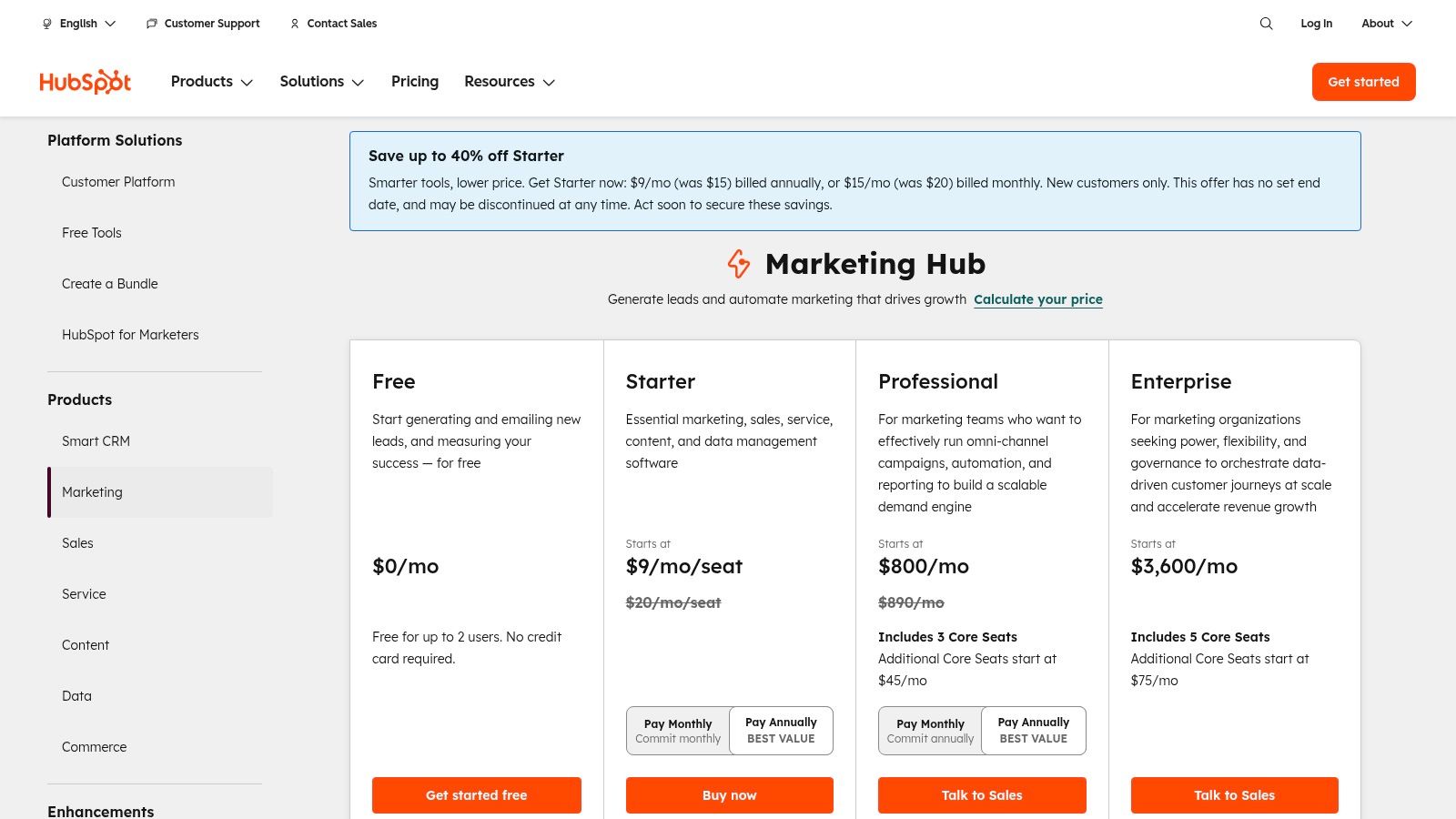
Pricing: HubSpot offers a free tier with basic tools. Paid plans are contact-based, with Marketing Hub Starter beginning at $18/mo, Professional at $800/mo, and Enterprise at $3,600/mo (all with annual billing). Agencies often require the Professional tier for automation and reporting features.
| Feature Comparison | Starter | Professional | Enterprise |
|---|---|---|---|
| Marketing Contacts | Starts at 1,000 | Starts at 2,000 | Starts at 10,000 |
| Omni-channel Marketing Automation | No | Yes | Yes |
| Custom Reporting | No | Yes | Yes |
| A/B Testing | No | Yes | Yes |
Pros & Cons
- Pro: The tight integration between the CRM and marketing tools provides a complete view of the customer journey.
- Pro: Its extensive training resources and robust partner program are highly beneficial for agencies.
- Con: The cost can escalate significantly as a client's contact list grows or more user seats are needed.
- Con: Mandatory professional onboarding for Professional and Enterprise tiers adds a significant upfront cost.
Implementation Tip: Leverage HubSpot’s custom properties to segment client contact lists in sophisticated ways. For instance, create a property to track "Lead Source Detail" to differentiate between specific social media ads, giving you granular data for campaign optimization.
Website: https://www.hubspot.com/pricing/marketing
5. Google Marketing Platform
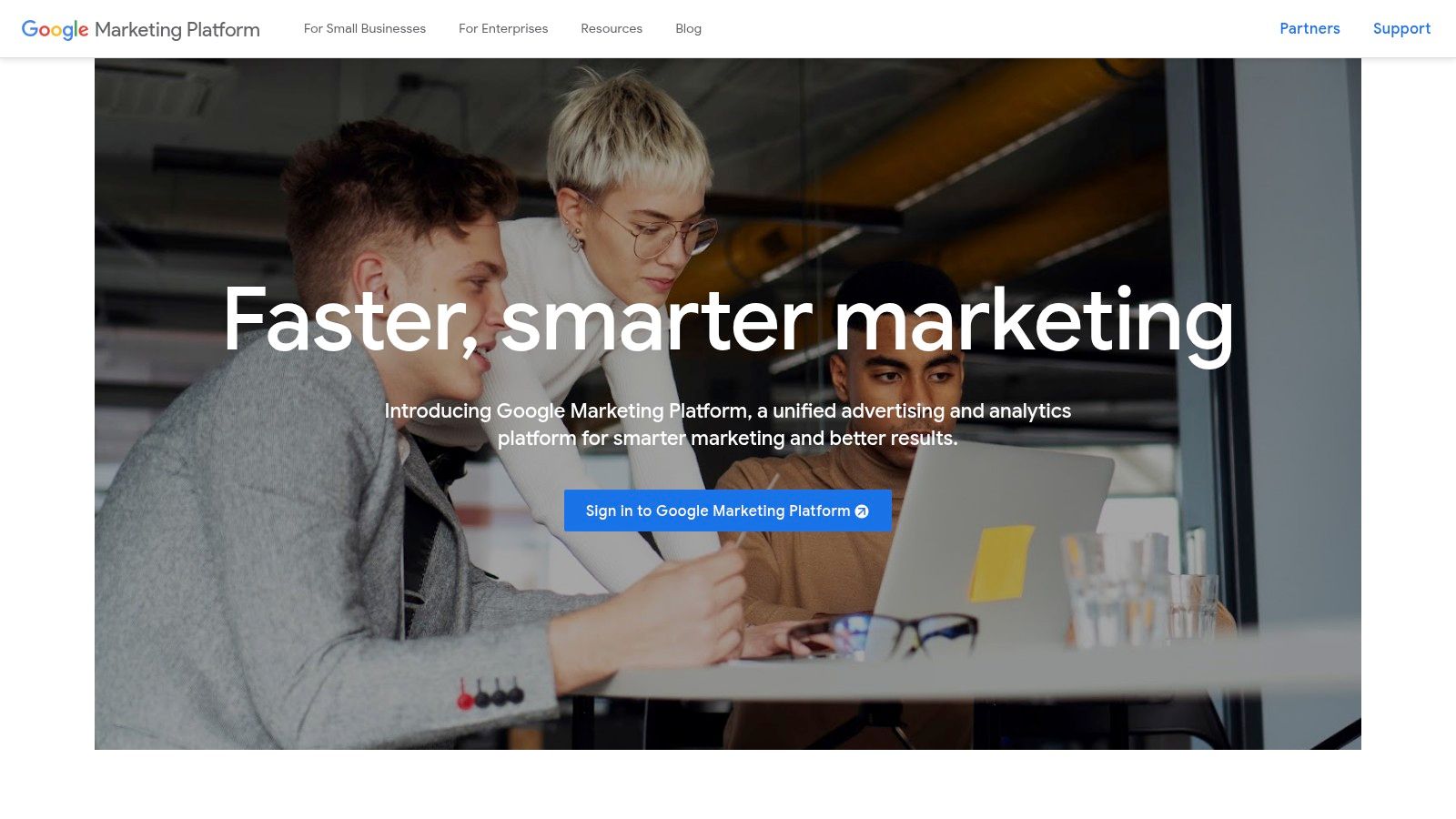
Google Marketing Platform represents the industry-standard unified advertising and analytics stack, making it one of the most foundational digital marketing agency tools available. It combines universally adopted free products like Google Analytics (GA4) and Google Tag Manager with a suite of enterprise-level solutions. This integration provides a centralized hub for data analysis, ad serving, and campaign management, crucial for agencies delivering sophisticated, data-driven strategies.
The platform's core value is its seamless connection between website analytics and Google's vast advertising ecosystem. It allows agencies to track user behavior in granular detail and directly apply those insights to optimize paid campaigns across Search, Display, and Video. For agencies managing large-scale, multi-channel client accounts, the enterprise suite offers unparalleled control, governance, and measurement capabilities.
Agency Use-Cases & Implementation
- Foundation for All Clients: Implement Google Analytics 4 and Google Tag Manager for every client as a baseline for performance tracking and marketing tag deployment.
- Advanced Ad Management: Use Search Ads 360 (SA360) and Display & Video 360 (DV360) for large clients to manage complex campaigns with automated bidding and centralized creative control.
- Unified Reporting: Connect GA4 data to Looker Studio to build comprehensive, interactive client dashboards that visualize performance across all digital channels.
Pricing: The core tools like Google Analytics, Tag Manager, and Looker Studio are free. The enterprise-level 360 suite (Analytics 360, SA360, DV360, etc.) requires direct sales engagement or partnership with a certified reseller and has significant costs, often suitable for large enterprise clients.
| Platform Component | Standard Version (Free) | 360 Suite (Enterprise) |
|---|---|---|
| Data Sampling (GA4) | Standard sampling applied | Higher limits, unsampled data |
| Feature Set | Comprehensive for most users | Advanced features, integrations |
| Support | Community forums, help docs | Dedicated enterprise support |
| Access | Open to all | Requires sales or partner |
Pros & Cons
- Pro: Serves as the industry-standard for web analytics and ad-tech, with deep integrations.
- Pro: The free tools are incredibly powerful and provide a solid foundation for any agency.
- Con: The enterprise 360 suite is expensive and often inaccessible without a certified partner.
- Con: The platform has a steep learning curve, particularly GA4 and the advanced ad tools.
Implementation Tip: Invest heavily in team training through Google's free Skillshop and Analytics Academy. Certifications not only build expertise but also serve as a valuable credential when pitching to new clients.
Website: https://marketingplatform.google.com/about/
6. Meta Business Suite
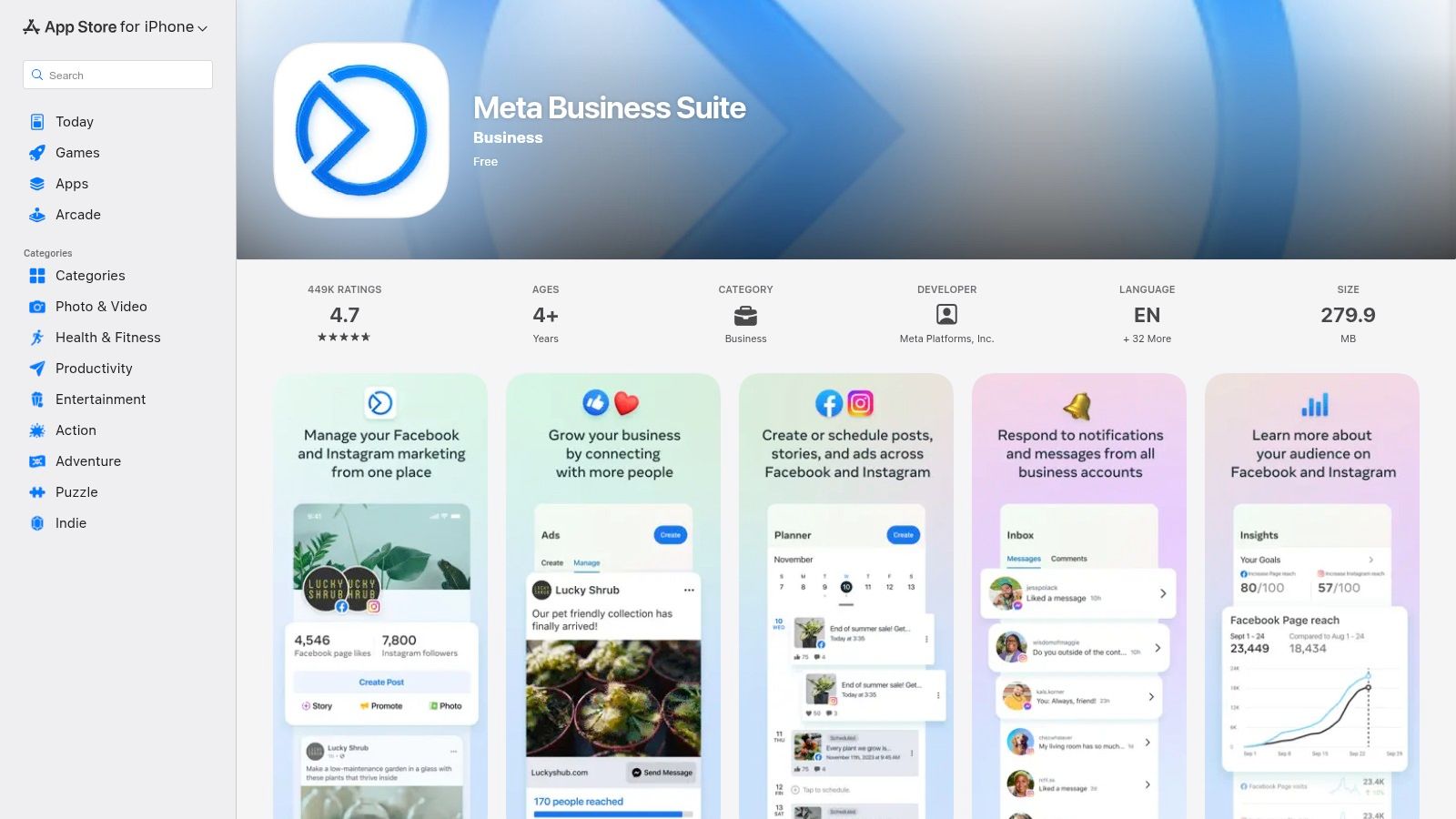
Meta Business Suite is an essential, native hub for agencies managing client social media on Meta’s platforms. It centralizes control over Facebook Pages and Instagram profiles, streamlining content publishing, community management, and performance analysis into one dashboard. For agencies handling numerous social accounts, this free tool is a non-negotiable part of the digital marketing agency tools stack for its efficiency and direct integration.
The platform's core value lies in its unified interface. Agencies can schedule and post content simultaneously to both Facebook and Instagram, saving significant time. The unified inbox aggregates comments and direct messages from both platforms, allowing social media managers to respond quickly and maintain consistent client brand engagement without constantly switching between apps.
Agency Use-Cases & Implementation
- Content Scheduling: Use the Planner to build out and schedule a client’s entire monthly content calendar across Facebook and Instagram, including Stories and Reels.
- Community Management: Manage the unified inbox to handle customer inquiries, comments, and messages for multiple clients from a single, organized view. Set up automated replies for common questions to improve response times.
- Performance Tracking: Monitor post reach, engagement, and audience growth directly within the Insights tab to inform monthly client reports and adjust content strategy.
Pricing: Meta Business Suite is free to use for anyone managing a Facebook Page or Instagram Business Profile. All features, including scheduling, insights, and the unified inbox, are available without a subscription fee, making it highly accessible for agencies of all sizes.
| Feature Comparison | Meta Business Suite | Third-Party Schedulers |
|---|---|---|
| Cost | Free | Often Paid Subscription |
| Platform Scope | Facebook & Instagram | Multi-Platform (LinkedIn, X, etc.) |
| Ad Integration | Native & Deep | Limited or API-based |
| Inbox | Unified for FB/IG | Varies by Platform |
Pros & Cons
- Pro: Completely free, offering core social management features without any cost.
- Pro: Native integration provides the most reliable connection for posting and analytics on Meta platforms.
- Con: Can be prone to bugs or occasional UX inconsistencies, which can disrupt workflow.
- Con: Lacks support for other social networks, forcing agencies to use additional tools for platforms like LinkedIn or X (formerly Twitter).
Implementation Tip: Utilize the mobile app for on-the-go community management. It allows your team to quickly respond to comments and messages, ensuring timely engagement for clients even when away from a desktop.
Website: https://apps.apple.com/us/app/meta-business-suite/id514643583
7. Mailchimp
Mailchimp is a cornerstone among digital marketing agency tools for email and automation, especially for agencies serving small to mid-market clients. It provides an accessible yet powerful platform for managing email campaigns, building marketing automations, and engaging audiences through various channels. Its core value lies in its user-friendly interface, which allows agencies to quickly launch and manage client campaigns without a steep learning curve.
The platform has expanded beyond simple email blasts to include landing pages, signup forms, and even optional SMS marketing. With deep integrations into popular ecommerce platforms like Shopify and WooCommerce, agencies can easily implement revenue-driving automations like abandoned cart reminders and product recommendations, making it a versatile tool for client growth.
Agency Use-Cases & Implementation
- Client Kick-offs: Use the drag-and-drop email builder and pre-made templates to quickly create and send initial welcome series for new clients.
- Lead Nurturing: Set up automated drip campaigns based on user behavior or list segmentation to nurture leads for service-based or B2B clients.
- Ecommerce Campaigns: Leverage direct ecommerce integrations to build targeted campaigns based on purchase history, boosting customer lifetime value.
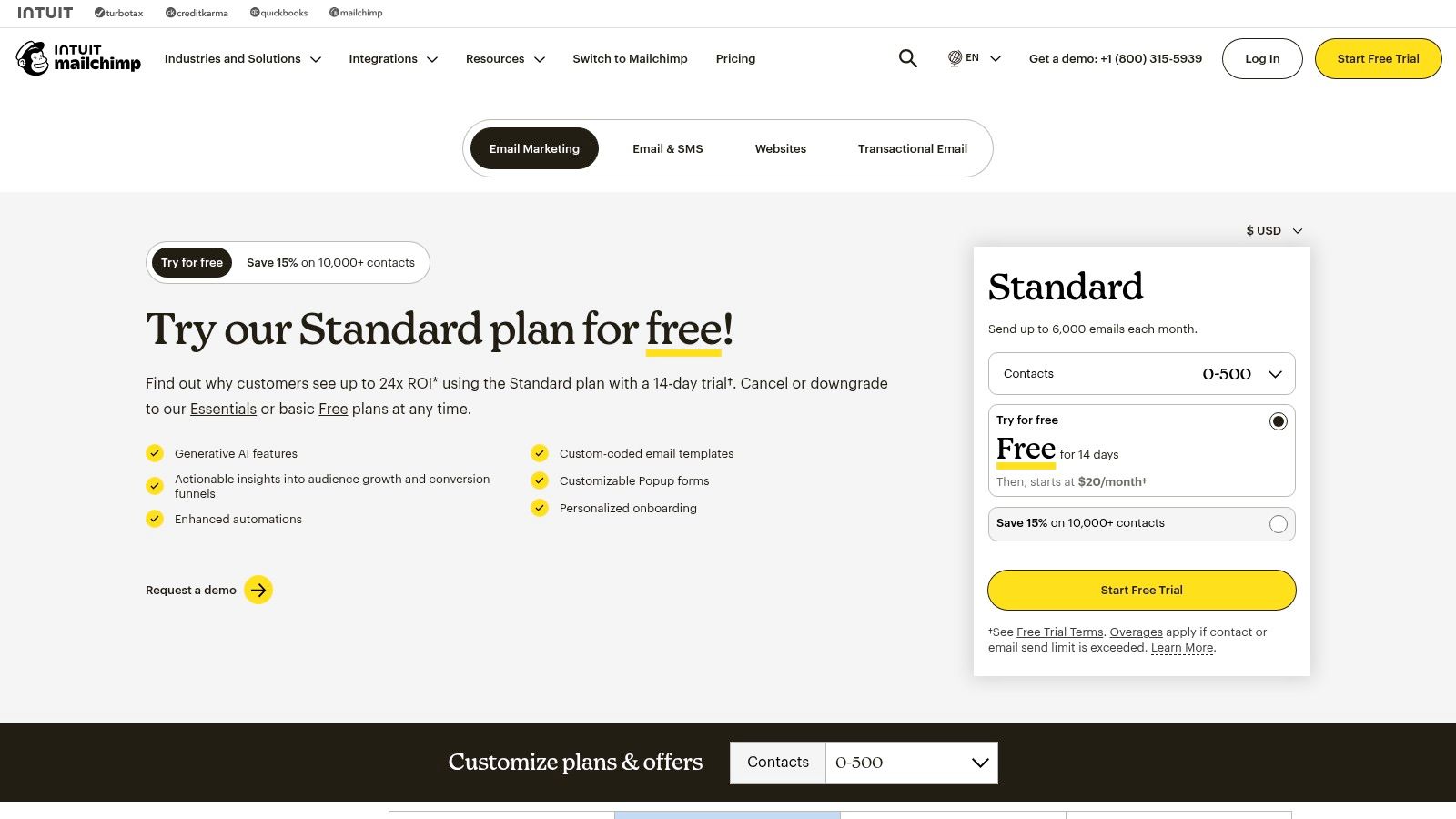
Pricing: Mailchimp offers a free plan and three paid tiers: Essentials (starting at $13/mo), Standard (starting at $20/mo), and Premium (starting at $350/mo). Pricing is based on contact count, and agencies may need the Standard plan for access to key automation and A/B testing features.
| Feature Comparison | Free Plan | Essentials Plan | Standard Plan |
|---|---|---|---|
| Contacts | 500 | 500+ | 500+ |
| Audiences | 1 | 3 | 5 |
| Customer Journey Builder | No | No | Yes |
| A/B Testing | No | Yes | Yes |
Pros & Cons
- Pro: Extremely user-friendly, making it quick to launch campaigns for smaller clients with minimal setup.
- Pro: Flexible pricing models, including Pay As You Go and optional SMS add-ons, cater to diverse client needs and budgets.
- Con: The cost can increase significantly as a client's contact list grows, and overage charges can be unexpected.
- Con: Advanced segmentation and automation features are often reserved for the more expensive Standard or Premium plans.
Implementation Tip: Connect your client's Mailchimp account to their CRM using a native integration or Zapier. This allows you to create a seamless flow of data, automatically adding new CRM contacts to specific email nurture sequences based on their lead status.
Website: https://mailchimp.com/pricing
8. Hootsuite
Hootsuite is one of the most established digital marketing agency tools, providing a comprehensive platform for managing all aspects of a client's social media presence. Its core value for agencies is centralizing publishing, engagement, monitoring, and analytics across multiple clients and social networks into a single, collaborative dashboard. This consolidation prevents the chaos of logging in and out of different native platforms.
The platform shines in its ability to scale, offering features suitable for a small agency managing a few clients up to a large enterprise requiring advanced governance and team permissions. It allows agencies to schedule unlimited posts in advance, manage all incoming comments and messages from a unified "Inbox," and track brand mentions and industry conversations through its social listening streams.
Agency Use-Cases & Implementation
- Client Management: Assign specific social profiles and permissions to team members, ensuring junior staff can draft posts while senior strategists have final approval rights.
- Content Curation: Use content streams to monitor industry hashtags, competitor accounts, and relevant keywords to find and share timely, relevant content for clients.
- Performance Reporting: Generate and schedule automated, customizable analytics reports that showcase key metrics like engagement, reach, and follower growth to demonstrate ROI to clients.
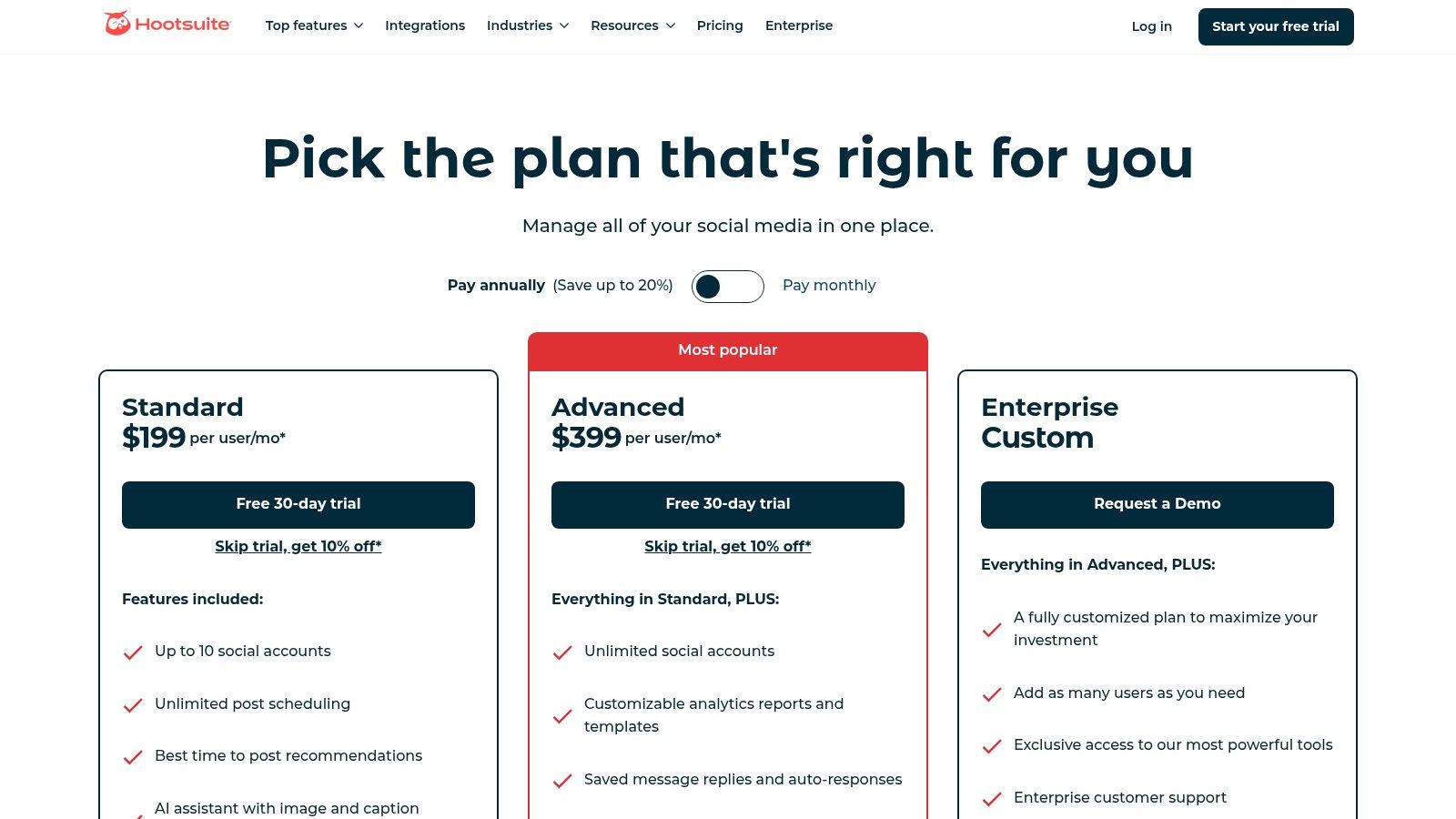
Pricing: Hootsuite offers plans for various needs: Professional (starting at $99/mo), Team (starting at $249/mo), and Enterprise (custom pricing). Agencies typically start with the Team plan for its multi-user and collaboration features.
| Feature Comparison | Professional Plan | Team Plan | Business Plan |
|---|---|---|---|
| Users | 1 | 3 | 5 |
| Social Accounts | 10 | 20 | 35 |
| Content Library | No | Yes | Yes |
| Team Assignments | No | Yes | Yes |
Pros & Cons
- Pro: Powerful analytics and robust, customizable reporting capabilities are a major asset for client communication.
- Pro: Scales effectively from small teams to large enterprises with strong governance and security features.
- Con: Pricing can be significantly higher than many newer competitors in the social media management space.
- Con: Advanced social listening and deep analytics often require purchasing add-ons or subscribing to the more expensive Enterprise tiers.
Implementation Tip: Set up unique monitoring streams for each client that track their brand name, key executives, and branded hashtags. This allows your team to engage with mentions in real-time and manage the client's online reputation proactively.
Website: https://www.hootsuite.com/plans/business?utm_source=openai
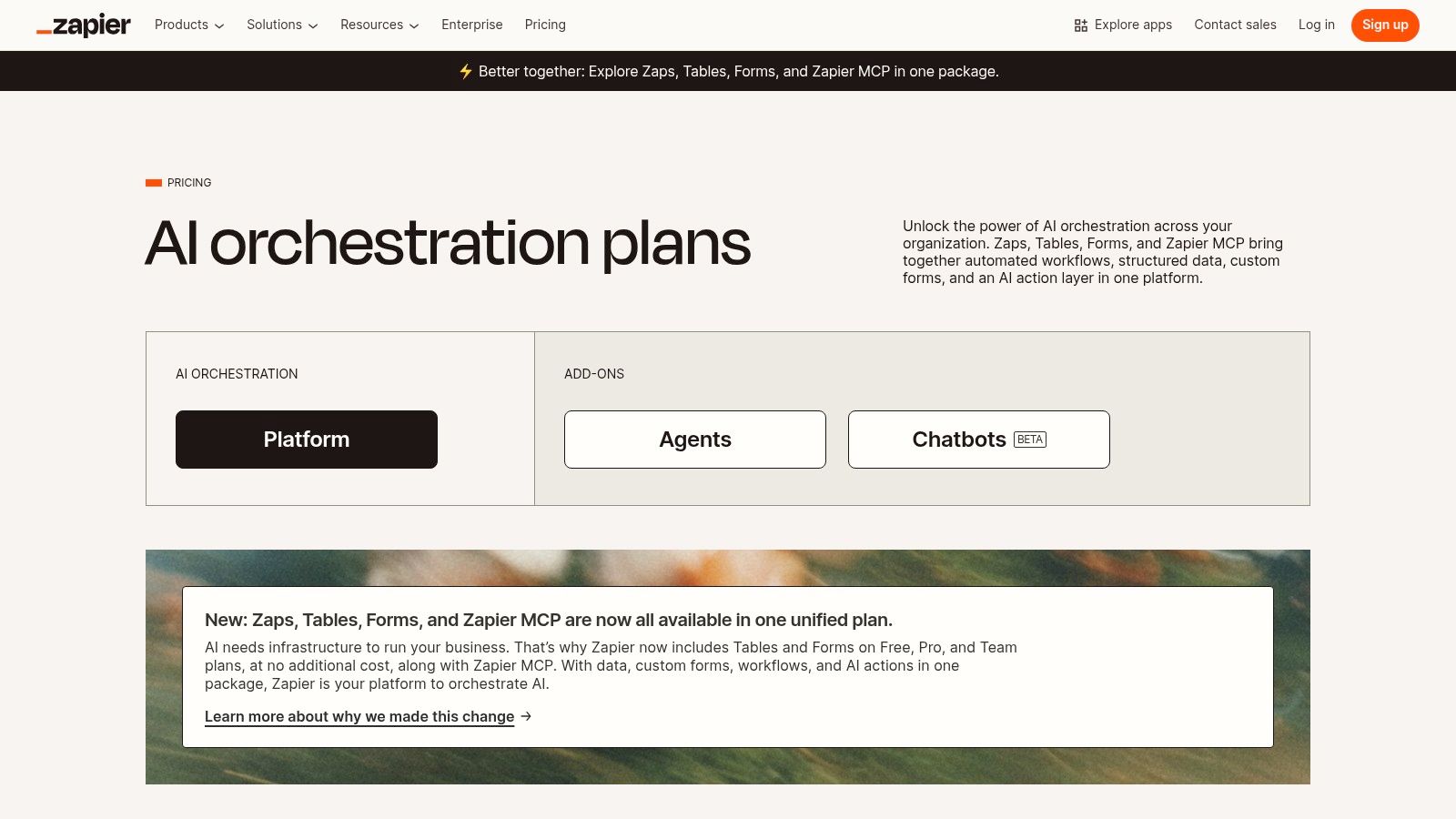
9. Zapier
Zapier is the essential no-code automation platform that acts as the digital glue for countless digital marketing agency tools. It allows agencies to connect over 8,000 different web applications and create automated workflows, called "Zaps," without writing a single line of code. This is a game-changer for agencies seeking to eliminate repetitive manual tasks, streamline client operations, and ensure data consistency across disparate systems like CRMs, ad platforms, and email marketing tools.
Its core value is enabling sophisticated integrations that would otherwise require expensive developer resources. For an agency, this means you can instantly route new leads from a client's website form into their CRM, a Google Sheet, and a Slack channel simultaneously. Zapier’s platform is built on triggers and actions, offering immense flexibility to build simple two-step automations or complex, multi-path workflows with branching logic and AI-powered steps.
Agency Use-Cases & Implementation
- Lead Management Automation: Create a Zap to automatically capture leads from Facebook Lead Ads, enrich the data with a tool like Clearbit, and then add them to the client's CRM (e.g., HubSpot) and email sequence.
- Streamlined Client Reporting: Set up a scheduled Zap that pulls performance data from various ad platforms and analytics tools into a centralized Google Sheet or Data Studio report each week.
- Internal Process Efficiency: Automate project management by creating a new task in Asana or Trello whenever a client submits a request through a designated form or email address.
Pricing: Zapier has a free-forever plan with limited tasks. Paid plans start at Free ($0/mo), Starter ($19.99/mo), Professional ($49/mo), Team ($69/mo), and Company (custom pricing). Agencies typically require the Team or Company plan for shared workspaces and advanced features.
| Feature Comparison | Free Plan | Professional Plan | Team Plan |
|---|---|---|---|
| Tasks per Month | 100 | 2,000 | 2,000 |
| Multi-Step Zaps | No | Yes | Yes |
| Unlimited Users | No | No | Yes |
| Shared App Connections | No | No | Yes |
Pros & Cons
- Pro: The fastest and most accessible way to integrate thousands of apps without any coding knowledge.
- Pro: Dramatically reduces manual data entry and busywork, freeing up agency staff for strategic tasks.
- Con: The task-based billing model can become expensive for high-volume workflows, requiring careful monitoring.
- Con: Building and troubleshooting very complex, multi-conditional Zaps can have a steep learning curve.
Implementation Tip: Use Zapier Tables as a lightweight database. When a client lead comes in, save it to a Table first. This creates a central log and allows other Zaps to trigger from that single data source, making your automations more robust and easier to manage.
Website: https://zapier.com/pricing
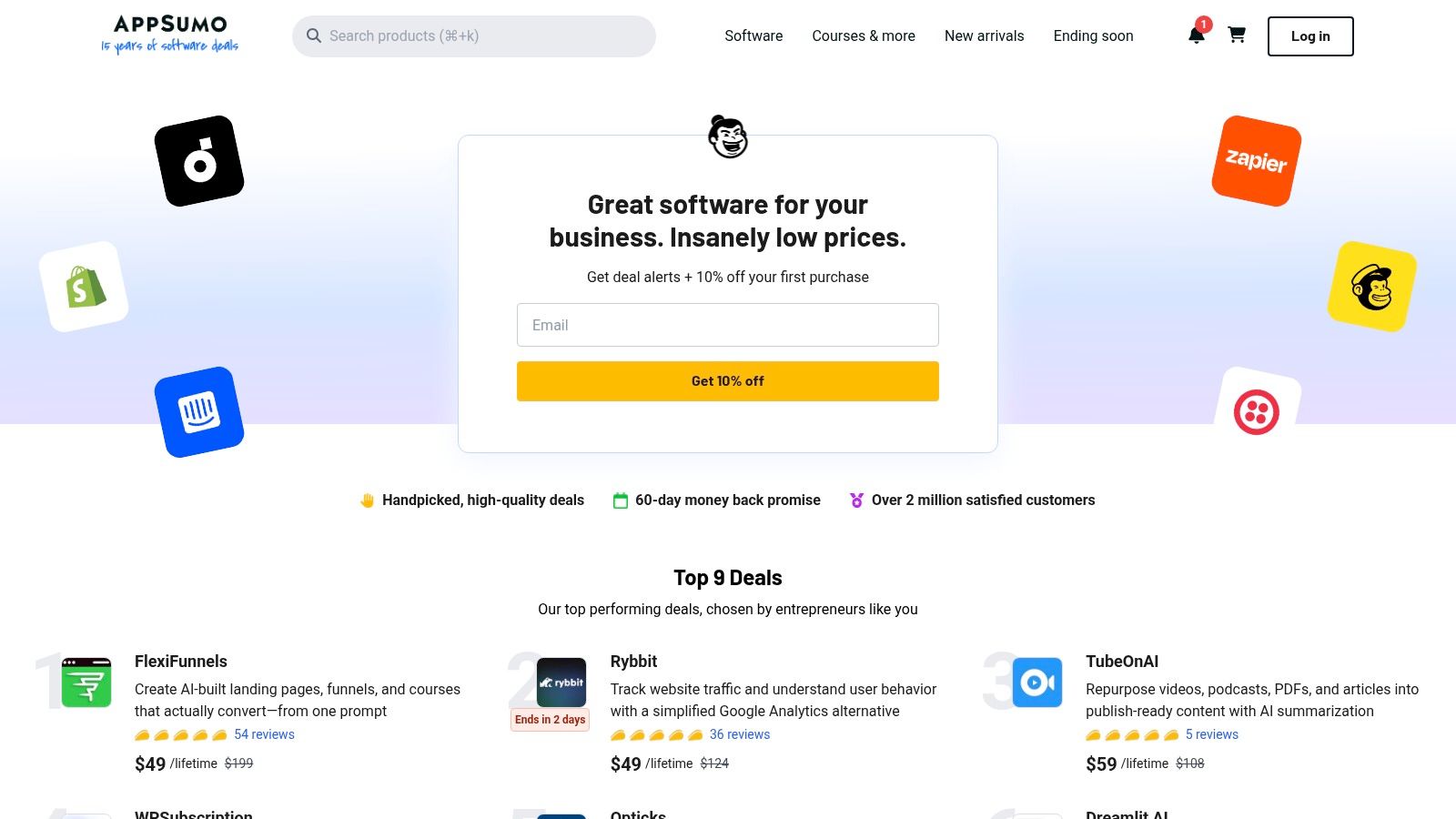
10. AppSumo
AppSumo isn't a single tool, but rather a dynamic marketplace that has become one of the essential digital marketing agency tools for managing software costs. It offers lifetime and heavily discounted deals on a rotating selection of SaaS products, courses, and digital assets. For agencies, this platform provides a low-risk way to experiment with new technologies, from AI content writers to social media schedulers, without committing to expensive monthly subscriptions.
The core value for an agency is cost-efficiency and discovery. By securing lifetime deals (LTDs) on promising software, agencies can significantly reduce their recurring monthly overhead. This allows them to either pass those savings on to clients or increase their profit margins. It's an excellent channel for finding niche tools that solve specific client problems, which might otherwise be too expensive to justify.
Agency Use-Cases & Implementation
- Tool Stack Expansion: Acquire lifetime licenses for emerging SEO, content, or analytics tools to build out your agency's service stack at a fraction of the typical cost.
- Team Training: Purchase discounted access to high-quality marketing and development courses to upskill team members on new disciplines like programmatic advertising or CRO.
- Client-Specific Solutions: Find and purchase niche tools for a specific client's needs, such as a specialized e-commerce review management app, without adding a new recurring expense.
Pricing: Deals are purchased individually, with prices for lifetime software access typically ranging from $49 to $399. AppSumo also offers a "Plus" membership (currently $99/year) which provides an extra 10% off purchases and access to exclusive perks.
| Feature Comparison | Standard Purchase | AppSumo Plus Member |
|---|---|---|
| Deal Access | All public deals | All public deals |
| Discount | Standard deal price | Extra 10% off all deals |
| Refund Policy | 60-day money-back guarantee | 60-day money-back guarantee |
| Exclusive Perks | No | Access to KingSumo Giveaways Pro |
Pros & Cons
- Pro: Can dramatically lower the total cost of ownership for your agency's software stack.
- Pro: Excellent for discovering innovative and emerging marketing applications before they become mainstream.
- Con: The quality and long-term viability of featured products can vary; thorough vetting is essential.
- Con: Lifetime deal terms can sometimes be more restrictive than a vendor's standard subscription plans.
Implementation Tip: Dedicate a small, monthly budget for AppSumo deals. Create a clear internal process for evaluating a deal's potential, including reading user reviews, checking the vendor's roadmap, and testing the tool within the 60-day refund window.
Website: https://appsumo.com
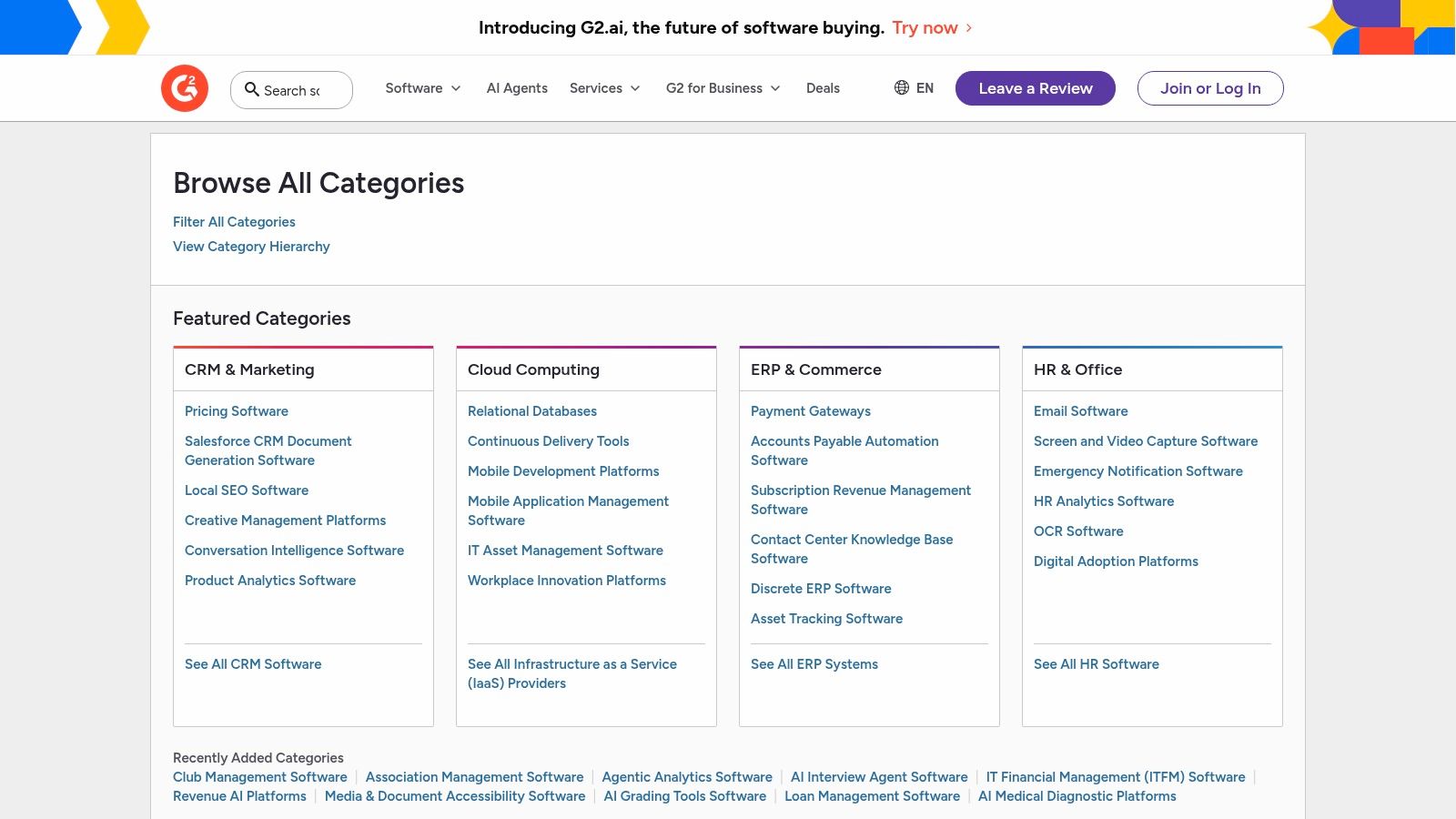
11. G2 (Marketing Software Categories)
G2 is not a tool itself, but a critical research platform that functions as an essential first step in any agency's software evaluation process. It's a comprehensive peer-to-peer review site where agencies can discover, compare, and vet thousands of digital marketing agency tools based on verified user feedback. Instead of relying solely on vendor marketing, G2 provides unfiltered social proof and detailed comparisons across specific categories like SEO, marketing automation, and social media management.
For agencies, this resource is invaluable for shortlisting potential software solutions for both internal use and client recommendations. Its Grid Reports visually plot vendors based on user satisfaction and market presence, offering a quick way to identify industry leaders and high-momentum products. This data-driven approach saves countless hours of preliminary research and helps justify technology investments to clients.
Agency Use-Cases & Implementation
- Technology Stack Audits: When a client's current software isn't performing, use G2 to quickly build a list of top-rated alternatives with direct feature comparisons.
- New Service Development: Before launching a new service (e.g., CRO or marketing automation), consult G2 to understand the tool landscape and identify the best-in-class platforms to build your offering around.
- Vendor Negotiation: Leverage insights from reviews regarding pricing, support quality, and missing features to gain an advantage when negotiating contracts with software vendors.
Pricing: G2 is free to use for research and comparison. Pricing for the software listed on G2 varies by vendor and is accessed via links on their respective G2 profiles.
| Feature Comparison | G2.com | Software Vendor Websites | Direct Demos |
|---|---|---|---|
| User Reviews | Extensive & Verified | Limited & Curated | No |
| Comparative Grids | Yes | No | No |
| Pricing Info | General | Specific & Detailed | Customized Quote |
| Social Proof | High | Low | Medium |
Pros & Cons
- Pro: Massively accelerates the software shortlisting process across any marketing category.
- Pro: Provides genuine social proof and feature comparisons to validate choices and de-risk investments.
- Con: Vendor-sponsored placements and lead-generation incentives can sometimes influence visibility.
- Con: You still must visit vendor sites to validate specific features and get accurate, up-to-date pricing.
Implementation Tip: Create a standardized "Tool Evaluation Checklist" for your agency that starts with G2. Mandate that any new software consideration begins by identifying the top 3-5 contenders in the relevant G2 category grid and summarizing key pros and cons from recent user reviews.
Website: https://www.g2.com/categories?utm_source=openai
12. Shopify App Store (Marketing & Conversion)
For agencies managing ecommerce clients, the Shopify App Store is less a single tool and more of an essential ecosystem. It functions as a specialized marketplace of digital marketing agency tools, with its "Marketing & Conversion" category offering thousands of Shopify-native applications. This direct integration is its key advantage, allowing apps to seamlessly access product catalogs, customer data, and checkout processes for unparalleled performance.
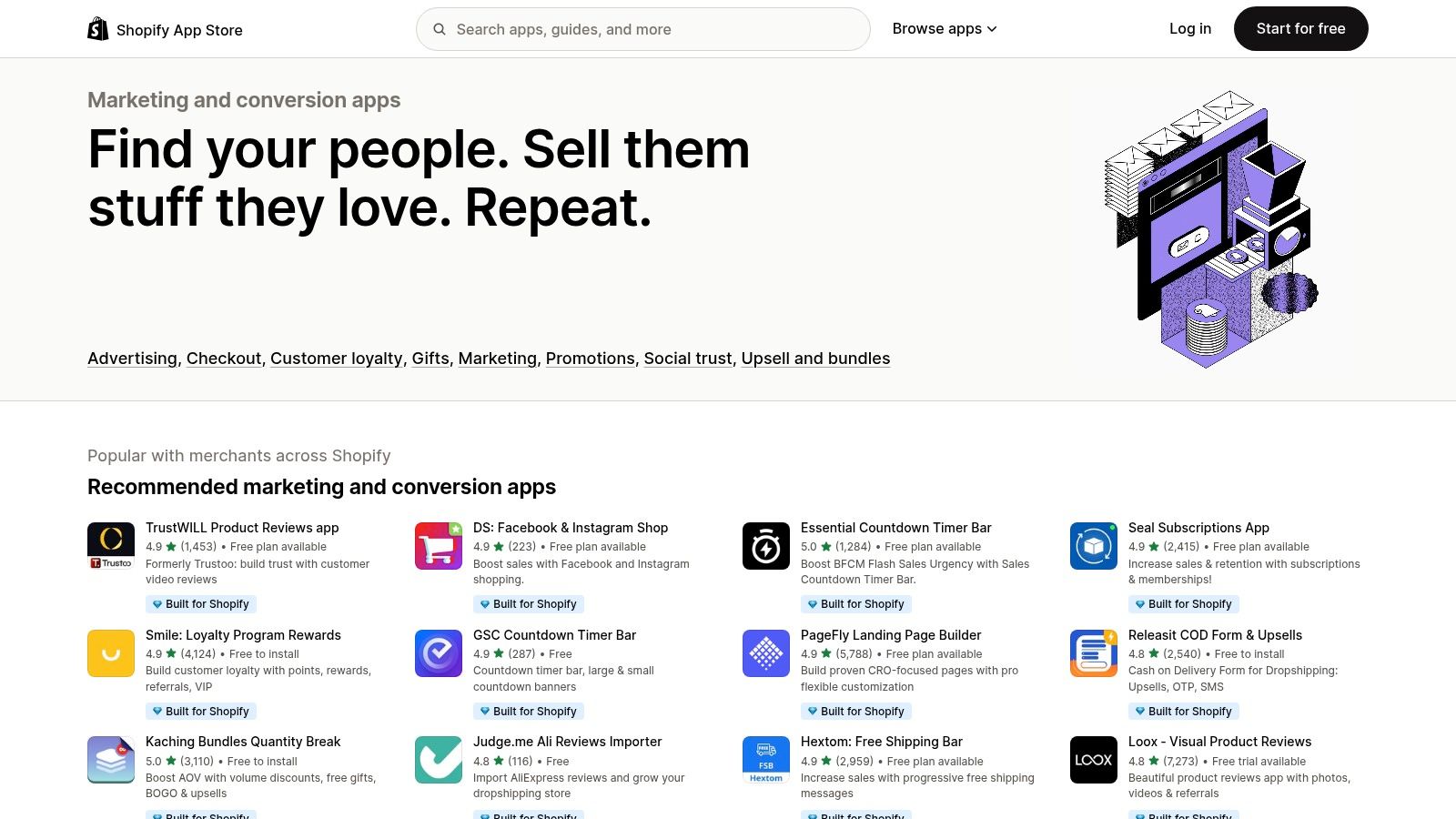
The platform is a go-to resource for everything from email and SMS marketing to pop-ups, loyalty programs, and advanced attribution. Agencies can vet solutions based on user reviews, ratings, and "Built for Shopify" badges, which indicate a higher standard of quality and integration. This allows for a highly customized marketing stack built specifically for the unique needs of each ecommerce client.
Agency Use-Cases & Implementation
- Client Growth Stack: Build a custom marketing stack for a new ecommerce client by combining best-in-class apps for email (Klaviyo), reviews (Judge.me), and pop-ups (Privy) directly from the store.
- CRO Testing: Use the store to find and test various landing page builders or A/B testing apps to optimize conversion rates on client product and collection pages.
- Service Expansion: Identify popular app categories like "Affiliate programs" or "Loyalty and rewards" to propose and implement new revenue-driving services for existing clients.
Pricing: Varies significantly per app. Many apps offer a freemium model or a free trial period, with paid plans ranging from a few dollars to hundreds per month based on usage, contacts, or features.
| App Category | Common Free Plan Feature | Typical Paid Plan Basis |
|---|---|---|
| Email & SMS Marketing | Limited contacts/sends | Contact/subscriber count |
| Reviews & UGC | Limited review requests | Number of monthly orders |
| Pop-ups & Forms | Limited monthly views | Pageview or impression count |
| Landing Page Builders | 1-3 published pages | Number of pages, features |
Pros & Cons
- Pro: Deep, native integrations provide access to crucial Shopify data (e.g., checkout, order history) that external tools can't match.
- Pro: Many apps offer free plans or generous trials, making it easy to test solutions before committing a client's budget.
- Con: App quality can be inconsistent; thorough vetting is required to avoid poorly coded or unsupported apps.
- Con: Stacking multiple paid apps can lead to significant, overlapping monthly costs that need careful management.
Implementation Tip: Before installing a new app for a client, use a staging or development store to test for theme conflicts, site speed impacts, and core functionality. This prevents disrupting the live client site with a potentially problematic app.
Website: https://apps.shopify.com/categories/marketing-and-conversion?utm_source=openai
Top 12 Digital Marketing Agency Tools Comparison
| Product | Core features | UX & Quality | Value & Pricing | Target Audience | Unique Selling Points |
|---|---|---|---|---|---|
| BizSage 🏆 | RAG agents from site & files; embedded widget, hosted chat; Lead Hub | ★★★★☆ — fast onboarding, agency controls | 💰 Volume-based (~$2.40–$4.95/client); free trial | 👥 Agencies, web & lead-gen teams | ✨ White-label by default; lead capture + Kanban CRM; data isolation |
| Semrush | SEO/PPC/content/local/social toolkits; audits & reports | ★★★★☆ — mature UI & reporting | 💰 Tiered; seats & add‑ons increase cost | 👥 SEO agencies & market analysts | ✨ All-in-one search & competitive intelligence; white‑label reports |
| Ahrefs | Backlink index, Keywords & Site Explorer, audits | ★★★★☆ — data-rich, transparent limits | 💰 Clear plans; per-user costs add up | 👥 SEOs, consultants, link-focused agencies | ✨ Best-in-class link data & competitor research |
| HubSpot Marketing Hub | CRM + email, landing pages, automations, attribution | ★★★★☆ — polished; Pro/Ent onboarding | 💰 Contact-based pricing; scales with contacts/seats | 👥 Agencies needing CRM + marketing lifecycle | ✨ Tight CRM integration & lifecycle reporting |
| Google Marketing Platform | GA4, Tag Manager (free); enterprise ad/analytics stack | ★★★★☆ — industry standard; steep learning curve | 💰 Free core tools; enterprise via sales/partners | 👥 Enterprise agencies & ad-tech teams | ✨ Deep ad ↔ analytics integration; measurement governance |
| Meta Business Suite | Cross-posting, inbox, scheduling, insights, ads | ★★★☆☆ — native but occasional UX issues | 💰 Free to use for Meta asset managers | 👥 Social managers for Facebook & Instagram | ✨ Native Meta integration + mobile app |
| Mailchimp | Email builder, automations, audience segmentation, SMS | ★★★★☆ — quick launch, plan limits | 💰 Flexible tiers & PAYG; limited free plan | 👥 Small/mid-market agencies & ecommerce | ✨ Fast to deploy + ecommerce integrations |
| Hootsuite | Scheduling, social inbox, listening, analytics, governance | ★★★★☆ — robust reporting, enterprise-ready | 💰 Mid–high pricing for teams & features | 👥 Social teams and enterprises | ✨ Deep analytics, team workflows & governance |
| Zapier | No-code automations, connectors, Tables, branching logic | ★★★★☆ — fast integrations; task monitoring | 💰 Task-based billing; costs scale with usage | 👥 Agencies automating client ops & integrations | ✨ Broadest app ecosystem for quick automations |
| AppSumo | Rotating SaaS & course deals; lifetime discounts | ★★★☆☆ — marketplace experience varies | 💰 Low-cost deals; terms & longevity vary | 👥 Cost-conscious agencies testing tools | ✨ Big discounts & discovery for emerging apps |
| G2 (Marketing) | Verified reviews, category grids, leader badges | ★★★★☆ — trusted comparison & social proof | 💰 Free to browse; vendor visibility varies | 👥 Agencies shortlisting marketing software | ✨ Verified reviews & leader/trending badges |
| Shopify App Store (Marketing & Conversion) | Shopify-native marketing apps, trials, pricing shown | ★★★★☆ — clear listings; trial options | 💰 App pricing varies; many free trials | 👥 Ecommerce & Shopify-focused agencies | ✨ Deep native Shopify integrations and checkout access |
From Tools to Transformation: Making Your Stack Work for You
Navigating the expansive landscape of digital marketing agency tools can feel overwhelming, but building a powerful, integrated tech stack is the single most effective way to scale your operations and deliver superior client results. Throughout this guide, we've explored a comprehensive suite of platforms, from SEO powerhouses like Semrush and Ahrefs to all-in-one solutions like HubSpot Marketing Hub and emerging innovations like BizSage. The key takeaway is clear: the goal isn't just to acquire tools, but to architect a cohesive ecosystem that aligns with your agency’s specific needs and growth objectives.
An effective tool stack eliminates silos, automates repetitive tasks, and empowers your team with the data-driven insights needed to make strategic decisions. It’s the difference between being a reactive service provider and a proactive strategic partner for your clients.
Key Takeaways for Building Your Agency's Tech Stack
As you move forward, keep these core principles in mind to ensure your investments translate into tangible returns:
- Integration Over Accumulation: The most powerful tech stacks are not necessarily the largest. Prioritize tools that integrate seamlessly, using platforms like Zapier to connect disparate systems and create automated workflows. A connected stack prevents data fragmentation and reduces manual data entry, freeing up valuable billable hours.
- Scalability is Non-Negotiable: Your agency's needs will evolve. Select tools that can grow with you. This means evaluating pricing tiers, feature sets at different levels, and the ability to add users or clients without prohibitive costs. A tool that's perfect for a three-person team might become a bottleneck for a thirty-person agency.
- Focus on Client-Facing Value: The best tools don't just improve your internal efficiency; they enhance the value you deliver to clients. Platforms that offer client portals, white-label reporting, or unique services, like the client-trained AI from BizSage, create stickier relationships and new revenue streams.
Actionable Next Steps: Auditing and Optimizing
Before you invest in another subscription, take these concrete steps to optimize your current setup:
- Conduct a Stack Audit: Create a spreadsheet of every tool your agency currently uses. Note the cost, primary function, key users, and how it's being utilized. You will likely uncover redundant subscriptions or underutilized features in platforms you already pay for.
- Identify Your Biggest Bottlenecks: Where does your team spend the most manual effort? Is it reporting, client onboarding, or content creation? Pinpoint these friction points and actively seek a tool-based solution to automate or streamline them.
- Embrace a Unified Data View: To truly make your tech stack work for you, embracing an integrated view of your marketing efforts is essential. Learn more about how to approach omni-channel analytics for Shopify brands to understand how data from different platforms can be synthesized into a single source of truth for better decision-making.
- Start Small and Scale: When implementing a new major tool like HubSpot or Google Marketing Platform, begin with a pilot project. Select one or two tech-savvy team members and a single client to test the workflow before rolling it out agency-wide. This minimizes disruption and allows you to build a best-practice implementation guide.
Ultimately, the right collection of digital marketing agency tools acts as a force multiplier for your team's talent and expertise. It automates the mundane, illuminates the complex, and gives you the leverage to not only meet client expectations but to consistently exceed them, securing your agency's position as an indispensable partner in their growth.
Ready to add a powerful, high-margin service to your agency's offerings? BizSage allows you to create and deploy white-label, client-trained AI chatbots that deliver instant, expert answers and generate qualified leads. Explore how you can turn this innovative technology into your next recurring revenue stream at BizSage.