
Thinking about building a chatbot from the ground up can feel a bit like deciding to build a house by hand, brick by brick. It’s overwhelming. A chatbot development framework is your architectural blueprint and prefabricated construction kit all rolled into one. It gives you the essential structure—like understanding language and managing a conversation—so you can focus on what makes your bot special, not on reinventing the wheel.
Why a Chatbot Development Framework Matters

Deciding to use a chatbot development framework isn't just a technical detail; it's a strategic move that hits your speed to market, budget, and ability to grow. Without one, your team is stuck building every single component from scratch, a path that's not only incredibly slow but also full of potential pitfalls.
A good framework gives you a standardized, tested foundation to build on. This pre-built structure slashes the development timeline, letting your team go from a simple idea to a working prototype in a matter of days or weeks, not months. By taking care of the messy, low-level mechanics of conversational AI, these tools let you pour your energy into what really matters: designing a great user experience.
The Strategic Advantages of Using a Framework
Using a framework is all about working smarter, not harder. It gives you instant access to powerful features that would otherwise take a whole team of AI specialists to build.
Here’s what you really gain:
- Faster Development: Ready-made modules for things like Natural Language Understanding (NLU), dialogue management, and integrations cut down on coding time immensely.
- Less Complexity: Frameworks handle the really tricky parts of machine learning models and tracking conversations, which makes the whole process much more straightforward for developers.
- Built-in Scalability: Most frameworks are designed with growth in mind. This means your chatbot can handle more users as your business expands without needing a total rebuild.
- Community and Support: Popular frameworks have tons of documentation, tutorials, and active communities. When you get stuck, there’s a good chance someone else has already solved the same problem.
A well-chosen framework is the difference between getting stuck building the engine and actually driving the car. It allows you to focus on the destination—solving a customer's problem—rather than on the mechanics of transportation.
The explosive growth in the market really highlights why these tools are so critical. The global chatbot market is expected to jump from USD 5.84 billion in 2025 to USD 61.97 billion by 2035. As more businesses rush to get effective bots out there, this rapid expansion is driving the demand for solid, scalable frameworks. You can dive deeper into these chatbot market trends to see where things are headed.
At the end of the day, a framework makes sure your project starts on solid ground. It sets you up for future improvements and prepares you to meet the changing needs of both your customers and your business.
Understanding the Core Components of a Chatbot
If you really want to get how a chatbot framework speeds things up, you have to look under the hood. Think of a chatbot less as a single piece of software and more like a highly specialized team. Each member has a specific job, and the framework is the system that lets them work together seamlessly.
The Interpreter: Natural Language Understanding (NLU)
First up is the Natural Language Understanding (NLU) component. This is your team's expert interpreter. When a customer types, "I want to check my order status for the blue shirt I bought yesterday," the NLU doesn't just read the words; it figures out what they actually mean.
It pinpoints the user's main goal, which we call the intent (in this case, checking an order). Then, it pulls out the important details, known as entities (like product: "blue shirt" and time: "yesterday"). It's the difference between hearing noise and understanding language.
The Brains: Dialogue Management
Once the NLU knows what the user wants, the Dialogue Management component steps in. This is the conversation's strategist—the brains of the operation. It's responsible for tracking the conversation's context, remembering what’s already been said so the bot doesn't ask the same questions over and over.
Without good dialogue management, your bot has the memory of a goldfish. Imagine a user asks, "How much is it?" The dialogue manager remembers they were just talking about a specific product and gives the right price instead of asking, "How much is what?"
A chatbot without a dialogue manager is like a customer service agent who forgets your name and issue every time you speak. This component is the key to creating conversations that feel coherent and intelligent, not disjointed and frustrating.
The Voice: Response Generation
Next, the Response Generation engine gets to work. This is the team's writer, tasked with crafting the perfect reply. Sometimes that means grabbing a pre-written answer, but it can also involve creating a response from scratch based on the conversation's flow. When you get into the core components of a chatbot, the role of AI content writing is crucial for generating dynamic and relevant responses.
This part also ensures the chatbot's personality matches your brand. Is it formal and professional? Or friendly and a bit quirky? The response generator pulls the right data, shapes it into a clear sentence, and makes sure the tone is just right.
The Connectors: Integration Layers
Finally, you have the Integration Layers. These are the connectors that bridge your chatbot to the rest of your business systems. This is what lets your bot do more than just talk—it allows it to take action.
These integrations are what empower a chatbot to actually get things done, like:
- Checking your CRM: To look up a customer's purchase history for personalized help.
- Querying an inventory database: To see if an item is in stock right now.
- Connecting to a payment gateway: To process an order without making the user leave the chat.
- Handing off to a human agent: To seamlessly transfer the conversation when a problem gets too complex.
Each piece is essential. The NLU listens, the Dialogue Manager thinks, the Response Generator speaks, and the Integration Layer acts. A solid chatbot development framework gives you the tools to build and coordinate all four, turning a simple script into a genuinely powerful business tool.
Comparing the Most Popular Chatbot Frameworks
Choosing the right chatbot development framework feels a lot like picking a vehicle for a road trip. Are you looking for a reliable sedan that’s easy to drive right off the lot, or do you need a rugged, customizable off-roader you can build out for any terrain? Both will get you where you’re going, but the experience, cost, and level of control are completely different.
It’s the same story with chatbot frameworks. They generally fall into two camps: fully-managed platforms (the sedans) and open-source toolkits (the off-roaders). Platforms like Google's Dialogflow offer a guided, cloud-based experience, while frameworks like Rasa give your team maximum control if you're willing to build and host it all yourselves.
No matter which framework you choose, they all have the same core engine parts working under the hood: Natural Language Understanding (NLU), Dialogue Management, Response Generation, and Integrations.

Understanding these components is key. It shows you that while every framework has a unique dashboard and set of features, they are all ultimately trying to solve the same fundamental problem: how to have a coherent conversation with a human.
User-Friendly Cloud Platforms
Platforms like Google Dialogflow and IBM Watson Assistant are all about speed and simplicity. They give you intuitive web interfaces where you can map out user intents and conversation flows, often with very little code. This makes them a fantastic choice for businesses that don't have a team of AI developers on standby.
For instance, Dialogflow taps into Google’s world-class machine learning, so it's incredibly good at understanding what users are asking for from day one. IBM Watson Assistant, on the other hand, is built with enterprise security in mind and excels at managing complex, branching dialogues with rock-solid reliability. In both cases, they handle the hosting, scaling, and the complex AI models for you.
The trade-off is simple: convenience for control. You get up and running fast, but you sacrifice the ability to fine-tune the NLU models or host the entire system on your own servers.
Developer-Focused Open-Source Frameworks
Then you have open-source options like Rasa, which is less of a pre-built car and more of a high-performance engine and chassis. It’s a Python-based chatbot development framework that gives your team the keys to everything, letting you build, train, and deploy a chatbot on your own infrastructure.
This approach gives you unmatched control over your data, your models, and your integrations. Your team handles it all, from training the NLU from scratch to managing the servers in production. The learning curve is undoubtedly steeper, but the reward is a completely bespoke solution that fits your exact needs and keeps all conversational data in-house—a non-negotiable for industries with strict privacy regulations.
Chatbot Development Framework Comparison
The conversational AI market is surprisingly concentrated, with just a few big players handling 60-80% of user traffic. This has its pros and cons. As you can read in this analysis of the AI market, it means frameworks offer great support for major platforms, but it also creates a risk of getting locked into one vendor. To help you navigate the options, here’s a quick look at how the leading frameworks stack up.
| Framework | Primary Use Case | Technical Skill Required | Pricing Model | Key Advantage |
|---|---|---|---|---|
| Google Dialogflow | Quick prototypes & multi-language bots | Low-to-Medium | Pay-as-you-go | World-class NLU and seamless integration with Google services. |
| Microsoft Bot Framework | Enterprise bots across many channels | Medium-to-High | Usage-based (Azure) | Deep integration with the Azure ecosystem and powerful developer tools. |
| Rasa | Custom solutions & data privacy | High | Open-source (Free) | Total control, on-premise hosting, and no licensing fees. |
| IBM Watson Assistant | Secure, enterprise-grade deployments | Medium | Tiered (Free to Enterprise) | Advanced AI features with a strong focus on data security. |
Choosing the right framework is a big decision that depends entirely on your team's skills, budget, and long-term goals.
If navigating all this feels like too much, platforms like BizSage offer a much simpler path. We take care of all the technical heavy lifting, so you can build a powerful AI agent from your existing business content in just a few minutes, not months.
How to Choose the Right Framework for Your Project
Picking a chatbot framework just because it’s popular is like buying the best-selling car on the market. You might drive off the lot with a sleek sports car when what you really needed was a pickup truck. A little strategy goes a long way in making sure you get a tool that actually fits your business, not just what's trending.
Before you start getting lost in a sea of feature comparison charts, take a step back. Answering a few straightforward questions about your project first will give you a clear blueprint of what you actually need. This simple exercise makes the final decision a whole lot easier.
Define Your Chatbot’s Purpose and Goals
First things first: what is this chatbot’s core job? Is it a 24/7 customer support agent, a friendly guide leading users through your sales funnel, or an internal assistant automating tasks for your team? A simple FAQ bot has completely different requirements than one that needs to process an order and talk to your payment gateway.
Think through these key questions:
- What is the number one problem this chatbot will solve? (e.g., slash support ticket volume, qualify new leads, book appointments)
- Who are you building it for? (e.g., loyal customers, first-time website visitors, internal staff)
- What specific actions must it be able to perform? (e.g., look up an order status, create a support ticket, schedule a product demo)
The answers will immediately tell you if you're building a simple Q&A machine or a powerful, action-oriented assistant. Your goals will start pointing you toward certain types of frameworks right away.
Assess Your Team and Technical Resources
Next, it's time for a reality check on your team's skills and your budget. This is often the single most important factor when deciding between a managed platform and a self-hosted framework.
A fully managed platform like Google Dialogflow is built for speed and simplicity, making it a great option for teams with little to no coding experience. On the other hand, an open-source chatbot development framework like Rasa gives you total control and data privacy, but it demands a team with solid Python skills and the ability to manage your own hosting.
Choosing a framework your team can’t realistically manage is a recipe for a stalled project. Be honest about your internal capabilities before committing to a path that requires deep technical expertise you don't have.
This choice also has a direct impact on your budget. A cloud platform comes with predictable, usage-based pricing. An open-source solution might be free to license, but you'll still pay for developer salaries, server hosting, and ongoing maintenance.
Plan for Integrations and Scalability
Finally, think about where this chatbot needs to plug into your existing tech. What other systems does it absolutely have to communicate with? Make a list of your must-have integrations, like your CRM, inventory database, or help desk software. A framework that comes with pre-built connectors for these tools can save you hundreds of hours of development work.
Thinking ahead like this is what separates a cool project from a tool that delivers real business results. Enterprises—especially in North America, which holds over 30% of the market share—are adopting these frameworks to see a clear return on investment. They're looking at metrics like improved customer containment rates and faster issue resolution. This business-first mentality is why modern frameworks increasingly include built-in analytics, A/B testing, and strong security features. You can find more details in the chatbot market's enterprise focus on Precedence Research.
By carefully thinking through your purpose, resources, and integration needs, you can confidently pick the right framework—one that doesn't just solve today's problem but is ready to grow with your business tomorrow.
Putting Your Chatbot to Work: Integration and Deployment
A perfectly designed chatbot is just a cool project until it’s actually live and talking to your customers. The journey from a development sandbox to the real world is where a lot of great ideas hit unexpected turbulence. It's one thing to build a smart bot; it's another thing entirely to weave it into the fabric of your daily operations.
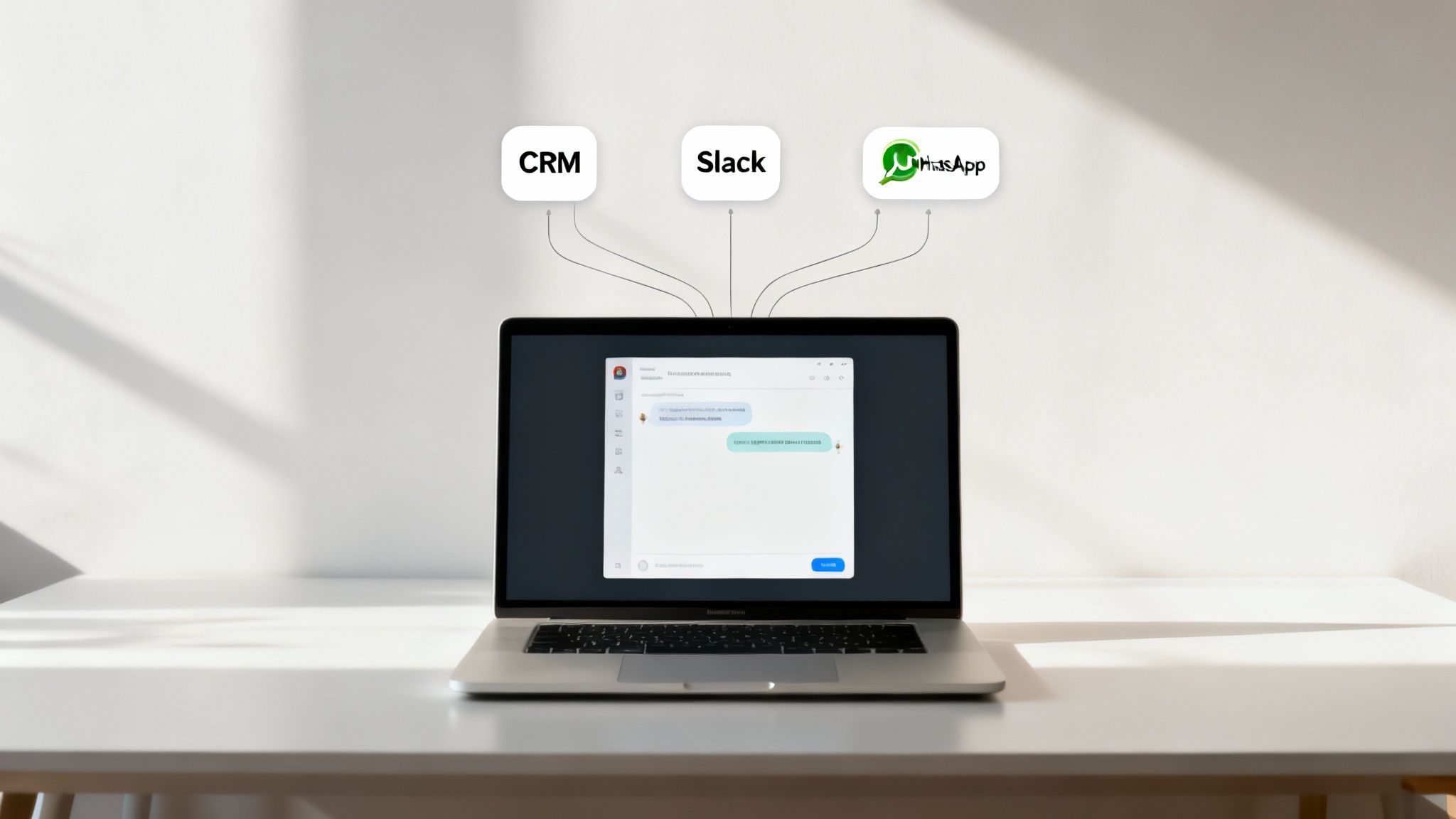
This is where we move beyond conversational logic and get into the nitty-gritty of integration. Your chatbot development framework needs to be able to plug your bot into the channels your customers already use, whether that's Slack, WhatsApp, or a live chat widget on your website. Without those connections, your bot is basically an island—smart, but isolated and not very useful.
Connecting Your Bot to Your Business Brain
The real magic happens when your chatbot can do more than just chat. To be genuinely helpful, it needs to access information and trigger actions by talking to your other business systems, like your Customer Relationship Management (CRM) software or inventory database.
This two-way street of data exchange is what powers truly effective bots. Think about it:
- Personalized Support: The bot can pull a customer's order history from your CRM, providing specific updates without making them repeat information they've already given you.
- Real-Time Information: It can ping your inventory database on the fly to confirm if an item is in stock or check the latest shipping status.
- Automated Actions: An integrated bot can automatically create a support ticket in your helpdesk or drop a new lead right into your sales pipeline.
For developers building on specific platforms like ChatGPT, official Software Development Kits (SDKs) can make this much easier. For instance, the ChatGPT Apps SDK gives you a structured way to connect your applications without having to reinvent the wheel.
A chatbot that isn't connected to your core business systems is like a receptionist with no access to the company directory or calendar. They can greet people, but they can't actually help them get anything done.
The Art of the Graceful Handover
Let's be realistic: no bot can handle every single question. That’s why one of the most critical parts of any deployment strategy is designing a smooth and efficient human-in-the-loop process. When a bot hits the edge of its knowledge or a customer has a particularly sensitive issue, it needs to be able to pass the baton to a live agent without dropping it.
This handover can't be a dead end. The framework should transfer the entire conversation history to the human agent, so the customer isn't forced to start over from scratch. This small detail makes a huge difference in the customer experience and gives your support team the context they need to jump right in. A well-executed handover turns your chatbot from a potential frustration into a valuable first line of defense.
If building out these complex integrations and handovers sounds like a headache, that's because it often is. This is where a managed solution like BizSage comes in. We handle all that technical heavy lifting, giving you a knowledgeable AI agent that’s already connected and ready to help your customers from day one.
Common Questions About Chatbot Frameworks
When you start looking at chatbot development frameworks, a few practical questions always pop up about cost, skills, and timelines. Let's tackle them head-on so you can set realistic expectations from the get-go.
Figuring these things out early is the key to planning a project that doesn't go off the rails.
How Much Does It Really Cost to Build a Chatbot?
There’s no single price tag for a chatbot; it's more like a sliding scale. The biggest factor that will swing your budget one way or another is whether you go with a cloud-based platform or an open-source framework.
- Cloud Platforms (e.g., Google Dialogflow): Think of these as a "pay-as-you-go" service. You're typically charged based on usage, like the number of messages your bot handles. This is great for starting small because your initial costs are minimal, but be aware that your bill can climb as more users start talking to your bot.
- Open-Source Frameworks (e.g., Rasa): The software itself is free, which is a huge plus. However, your costs show up elsewhere—you'll need to pay for hosting infrastructure and, crucially, for developers who know how to work with it. The real investment here is in servers and talent.
Do I Need to Be a Programmer to Use a Framework?
Not necessarily, but it definitely opens up more possibilities. Many modern frameworks now come with no-code or low-code visual editors. These are fantastic tools for people who aren't developers—like marketers or customer support leads—to map out basic conversation flows without touching any code.
But when you need to do something more complex, like connect to your company’s CRM or implement custom business rules, you'll hit a wall without programming skills. A framework like Rasa is built for developers and requires a solid grasp of Python. On the other hand, something like Dialogflow offers an easier starting point for non-coders, with the option to bring in a developer later to add more advanced functionality.
It really boils down to this: no-code tools get you launched quickly, but code gives you total control. Your choice depends on what's more important right now—speed or the power to build a truly unique solution.
How Long Does It Take to Develop a Chatbot?
The good news is that using a chatbot development framework is way faster than trying to build everything from scratch. If you're using a no-code tool, you could potentially have a simple proof-of-concept bot answering questions in just a few days or weeks.
For a more polished chatbot—one with multiple integrations, a unique personality, and the smarts to handle errors gracefully—you should plan for a timeline of two to six months. That covers everything from initial build and testing to the final launch. The framework handles all the complicated AI stuff behind the scenes, freeing up your team to focus on what really matters: designing a great conversation, mapping out the business logic, and creating a user experience that actually helps people.
Feeling like the technical details and timelines are a bit much? BizSage offers a simpler path. We can turn your existing company knowledge into an on-brand AI agent that works 24/7, all in a matter of minutes. No developers needed.
Get started with BizSage today and see just how easy deploying an effective chatbot can be.