
So, what exactly is an AI chatbot for customer support? Think of it as an automated program that uses artificial intelligence to manage customer conversations around the clock. It's like having a tireless digital team member who can instantly answer common questions, which frees up your human agents to handle the trickier, more complex problems.
Understanding the AI Chatbot Revolution
Picture a customer support agent who never sleeps, speaks multiple languages perfectly, and can juggle thousands of conversations at once without breaking a sweat. This isn't some far-off sci-fi concept; it's the practical reality of what an AI chatbot for customer support brings to the table. This technology is fundamentally reshaping how businesses and their customers connect.
The magic behind this shift comes down to two powerful technologies: Machine Learning (ML) and Natural Language Processing. At the core of any smart AI chatbot is its ability to understand what people are actually saying, a field known as Natural Language Processing (NLP). This lets the bot figure out the intent behind a customer's message, even if it's full of typos or slang. Meanwhile, Machine Learning gives the chatbot the power to learn from every single interaction, getting smarter and more helpful over time.
The Evolution from Clunky to Conversational
Remember the early days of chatbots? They were rigid, frustrating, and followed strict, pre-written scripts. If you didn't phrase your question in the exact way the bot expected, you’d just get an "I don't understand" message. That's what we call a rule-based approach.
Today's AI chatbots are a world apart. You can think of them more like a highly skilled digital apprentice. Instead of just spitting out pre-canned answers, they analyze the conversation to understand context and deliver genuinely helpful responses. They're even smart enough to recognize when an issue is getting too complicated and needs to be handed off to a human.
An AI chatbot doesn't just repeat answers; it learns from data to provide the best possible response. This learning capability is what separates a modern AI tool from a simple, rule-based bot.
Here’s a look at a straightforward chatbot interaction to show you how a conversation might flow.
This image shows a basic, structured conversation where the bot guides the user through a few options. This is a common feature in both old and new systems. The real game-changer today is the AI's ability to handle the messy, unstructured questions that don't fit into neat boxes, making the whole experience feel much more human and a lot less frustrating.
Let's move past the buzzwords and talk about what an AI chatbot actually does for a business. Companies aren't jumping on this bandwagon just because it's the latest trend. They're doing it because the results are real, measurable, and hit on three key areas: saving money, making operations run smoother, and keeping customers happy.
When you break it down, the business case for AI is pretty straightforward.
At the most fundamental level, AI chatbots slash the cost of each customer conversation. A live chat with a human agent has a clear price tag attached to it—their time, salary, and benefits. An AI-powered interaction? It costs pennies on the dollar. This isn't just a minor tweak; it’s a complete change in how you think about the economics of customer support.
Driving Down Costs
The financial argument is probably the most attention-grabbing. It’s not uncommon for businesses to cut their customer service expenses by up to 25% after bringing a chatbot on board. Think about it this way: a single AI-driven chat can cost as little as $0.50. Compare that to the $6.00 average for a human-led conversation, and the math speaks for itself.
For a small team or a growing company, those savings aren't just a nice-to-have. They're often the key to scaling without breaking the bank. You can find more data on how AI transforms support costs and see how major players like ServiceNow have unlocked huge productivity gains.
This visual gives a snapshot of the core technologies that make these chatbots so powerful and reliable.
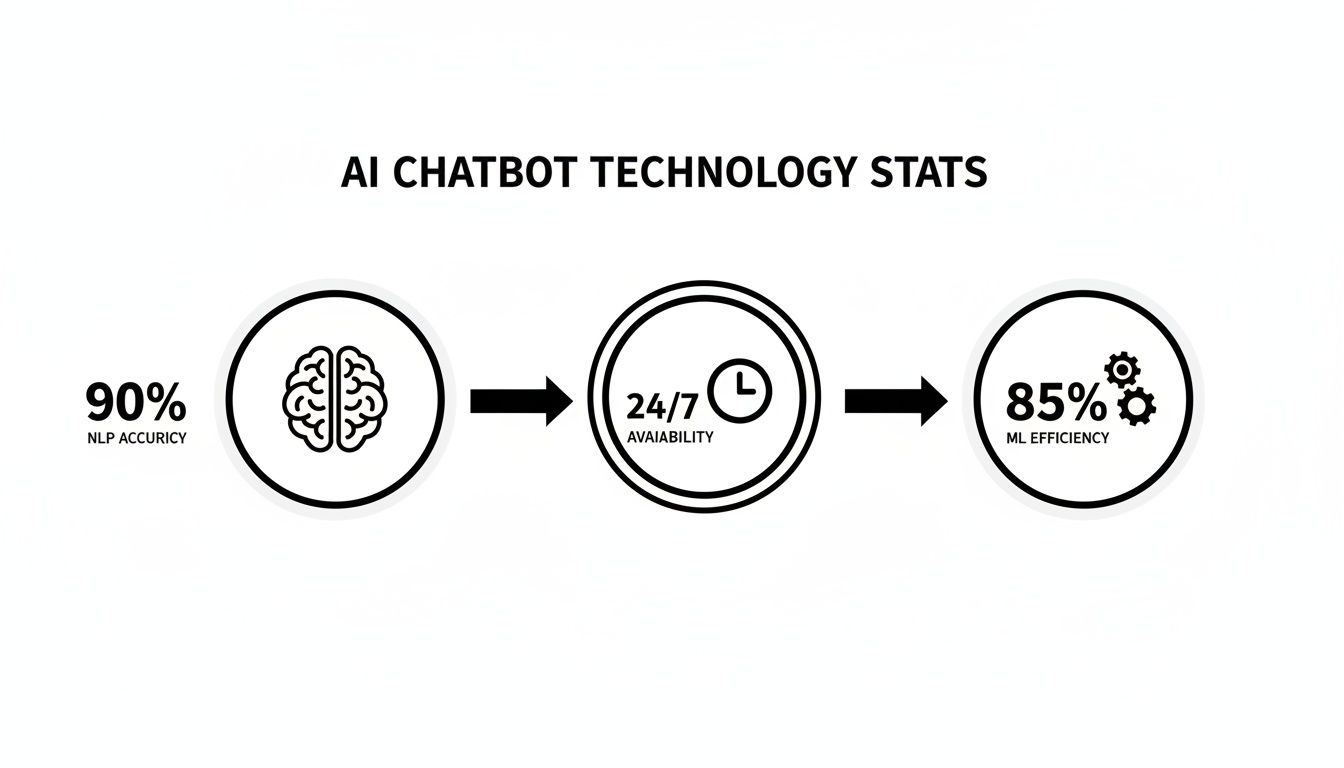
It’s this blend of smart language understanding, the ability to learn over time, and being always-on that makes them such a game-changer for modern support teams.
Supercharging Operational Efficiency
But saving money is only half the story. AI also gives your entire support operation a massive efficiency boost. Imagine all the repetitive questions your team gets every day—"Where's my package?" or "How do I reset my password?" A chatbot can handle those on autopilot.
This frees up your best people to focus on what they do best.
Instead of answering the same five questions a hundred times a day, your team can dedicate their time to resolving complex, high-stakes customer issues that require critical thinking and empathy.
This smart division of labor leads to some seriously impressive improvements:
- Faster Response Times: Customers with simple questions get answers instantly. No more waiting. This dramatically lowers your first response time.
- Increased Agent Productivity: With all the easy stuff off their plate, your agents can handle more of the tricky cases that truly need a human touch.
- 24/7 Availability: An AI chatbot doesn't sleep, take holidays, or call in sick. It’s there to help your customers around the clock, ensuring no one is left hanging.
To put this in perspective, let's compare how AI stacks up against traditional human support on some key metrics.
Human Agent vs AI Chatbot Performance Metrics
| Metric | Human Agent | AI Chatbot |
|---|---|---|
| First Response Time | Minutes to hours, depending on queue volume | Instant (seconds) |
| Cost Per Interaction | $6.00 on average | As low as $0.50 |
| Availability | Limited by shifts, weekends, and holidays | 24/7/365, always on |
| Resolution Rate | High for complex issues, variable for routine | High for routine/known issues, escalates complex ones |
| Scalability | Limited; requires hiring and training new staff | Nearly infinite; handles thousands of chats at once |
This table isn't about replacing humans but about understanding where each excels. The AI handles the volume and speed, letting your human experts provide the high-touch, nuanced support that builds real relationships.
Enhancing the Customer Experience
When you get right down to it, saving money and running a tighter ship both lead to the same ultimate goal: a better experience for your customers. Today’s customers have zero patience for waiting in a queue. They want answers, and they want them now.
An AI chatbot is built for this world of instant gratification.
In fact, a surprising 62% of consumers say they’d rather use a chatbot than wait for a human agent to become available. This isn't because they dislike talking to people; it's because they value speed and convenience. Getting a quick, accurate answer anytime you need it builds trust and makes customers feel valued, turning one-time buyers into loyal fans.
What to Look For: The Non-Negotiable Features of a Great AI Support Chatbot
Not all AI chatbots are built the same. When you're picking an AI chatbot for customer support, getting the right features is the difference between a tool that wows your customers and one that just adds to their frustration.
Think of it like buying a car. Sure, most of them will get you from point A to point B, but it’s the essential features—the safety systems, the fuel efficiency, the smooth handling—that make for a reliable and enjoyable ride. The same idea applies here. You need a core set of functions that make life easier for both your team and your customers. Without them, even a supposedly "smart" AI will fall flat, creating clunky experiences that can damage your brand's reputation.
Let's break down what you absolutely can't do without.

Core Integrations and Omnichannel Presence
Your chatbot can't be an island. One of the most critical features is seamless integration with the tools you already use, especially your Customer Relationship Management (CRM) and helpdesk software. This connection is what gives the bot its memory, allowing it to pull up a customer's order history or see past support tickets to have a truly helpful, personalized conversation.
Just as important is creating a true omnichannel experience. Your customers should get the same consistent, high-quality support whether they're talking to your bot on your website, inside your mobile app, or through a platform like Facebook Messenger. This consistency builds trust and makes your support feel dependable, no matter where the customer chooses to start the conversation.
A great chatbot meets customers where they are. It doesn't force them into a single channel but provides a consistent, helpful experience across all your digital touchpoints.
Smart Handoffs and an Easy-to-Use Dashboard
Let's be real: no AI is perfect. That’s why a smart safety net is non-negotiable. An intelligent escalation path allows the chatbot to recognize when it's out of its depth—whether a problem is too complex, emotionally charged, or the customer is just plain stuck. When that happens, it must seamlessly hand off the entire conversation, full chat history included, to a human agent.
This simple function prevents those frustrating dead-end conversations and means customers don't have to repeat themselves. On the flip side, the backend of the chatbot needs to be just as smooth for your own team.
A user-friendly interface is crucial for a few key reasons:
- Simple Updates: Your team should be able to train the bot or update its knowledge base without calling in a developer.
- Conversation Audits: Managers need to easily look through chat logs to spot common problems and find areas where the bot (or your processes) can be improved.
- Clear Analytics: You need straightforward, easy-to-read reports to track essential metrics like how many issues the bot solves on its own and what customer satisfaction looks like.
These features ensure your chatbot isn't a "set it and forget it" gadget. Instead, it becomes a living, breathing part of your team that gets smarter and more helpful over time.
A Strategic Roadmap for Chatbot Implementation
Rolling out an AI chatbot for customer support isn't like flipping a switch. It's more like planting a garden. To get it right, you need a solid plan to make sure it grows strong and actually helps people, instead of becoming a frustrating, tangled mess for your customers. It all starts with a clear strategy.
Before you even think about code or data, you have to decide what a "win" looks like for your team. Your goals can't be vague. Instead of just "improving customer support," aim for something concrete, like "cutting response times for password reset questions by 90% in the first month."
This kind of focus is what helps you find the perfect place to start.
Phase 1: Define Goals and Identify Quick Wins
The best way to get going is to tackle the low-hanging fruit. Go through your support tickets and chat logs to find the most mind-numbingly repetitive questions your team has to answer every single day. These are gold. They're your first candidates for automation.
You'll probably see a lot of the same stuff:
- Where's my order?
- I'm locked out of my account.
- What's your return policy?
- How do I use this basic feature?
Automating these simple queries gives you an immediate return on your investment. Customers get instant answers, and your support team gets a break from the monotony, freeing them up to handle the truly tricky problems.
Phase 2: Train and Test Your Chatbot
Once you know what you want the bot to handle, it's time to teach it. An AI chatbot is only as smart as the information it's given. You'll need to feed it a steady diet of high-quality data from your knowledge base, FAQs, and past support conversations. This is how you make sure its answers are on-point and sound like your brand.
After the initial training, you move on to the most important part: the pilot phase.
Never, ever launch a new chatbot to all your customers at once. Start with a small, controlled test group—maybe your internal team or a handful of trusted customers. This is your chance to find and fix the awkward glitches before they can hurt your reputation.
This test run gives you real-world feedback. You can fine-tune the conversational flow and make absolutely sure the handoff to a human agent is seamless when the bot gets stuck. For a deeper dive into building out this kind of strategy, learning about AI personalization in DXP implementation can provide some really valuable insights.
Phase 3: Announce and Launch
Okay, your bot is trained, tested, and ready for the spotlight. It's time to go live. But don't just quietly slip it onto your website and hope people notice. Make an announcement! Let your customers and your internal teams know about the new tool.
Explain how it helps—like providing 24/7 support for them and lightening the load for your agents. A thoughtful, step-by-step approach like this makes for a much smoother rollout and really sets your chatbot up to be a long-term asset.
Measuring Success and Optimizing Performance
Putting an AI chatbot for customer support live is just the first step. It's not a "set it and forget it" tool. Think of it like a new hire on your support team—it needs guidance and feedback to grow into a top performer. This means you have to go beyond the launch and commit to constantly measuring its impact and sharpening its skills.
A data-driven approach is the only way to know if your investment is actually paying off. You need to keep an eye on a few key performance indicators (KPIs) to see what’s clicking with customers and where the bot is falling short. This isn't about guesswork; it's about using hard numbers to steer your strategy.

Key Metrics to Monitor
To avoid getting lost in a sea of data, start by focusing on a handful of essential KPIs. These metrics tell a clear story about how well your chatbot is doing its job for both your customers and your human agents.
Here are three of the most important ones to track:
- Containment Rate: What percentage of conversations does the chatbot handle from start to finish without needing a human? A high containment rate is a great sign that your bot is successfully resolving the most common customer questions.
- Escalation Rate: This is the flip side of containment. It tracks how often the bot has to pass a conversation over to a live agent. Digging into these escalations is crucial—it shows you where the bot’s knowledge base is thin or which complex problems it needs to learn how to handle.
- Customer Satisfaction (CSAT): The classic "how did we do?" metric. A simple survey after the chat asking for a quick rating gives you direct, unfiltered feedback on how customers feel about the chatbot’s help.
Your chatbot’s chat history is a goldmine of customer insights. Regularly reviewing transcripts reveals the exact language customers use, uncovers unexpected questions, and highlights areas where the bot’s responses can be improved for clarity and accuracy.
By consistently tracking these numbers and digging into the chat logs, you create a powerful feedback loop. This ongoing process is what turns your chatbot from a basic Q&A tool into an intelligent, evolving asset that gets more valuable over time.
Answering Your Top AI Chatbot Questions
Alright, let's get into the practical side of things. As you start thinking about bringing an AI chatbot into your customer support workflow, some very real questions are going to come up. Getting straight answers is the only way to move forward with confidence, so let's tackle the big ones: cost, the role of your human team, setup time, and language support.
Most teams I talk to are, understandably, curious about the investment. The good news is that chatbot pricing isn't the rigid, one-size-fits-all beast it used to be. It’s built to scale with you.
How Much Does an AI Chatbot for Customer Support Typically Cost?
The price tag on an AI chatbot can swing wildly depending on what you need it to do. You can get started with a simple, pre-built bot on a low monthly subscription, which is a fantastic entry point for smaller businesses. On the other end of the spectrum, a fully custom, enterprise-level solution will naturally have higher development costs and ongoing fees.
The key is to look for providers with clear, scalable pricing tiers that are tied to your actual support volume. This way, you’re only paying for what you use, and you won't get hit with surprise costs as your company grows.
Will an AI Chatbot Completely Replace My Human Support Agents?
Absolutely not. Think of an AI chatbot less as a replacement and more as a powerful new teammate for your support agents. Chatbots are brilliant at handling the flood of repetitive, common questions—the "Where's my order?" or "How do I reset my password?" type of queries.
This instantly frees up your human agents to focus on the tricky, sensitive, or high-value customer problems that really do need a human brain and a bit of empathy.
The best support teams run a hybrid model. The bot is your frontline, instantly solving the easy stuff, and then seamlessly handing off the more complex conversations to a human agent. It’s about making everyone more efficient and customers happier.
How Long Does It Take to Set Up an AI Chatbot?
This really depends on the platform you choose and how deep you want to go. Modern, no-code platforms have made this incredibly fast. You can often get a working chatbot live in a matter of hours or days, sometimes just by pointing it at your existing help center or website content.
If you’re planning a more complex setup with custom integrations and unique conversation flows, you might be looking at a few weeks. A smart way to start is with a phased rollout: launch a simple version first to tackle your top 5-10 questions and then build out its skills over time.
Can a Chatbot Understand Different Languages and Dialects?
Yes, and this is where the technology has gotten really impressive. Many of the top AI chatbots are built on powerful multilingual models. They use sophisticated Natural Language Processing (NLP) that can be trained to understand and respond accurately in dozens of languages.
When you're comparing options, just be sure to check the provider's list of supported languages. You want to make sure the tool you pick can communicate effectively with your entire customer base, wherever they are.
Ready to provide instant, on-brand answers and cut your team's repetitive questions down to size? BizSage turns your company content into a 24/7 support agent in minutes. Start your free trial and see just how easy it is to automate your support.