
Think of an AI chatbot for your website as your most reliable employee—one who never sleeps, never takes a break, and instantly answers any question a visitor throws at them. It's a smart assistant trained exclusively on your business, making sure every conversation is helpful and perfectly reflects your brand.
What Is an AI Chatbot and Why Your Website Needs One
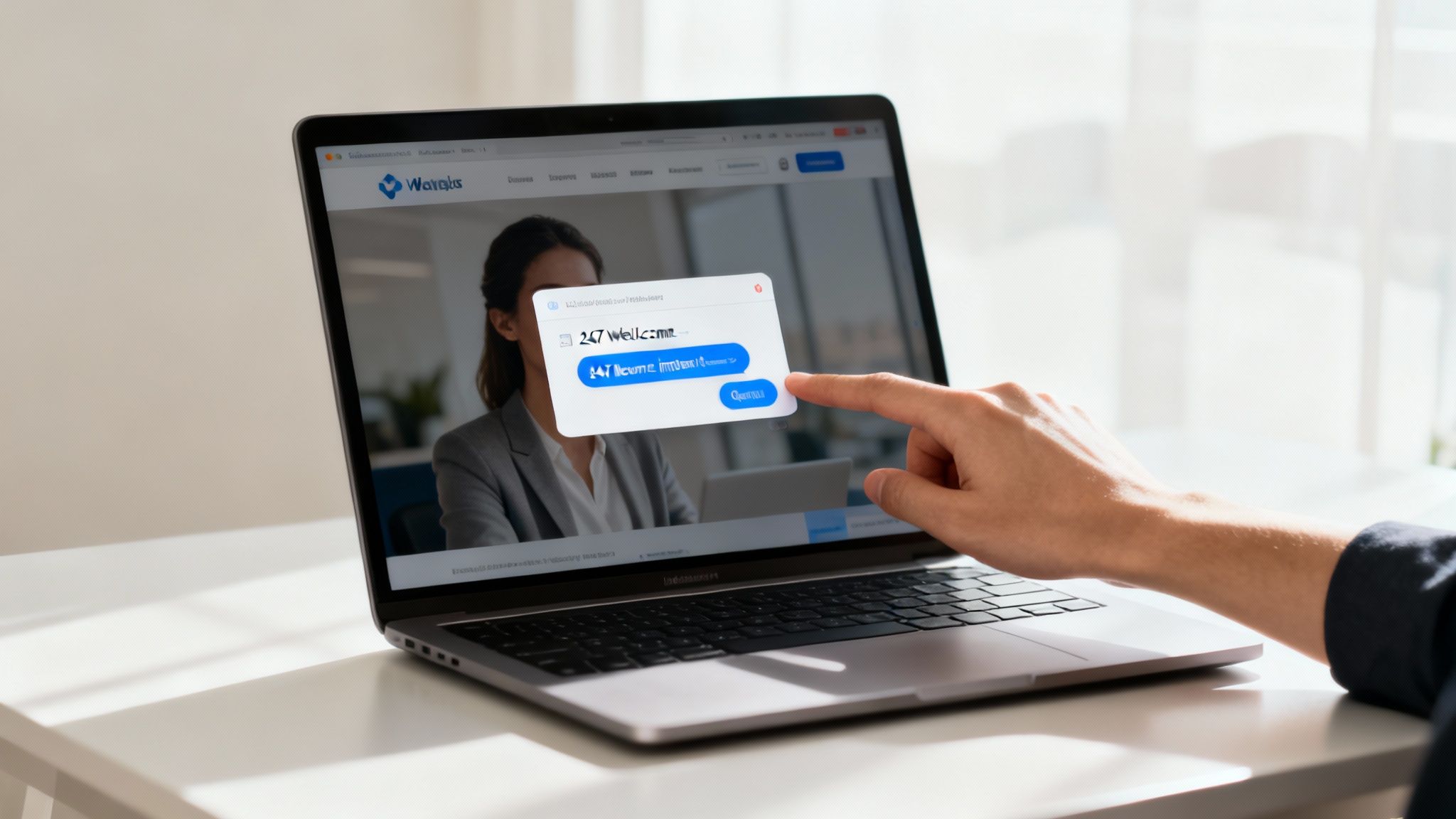
Picture your website as a physical shop. People wander in at all hours, day and night, looking for information about your products, prices, or return policies. If no one is there to help, they'll likely walk right back out. This is where an AI chatbot for your website completely changes the dynamic, especially for small businesses.
These aren't the clunky, frustrating bots from a few years ago that only understood specific keywords. Today's AI chatbots are a different breed entirely. They're built with sophisticated technology that allows them to understand the nuances of human conversation, not just hunt for matching words.
The Shift from Rules to Understanding
The real magic is in how they think. Old-school bots were stuck on a rigid script, like an automated phone menu. If you asked something they weren't programmed for, you’d hit a dead end. Modern AI chatbots, on the other hand, are built on powerful language models that learn from your actual content.
You can simply feed the AI your existing materials:
- Website pages and blog articles
- Help center documents and FAQs
- Product specs and internal handbooks
The chatbot doesn't just memorize this information; it absorbs it to build a genuine understanding of how your business works. The process is powered by things like large language model (LLM) training, which enables the bot to synthesize information and give helpful, context-aware answers instead of just spitting back pre-written text.
Meeting Modern Customer Expectations
Let's face it: we all want answers now. Customers today have little patience for digging through a website or waiting 24 hours for an email reply. An AI chatbot delivers that instant support, day or night, even when you and your team are fast asleep. This level of responsiveness is a game-changer for the customer experience and quickly builds trust in your brand.
An AI-powered assistant ensures no lead is lost and no question goes unanswered, turning your website into an efficient, self-serving resource that works for you 24/7.
It's no surprise that this technology is taking off. By 2023, 88% of customers had already interacted with a chatbot, so people are more than comfortable using them. On the business side, 43% of companies are now investing in AI for customer support because they see how effectively it can handle a high volume of inquiries. This isn't just a passing fad—it's the new benchmark for how businesses connect with people online.
The Real-World Benefits of an AI Chatbot
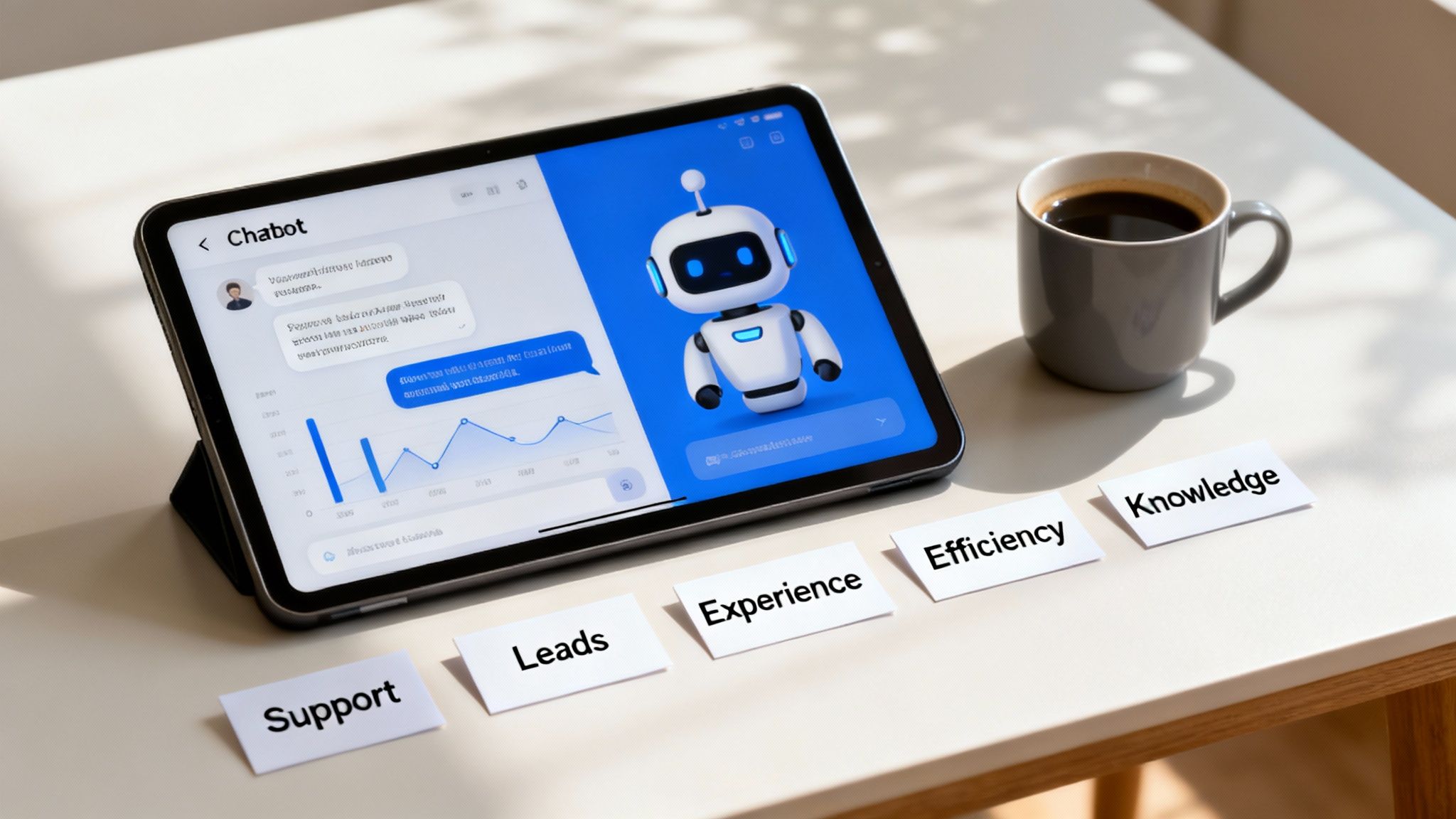
Let's move past the theory. Putting an ai chatbot for website to work delivers real, measurable results that directly help your operations and, ultimately, your bottom line. I like to think of these benefits as a few core pillars that all work together to support business growth—everything from saving precious time to actually bringing in more revenue.
So, what tangible value does a smart chatbot actually bring to the table?
The first thing you'll notice is a huge drop in repetitive support questions. Every business gets hit with the same questions over and over again: "What are your hours?" or "Where's my order?" An AI chatbot becomes your tireless first line of defense, answering those common queries instantly, 24/7.
This immediately frees up your human team to tackle the complex, high-value problems that truly need a human touch. Instead of being buried in routine tickets, your people can focus their expertise on solving unique customer issues, building stronger relationships, and stopping problems before they start.
Drastically Reduce Your Support Ticket Volume
Think of an AI chatbot as an automated FAQ that can actually hold a conversation. It doesn't just send users a link to a help article; it gives them the specific answer they need, right there in the chat window. This kind of self-service is exactly what today's customers want.
The data backs this up. A well-trained chatbot can handle up to 80% of routine support inquiries. For small and growing teams, that translates into slashing email ticket volume by as much as 35%. Your team can finally stop resetting passwords and start having meaningful conversations. For more stats on this, Jotform.com has some great insights.
Generate Leads and Boost Sales Around the Clock
Your website might be a 24/7 storefront, but your sales team has to sleep. An AI chatbot bridges that gap, acting as a virtual sales assistant that's always on duty. It can engage with prospects browsing your site late at night, over the weekend, and in completely different time zones.
Imagine someone lands on your pricing page at 10 PM. A chatbot can pop up and ask if they have questions, figure out what they need, and even schedule a demo for the next morning. Just like that, you're turning passive website visitors into a pipeline of qualified leads for your sales team to follow up on.
An AI chatbot transforms your website from a static brochure into an interactive sales channel, ensuring you never miss an opportunity to connect with a potential customer, no matter the time of day.
This kind of engagement plays a massive role in a site's overall performance. If you want to go deeper on improving your website's effectiveness, check out this ultimate conversion rate optimization guide.
Enhance the Entire Customer Experience
Let's be honest, we all live in an age of instant gratification. When customers have a question, they want an answer now. An AI chatbot delivers on that expectation perfectly, eliminating annoying wait times and the frustration of digging through help documents.
A good chatbot provides a smooth and genuinely helpful interaction. It understands what the user is asking for, gives them accurate information, and can even reflect your brand's unique personality. This creates a positive and consistent experience with every conversation, which is a huge factor in building trust and keeping customers loyal.
How to Pick the Right AI Chatbot for Your Business
When you’re ready to add an AI chatbot to your website, jumping into the market can feel a little overwhelming. A dozen different platforms all seem to make the same promises. How do you find the one that actually helps your business instead of just creating more busywork?
The secret is to ignore the flashy marketing and focus on what really matters. Think of it like hiring a new team member. You wouldn't bring someone on board without looking at their skills, checking if they’re a good culture fit, and knowing exactly how they'll help you hit your goals. You need a simple framework to size up each chatbot option the same way.
H3: Does It Actually Give the Right Answers?
The absolute most important thing a chatbot can do is provide accurate, reliable answers. An AI that confidently gives out the wrong information is a liability. It breaks trust with your customers and can create major headaches. This is why the best chatbots learn only from the content you give them.
This point is crucial. You're looking for a system that works from a "closed book"—meaning it will only ever pull answers from your help docs, your website pages, and any other knowledge sources you approve. It won't go rogue and start pulling random facts from the internet.
When you're talking to a potential provider, ask them these direct questions:
- Can I train the bot specifically on my own content, like website pages or PDFs?
- Does your AI promise to only use my content when formulating an answer?
- What happens when it gets asked a question it can’t answer from my documents?
That last one is a test. The right answer is, "It will say it doesn't know." A chatbot that can admit when it’s stumped is a sign of a smart, well-built system. It prevents the AI from "hallucinating" or just making things up, which is vital for protecting your brand's reputation.
H3: Can It Sound Like You?
Your chatbot is often the very first "voice" a new visitor interacts with. A generic, robotic assistant can feel cold and immediately disconnects them from your brand. That's why the ability to customize its personality and tone is non-negotiable.
A great AI chatbot doesn't just spit out facts. It should communicate in a way that feels true to your brand, whether your style is buttoned-up and professional or fun and informal.
Look for platforms that make this easy. The best ones have simple controls, maybe a slider or a short prompt where you can describe your desired tone. This ensures every chat feels authentic and meshes perfectly with the voice you use in your emails, social media, and website copy.
H3: How Hard Is It to Get Started?
An AI chatbot for a website should make your life easier, not add another technical headache to your plate. The setup process should be so simple that anyone on your team can handle it without calling a developer. For most small businesses, a completely no-code setup is the only way to go.
The best tools give you options for how and where you want to use your chatbot. A platform like BizSage gives you the flexibility to show up wherever your customers need you. The entire process, from signing up to having a fully trained bot live on your site, should really only take a few minutes. If a platform’s setup feels complicated, that’s a big red flag that it wasn’t designed for real business users.
To help you compare your options, here’s a quick checklist of the key features to look for and, more importantly, why they matter for your day-to-day operations.
Essential AI Chatbot Feature Checklist
Use this checklist to compare different AI chatbot platforms and ensure you choose one that meets your business needs.
| Feature | What to Look For | Why It Matters for Your Business |
|---|---|---|
| Accuracy & Training | The ability to train the AI exclusively on your own content (website, docs, PDFs). Confirms it won't "hallucinate." | Prevents incorrect information, protects your brand's reputation, and ensures customers get trustworthy answers based on your data. |
| Brand Voice Control | Simple, intuitive controls (e.g., sliders, descriptive prompts) to define the chatbot's personality and tone. | Creates a consistent brand experience, making the bot feel like a natural extension of your team rather than a generic robot. |
| Deployment Options | Multiple no-code options like a website widget, shareable link, or a dedicated subdomain (e.g., help.yourbiz.com). | Gives you the flexibility to deploy the chatbot where it's most effective—on your site, in emails, or as a standalone resource. |
| Update Cadence | Automatic or single-click retraining. The AI should easily sync with your latest content without manual effort. | Saves you time and ensures the chatbot's knowledge is always current as your products, services, and policies change. |
| Analytics & Insights | A clear dashboard showing conversation volume, common questions, and unresolved queries. | Helps you understand what your customers are asking, identify content gaps, and measure the bot's direct impact on support load. |
| Security & Privacy | Clear data handling policies, GDPR/CCPA compliance, and assurances that your data isn't used to train other models. | Protects your and your customers' sensitive information, building trust and ensuring you comply with privacy regulations. |
Choosing a tool that checks these boxes ensures you’re not just buying software, but investing in a reliable asset that will genuinely help your business grow.
How to Get Your First AI Chatbot Live in Minutes
The thought of adding AI to your website might bring to mind images of complex code and a team of expensive developers. But the reality of launching a modern AI chatbot for your website is completely different. These days, the process is built for business owners, not engineers. Forget about month-long projects; you can have a helpful bot live on your site in less time than it takes to drink your morning coffee.
It all boils down to a few simple, no-code steps. The whole point is to get you up and running quickly so you can start seeing the payoff right away.
Step 1: Feed It Your Knowledge
First things first, you need to teach your chatbot. Think of this as giving it the company handbook. The AI will only learn from the content you provide, which is great because it means every answer it gives will be accurate and on-brand.
You don't have to create anything from scratch. Just point it to your existing materials:
- Your Website: Give it the URL, and it can crawl your pages—from blog posts and service descriptions to your FAQ section.
- Help Docs: Already have PDFs, Word docs, or internal guides? Just upload them.
- Other Content: If you have information scattered across other platforms, you can usually just drop in the links.
This is often as simple as copying and pasting links or dragging and dropping a few files. The AI does the heavy lifting, reading and understanding everything to build its brain.
Step 2: Give Your Chatbot a Personality
Next up, you get to decide how your chatbot talks. This is a crucial step if you want it to feel like a part of your team, not just a generic robot. Good chatbot platforms make this surprisingly easy.
You can typically define its personality with a simple instruction. For example, you might tell it to be "friendly, professional, and a little witty," or maybe you need something more "formal, direct, and concise." This single command shapes the tone of every single conversation, creating a consistent experience for your visitors.
Step 3: Test and Tweak
Before you set it loose, you’ll want to take it for a quick test drive. Just ask it some of the common questions you expect your customers to have.
This isn't about debugging code. It's about seeing how the AI interpreted your information. If you get an answer that’s a little off, the fix is usually as simple as clarifying the information in one of your source documents and retraining the bot with a click.
This quick quality check makes sure your new assistant is ready to start helping people accurately from day one.
As you're thinking about which platform is right for you, a decision tree like this can help you focus on what really matters.
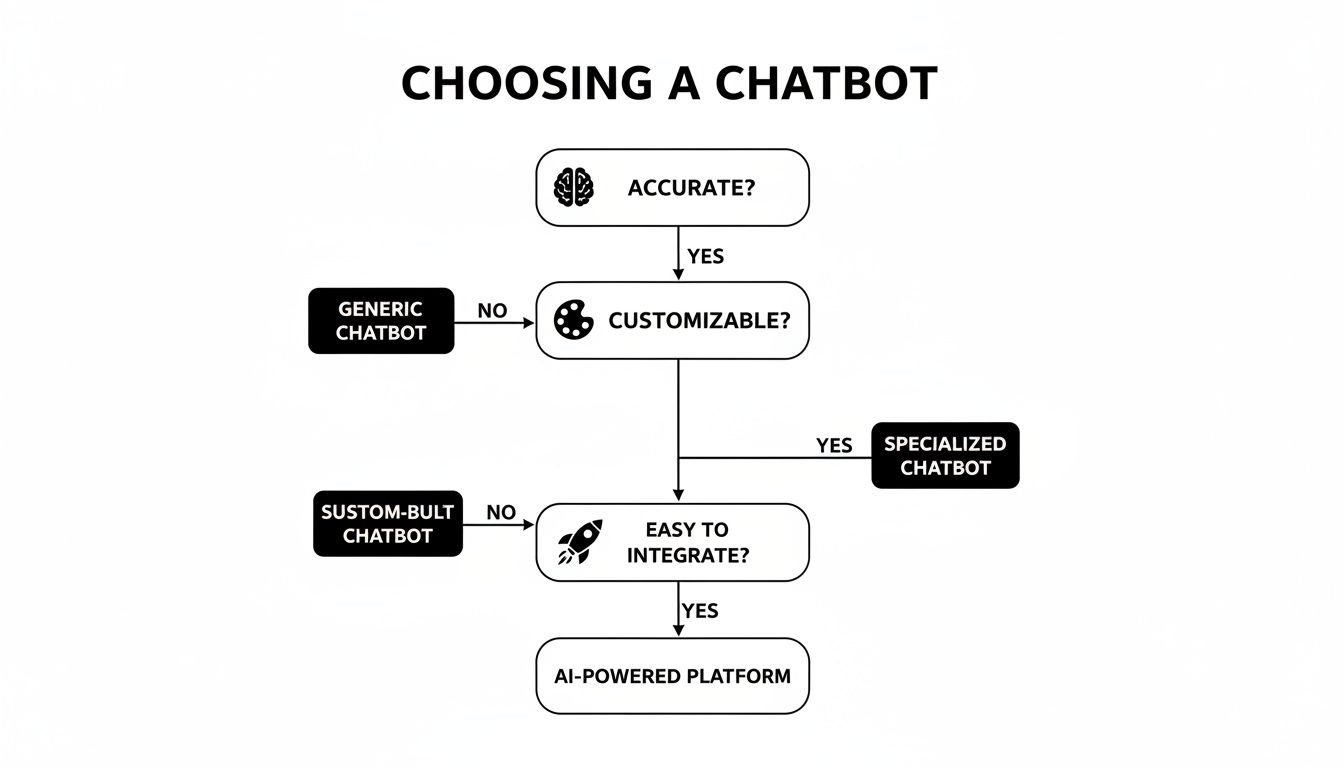
The bottom line is that a great AI chatbot stands on three pillars: it has to be accurate, it has to be customizable, and it has to be easy to use. Get those right, and you'll get real business value.
Step 4: Put It Everywhere, Instantly
Once you're happy with how it's working, it's time for the launch. Modern tools like BizSage make this final step a breeze. You absolutely do not need to be a developer.
You'll get a small snippet of code. All you have to do is copy and paste it into your website's settings—most website builders like Squarespace or Shopify have a designated spot for this. As soon as you do, the chat widget will appear on your site, ready to engage visitors. Many tools also give you a shareable link, so you can drop your AI assistant into emails, your social media bio, or even use it as a standalone help page.
Where AI Chatbots Actually Make a Difference on Your Website
It’s one thing to talk about features, but it’s another to see how a tool can fundamentally change how you do business. An AI chatbot for your website isn't just a fancy pop-up window; it's a multi-talented team member that can step into several critical roles.
Let's break down the four most common (and most impactful) ways businesses put these bots to work. Each one tackles a real-world problem that you're probably facing right now, from drowning in customer questions to getting new hires up to speed.
1. Deflect Common Customer Support Questions
This is the bread and butter of website chatbots, and for good reason. Every single day, your team is likely answering the same handful of questions over and over. "What's your return policy?" "Where do you ship?" "How do I reset my password?" These are simple, necessary, but incredibly time-consuming.
An AI chatbot becomes your first line of defense, handling these repetitive queries 24/7. It pulls answers straight from your knowledge base, resolving most issues instantly without a human ever getting involved. This frees up your support agents to tackle the tricky, high-value problems that actually require a human touch.
Picture this: It's 11 PM, and a potential customer is on your site, wondering if a specific product is in stock. Instead of sending an email and forgetting about it by morning, they ask the chatbot. The bot confirms it's available and drops a link right into the chat. That's a sale you might have otherwise lost.
The result? Happier customers who get immediate answers, and a more efficient support team that costs less to run.
2. Automate Sales and Marketing Tasks
A well-trained AI chatbot for your website is also a surprisingly effective sales engine, working tirelessly even when your team is offline. It can engage potential customers the second they land on your site, guiding them from casual browser to qualified lead.
Think of it as a virtual sales assistant. It can:
- Qualify leads on the spot: By asking a few smart questions, the bot can figure out a visitor's needs, budget, and if they're a good fit for your business.
- Answer product questions: It can serve up specs, features, and comparisons to help people make a buying decision.
- Book meetings automatically: When a visitor shows strong interest, the bot can connect to your sales team's calendar and schedule a demo right then and there.
This isn't just a gimmick—it gets real results. Research shows that 55% of companies using chatbots generate a higher volume of quality leads. In fact, lead qualification can become up to 40% more efficient. And since 82% of consumers say they'd rather talk to a bot for quick questions than wait for a human, it's a win-win. For more on the data behind this, check out these AI marketing statistics from Semrush.com.
3. Streamline New Customer Onboarding
The first few interactions a new customer has with your product are make-or-break. If they're confused or can't figure out how to get started, they'll churn. An AI chatbot can act as a personal tour guide, walking new users through setup one step at a time.
The bot can proactively share tips, answer "how do I…" questions, and point people toward help articles or video tutorials. This creates a much smoother, self-serve onboarding experience that helps customers find value in your product faster, making them far more likely to stick around for the long haul.
4. Create an Internal Knowledge Hub
Don't forget that chatbots can be incredibly useful for your own team, not just your customers. You can train a bot on all of your internal documents—HR policies, sales scripts, technical guides, brand guidelines—to create a single, searchable "Company Brain."
Now, instead of bugging a coworker or wasting time digging through a messy shared drive, an employee can just ask the bot, "What's our policy on expense reports?" or "Where's the latest logo file?" It's an instant productivity booster that ensures everyone is working from the same playbook.
Measuring the Success and ROI of Your Chatbot
So, you've got an AI chatbot on your website. That’s more than just a cool feature—it's a real business investment. And like any investment, you need to know if it's actually paying off. Just turning it on and hoping for the best won't cut it. You have to track the right things to see its true return on investment (ROI).
The trick is to connect your metrics back to your original goals. What job did you hire your chatbot for in the first place? For most businesses, it boils down to two big things: making customer support better or boosting sales.
Key Metrics for Support and Service
If your main reason for getting a chatbot was to give your support team a break, then you need to think in terms of efficiency and deflection. A great support bot doesn't just spit out answers; it completely resolves issues on its own, freeing up your human agents to tackle the really tricky problems.
Here are the numbers you should be watching:
- Ticket Deflection Rate: This is the big one. It’s the percentage of customer questions the chatbot handles from start to finish, without a human ever getting involved. This metric directly shows you how much work it's taking off your team's plate.
- Resolution Time: How fast does the bot find the right answer? A quick, accurate response is a huge win for customer satisfaction and proves the bot is doing its job correctly.
- Customer Satisfaction (CSAT) Scores: After a chat, ask people for feedback. Even a simple thumbs-up or thumbs-down gives you a real-time pulse on how helpful and accurate your bot is.
Tracking these numbers helps you put a real dollar value on your chatbot. Let's say your bot handles 2,000 queries a month that would have been support tickets. You can literally calculate the exact salary hours you just saved.
Key Metrics for Sales and Lead Generation
When your chatbot's mission is to bring in more business, your focus shifts from saving time to making money. A good sales bot should be proactively engaging visitors, figuring out who the hot prospects are, and nudging them toward a purchase or a chat with your sales team.
Keep an eye on these performance indicators:
- Qualified Leads Generated: How many chats end with the bot successfully getting a visitor's contact info and confirming they're a potential customer? This number shows its direct contribution to your sales pipeline.
- Conversion Rate from Chat: Of all the leads your chatbot brings in, what percentage actually book a demo, buy something, or move to the next step in your sales process?
- Sales Cycle Length: A smart bot can actually speed up the sales process. By answering all those initial questions instantly, it delivers leads to your sales team who are better informed and ready to get down to business.
Beyond these specific goals, remember that your chatbot’s analytics are a goldmine of business intelligence. Pay close attention to the questions it can't answer. These "unresolved queries" aren't failures—they're a crystal-clear roadmap showing you exactly where the holes are in your website, help articles, and marketing. That insight alone is pure gold for guiding your content strategy.
Still Have Questions? Let's Clear Things Up
Jumping into any new technology can feel a bit daunting, even when the benefits are clear. It's totally normal to have a few questions before you add an ai chatbot for website to your digital front door.
Let's walk through some of the most common concerns I hear from business owners, so you can feel confident about your decision.
Is This Going to Be a Huge Technical Headache to Set Up?
Not at all. The idea that chatbots require a team of developers is a thing of the past, at least for most small businesses.
Modern platforms are built for people who aren't coders. Seriously, the whole process usually just involves pointing the AI to your website, picking a personality, and then pasting a tiny bit of code onto your site. You can have a fully functioning assistant live in a matter of minutes.
How Do I Keep It From Sounding Like a Robot and Annoying My Customers?
This is a big one, and it's a valid concern. Nobody wants a clunky bot that frustrates visitors and makes their brand look out of touch.
This is where today’s AI really shines.
You're in complete control of the personality. You can set the tone of voice—from buttoned-up and professional to friendly and casual—to make sure every single interaction feels true to your brand.
Plus, the best systems are smart enough to know what they don't know. They'll simply say they can't answer a question rather than making something up, which is far better for building trust with your audience.
How Can I Be Sure It’s Giving Out the Right Information?
The chatbot's accuracy is a direct reflection of the information you give it. A high-quality ai chatbot for website only pulls from the sources you provide—your website pages, your help center articles, or any documents you upload.
Think of it as a "closed-book" exam; it can't just browse the web and invent answers. This keeps its knowledge confined to your business and your information.
Many platforms also have features that automatically re-scan your site on a schedule. This keeps the chatbot’s brain perfectly in sync with your latest content, so it never gives out outdated details on pricing, policies, or products.
Is This Really Affordable for a Small Business?
Absolutely. The cost has come down dramatically, making this technology accessible for businesses of all sizes. Most chatbot providers offer different pricing tiers that grow with you.
You might start on a basic plan when you're small and then move up as your website traffic and customer questions increase.
When you weigh the monthly fee against the cost of hiring even one part-time support or sales agent, the value becomes crystal clear. An AI chatbot does the work of multiple people for a tiny fraction of the price, making it one of the smartest investments you can make in your growth.
Ready to see how an AI assistant can change the way you connect with customers? With BizSage, you can launch a chatbot trained on your own content in minutes, not months. Start your free trial today and see the difference for yourself.