
At its core, a customer service chatbot AI is a smart assistant designed to handle your customer support automatically. Think of it as your most dedicated employee—one who has memorized every piece of company knowledge, works 24/7 without a break, and always delivers a perfect, on-brand answer.
What an AI Chatbot Really Does for Your Business
Picture this: your support team is no longer bogged down answering the same five questions a dozen times a day. Instead, they’re tackling the tricky problems that actually require their expertise. That's the real magic of a good AI chatbot.
Unlike the clunky, old-school bots that just followed a rigid script, today's AI agents can understand what a customer is actually asking. They grasp the intent behind the words, not just the keywords, which lets them have a genuinely helpful conversation.
For smaller teams, this kind of technology used to be out of reach—something that required a team of developers and a massive budget. Not anymore. Now, it's a practical way to turn all your existing content—help docs, website pages, internal wikis—into an intelligent support channel that’s always on.
The Numbers Don't Lie: AI Support is the New Standard
This isn't just a fleeting trend; it's a major shift in how businesses connect with their customers. By 2026, it's predicted that AI bots will be behind 95% of all customer service interactions around the world.
For a small business, that translates into some serious wins. We're talking about deflecting up to 35% of incoming support tickets and dramatically cutting down response times. If you're curious, you can dig into more chatbot statistics that show the full picture.
A well-trained AI chatbot becomes your first line of defense. It handles the flood of common questions, freeing up your human experts to solve the complex, high-stakes issues where they can truly make a difference.
For lean teams, this kind of strategic automation brings a few immediate, game-changing benefits.
Key Advantages for Small and Growing Teams
- 24/7 Instant Answers: Customers hate waiting. An AI bot gives them the right answer, right away, whether it's 2 PM or 2 AM.
- A Lighter Load for Your Team: By automating the repetitive stuff, you prevent agent burnout and give your team the space to focus on work that matters.
- A Perfectly Consistent Voice: Every single interaction is delivered in your company's tone, building trust and reinforcing your brand with every answer.
Let's break down what this looks like in practice.
AI Chatbot Impact at a Glance
This table gives a quick snapshot of the measurable improvements businesses typically see after bringing an AI chatbot on board.
| Key Benefit | Average Improvement | Impact for Your Team |
|---|---|---|
| Ticket Deflection | 20-35% | Fewer repetitive tickets, less agent burnout. |
| Faster Response Times | Instant | Happier customers, no more waiting queues. |
| Agent Availability | 24/7/365 | Support never sleeps, even when your team does. |
| Cost Per Interaction | 70-90% Reduction | Dramatically lower support costs. |
Ultimately, a customer service AI isn't here to replace your team. It's about making them better. It gives them the backup they need to create a support experience that’s faster, smarter, and more scalable.
How AI Chatbots Actually Understand and Answer Questions
So, what's going on under the hood? It’s tempting to think of AI as some kind of magic, but the reality is much more practical. The best way to picture it is like training a new team member. You wouldn't just throw them in the deep end; you’d hand them an employee handbook and all your training documents.
For an AI chatbot, that "handbook" is all of your company's existing knowledge. We're talking about everything from your public website and help articles to internal spreadsheets, product specs, and past support conversations. The AI ingests and organizes all of this content, building its own comprehensive "brain" that it can search in a fraction of a second. This turns a tangled mess of documents into a single, reliable source of truth.
When done right, the impact is immediate and significant: fewer tickets for your team, faster answers for your customers, and a much smoother experience for everyone involved.
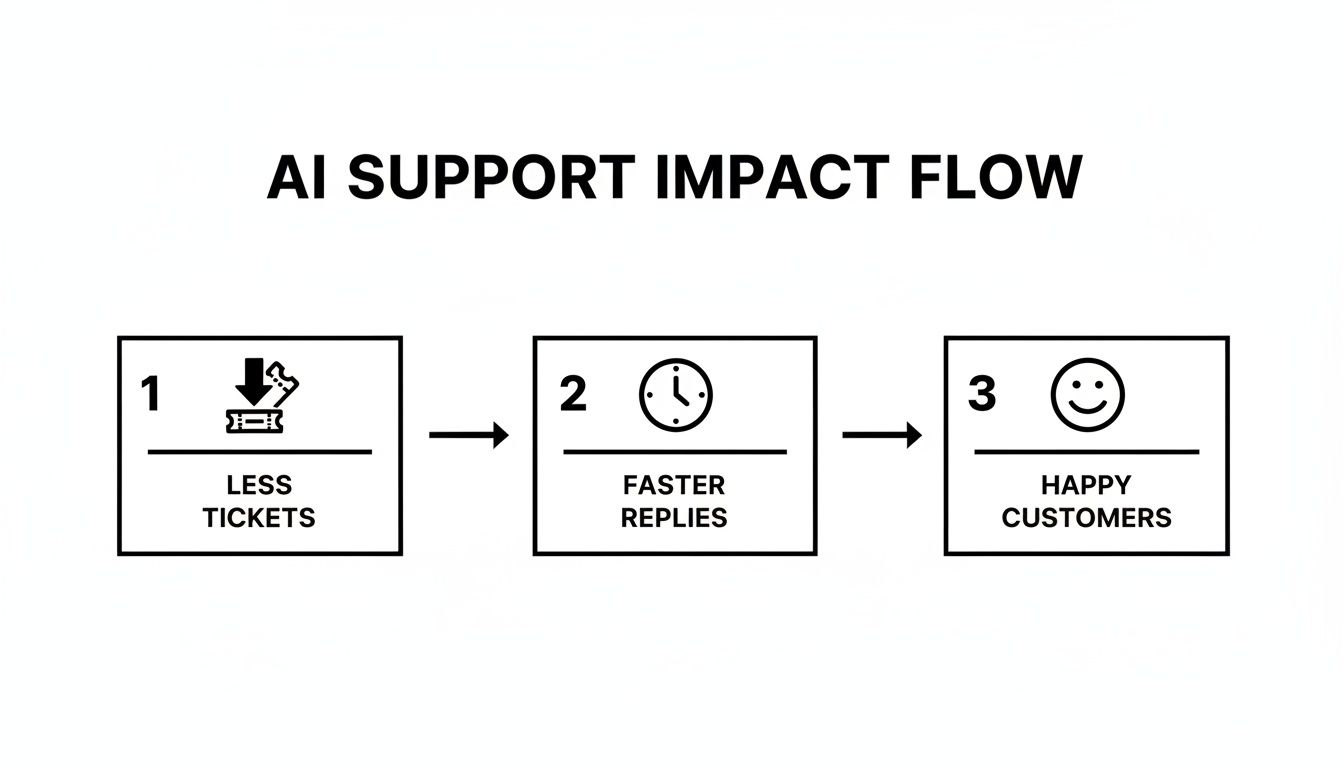
This simple workflow is the core of a great AI support system. Better knowledge leads directly to a better customer experience.
The Brains of the Operation: Natural Language Processing
Okay, so the bot has the information. But how does it understand what a customer is actually asking? That’s where Natural Language Processing (NLP) comes into play. NLP is the technology that lets the chatbot read and interpret human language, figuring out the context and intent behind the words—not just the words themselves.
Instead of just looking for keywords, modern NLP can grasp the nuance in a query. It understands that "my password isn't working," "how do I reset my password?," and "I forgot my login" are all different ways of asking the same fundamental question. This ability to get to the heart of what a customer needs is supercharged by analyzing genuine customer feedback. A great way to start is by digging into your Voice of Customer (VoC) data to see how people really talk about your product.
Knowing When to Say "I Don't Know"
But what happens when a question is too complex, completely out of left field, or just something the AI hasn't been trained on yet? This is where a good chatbot proves its worth. Rather than taking a wild guess and giving a wrong answer, it has a fallback plan.
The most important feature of a trustworthy AI isn't just knowing the right answer—it's knowing when it doesn't know. That honesty is what builds real confidence with your customers.
A graceful fallback process is non-negotiable and typically follows these steps:
- Recognize the Gap: The AI first has to identify that it can't find a confident answer in its knowledge base.
- Admit It: It then delivers a clear, honest response like, "I'm not sure I have the answer for that." No bluffing.
- Hand It Off: Finally, it seamlessly offers to connect the user to a human agent who can take over and solve the problem.
This fallback system is a safety net. It prevents customers from getting frustrated by bad information and ensures they never hit a dead end, proving that there's always a path to a real solution.
Why AI Chatbots Are a Game Changer for Small Businesses
If you're running a small or growing business, the thought of scaling up your customer support can be pretty overwhelming. Your team is already stretched thin, and every minute counts. This is exactly where a customer service chatbot AI moves from a "maybe someday" idea to a must-have tool for smart growth. It’s not about replacing your amazing people; it's about making them even more effective.
Before we get into the nuts and bolts of the AI itself, it's worth remembering that these tools are built to supercharge the customer service best practices you already value. A great chatbot simply automates the repetitive stuff that gets in the way of delivering personal, high-touch support.
The most immediate win? Proactive ticket deflection. Just think about how many times a day your team answers the same questions about shipping policies, password resets, or how a specific feature works. An AI chatbot can field those questions instantly, which frees up your team to tackle the complex, nuanced problems where their expertise truly shines. This simple shift helps a small team get more done without hitting a wall.
True 24/7 Availability
Your customers don't stick to a 9-to-5 schedule, so why should your support? An AI chatbot is always on, ready to provide instant, accurate answers around the clock, no matter the time zone.
This means you never lose a potential sale or leave a customer hanging just because it's after business hours. For any business operating online, that constant presence is a huge advantage. It guarantees every visitor gets the same fast, helpful response, whether it's lunchtime or 3 AM.
A customer service chatbot AI is your tireless brand ambassador. It never gets tired, never has a bad day, and delivers a perfect, on-brand answer every single time.
This isn't just about convenience; it has a real impact. In fact, 69% of companies see a noticeable jump in service quality after bringing in a chatbot. Customer satisfaction scores often climb by 12-27% thanks to the instant, personalized help. For small teams, this can translate to automatically handling up to 80% of routine inquiries and slashing email volume by as much as 35%. That's a massive efficiency gain.
A Consistent Brand Voice
Finally, a well-trained chatbot ensures every single customer interaction sounds exactly like you. You get to decide on the personality—is it professional and direct? Friendly and casual? A little bit witty? Once you set the tone, the bot sticks to it in every conversation, without fail.
This level of consistency is crucial for building trust and a professional image. It reinforces your brand with every answer provided. No matter who is asking the question or when, they get a reliable, on-brand response that reflects the quality you put into your business. For a small team, that unified voice is a powerful tool for building a strong, memorable brand.
Real-World Chatbot Use Cases You Can Implement Today
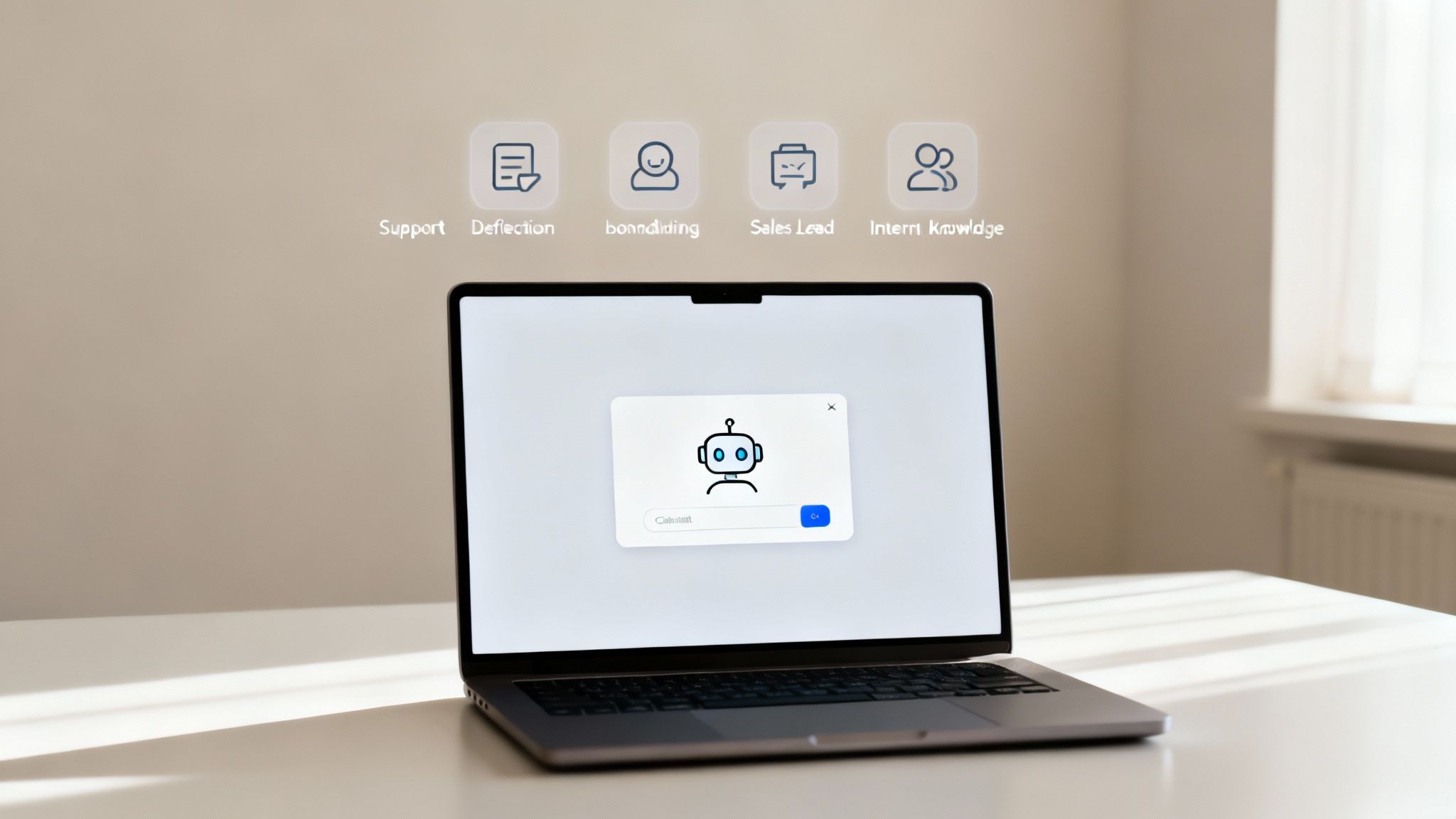
It’s one thing to talk about the benefits of an AI customer service chatbot, but it’s another to see what it actually looks like day-to-day. The real value becomes crystal clear when you move beyond theory. This isn't just a defensive tool for managing support tickets; it’s a surprisingly versatile asset that can be put to work all across your business.
So, let's get practical and look at four powerful ways you can use a chatbot right now.
Deflect Common Support Questions
This is the classic, bread-and-butter use case for an AI chatbot, and for good reason—it’s incredibly effective. Every support team is bogged down by the same handful of repetitive questions. You know the ones: password resets, "Where's my order?", shipping policy details, and how to use basic features.
An AI agent trained on your help docs can field all of these on its own, instantly. By deflecting these high-volume but low-difficulty tickets, your human agents can finally get back to the complex, sensitive issues that actually require their expertise. It's a direct path to reducing burnout and making your whole team more productive.
By 2027, chatbots are expected to become the primary customer service channel for 25% of organizations. This shift is happening because instant, automated resolution is no longer a luxury—it’s a core customer expectation.
Ultimately, this lets your team focus on what they do best: solving tough problems and building real relationships with your customers.
Guide New Customer Onboarding
A new customer’s first moments with your product can make or break their entire experience. A chatbot is the perfect on-demand guide to help them get up and running, smoothing out those initial bumps in the road.
Instead of forcing users to dig through a dense knowledge base, the bot can answer questions right when and where they have them. Imagine someone in your app asking, "How do I set up my first project?" The chatbot can immediately serve up a step-by-step guide, complete with a link to a quick tutorial video.
This kind of guided onboarding helps people see the value of your product much faster, which is a huge factor in boosting activation and keeping them around for the long haul.
Enable Sales and Marketing Teams
Your website’s pricing and product pages are your digital storefront. But what happens when a curious visitor has a question at 10 PM, long after your sales team has logged off?
This is where a sales-focused chatbot shines. When trained on your product specs, case studies, and marketing copy, it can become an incredible assistant. It can:
- Answer specific questions about features and different pricing plans.
- Help a visitor compare two product tiers side-by-side.
- Ask a few qualifying questions to identify a serious lead.
- Book a demo directly on a sales rep's calendar.
This effectively turns your website into a 24/7 lead generation machine, so you never miss a chance to connect with a potential customer.
Centralize Internal Knowledge
An AI chatbot isn't just for talking to customers. It can be an incredibly powerful internal tool—a single source of truth that your entire team can rely on.
Think of it as a "Company Brain." Instead of wasting time digging through shared drives, scattered wikis, or old Slack threads, an employee can just ask the bot. "What's our vacation policy?" "How do I set up the new printer?" "Where's the latest project brief?"
An operations manager, for instance, could feed all the company policies into the bot. Suddenly, everyone has instant access to consistent, up-to-date information, no more guesswork required.
Your AI Chatbot Implementation Checklist
Getting a customer service chatbot AI up and running isn't some complex coding project anymore. It’s all about smart preparation. The difference between a genuinely helpful bot and a frustrating one comes down to having a solid, step-by-step game plan.
Think of this checklist as your blueprint. Following these steps will help you sidestep the common mistakes, like training a bot on dusty, old information or launching it without a clear purpose.
Gather Your Knowledge Sources
First things first: you need to feed the bot’s brain. This means pulling together all the content your AI will learn from to give accurate, relevant answers. Don't feel like you have to create anything new right away—start with what you’ve already got.
Your go-to knowledge sources probably include:
- Website Pages: Your main site, product pages, and especially your blog are packed with useful info.
- Help Documentation: Grab any existing FAQs, knowledge base articles, or setup guides you have.
- Internal Files: Don't forget about those PDFs, Word docs, or even spreadsheets with product specs and internal policies.
The goal here is simple: give your chatbot a rich, comprehensive library to pull from. The quality of its answers is a direct reflection of the quality of the information you provide.
Define Your Bot’s Tone and Personality
An AI chatbot is a direct extension of your brand, so it needs to sound like you. Is your company professional and to the point? Or more friendly and conversational? Nailing this down early ensures every single interaction reinforces your brand identity.
This isn’t just a fun "nice-to-have" feature. A consistent tone builds trust and makes the entire user experience feel more cohesive and reliable, which is absolutely crucial for customer confidence.
Train and Test with Real Questions
Once your bot has its knowledge and a defined personality, it's time for boot camp. This is where you put it through its paces by asking the same kinds of questions your customers would. Start with the easy stuff, then move on to more complicated, multi-part queries.
The testing phase is non-negotiable. It’s where you uncover knowledge gaps and refine responses before your customers do. A poorly tested bot can do more harm than good by providing incorrect or confusing answers.
Pay close attention to how it handles its "I don't know" moments. A well-designed bot will quickly admit when it can’t find an answer and offer a smooth handoff to a human. This ensures no one ever hits a frustrating dead end.
Choose Your Deployment Channels
Next, you need to decide where your chatbot will actually live. This used to be a developer-heavy task, but modern platforms like BizSage give you plenty of flexible, no-code options.
Deciding where to place your bot is a strategic choice. The table below breaks down the most common options to help you pick the right one for your audience.
Choosing Your Chatbot Deployment Channel
| Deployment Channel | Best For | Key Consideration |
|---|---|---|
| Website Embed | Instantly helping visitors on any page. | Place it on high-traffic pages like pricing or support. |
| Shared Link | Directing users from emails or social media. | Perfect for targeted support in marketing campaigns. |
| Hosted Page | Creating a central, brandable help center. | Acts as a standalone, searchable knowledge hub. |
The best approach is to meet your customers where they already are. If they tend to look for answers on your support page, that's the perfect place to start.
Identify Key Metrics to Track
You can't improve what you don't measure. Before you launch, decide on a few key performance indicators (KPIs) to monitor your chatbot’s effectiveness. This data will tell you what’s working and where you need to make tweaks.
To get started, focus on tracking these essentials:
- Resolution Rate: What percentage of questions is the bot solving on its own, without needing a human?
- Escalation Rate: How often are conversations being handed off to a live agent?
- Customer Satisfaction (CSAT): Are users actually happy with the bot’s answers? A simple "Was this helpful?" goes a long way.
These numbers give you a clear, honest look at your chatbot's performance and its real-world impact on your support team's workload.
Choosing the Right AI Chatbot Platform
Once you have a clear plan for what you want a chatbot to do, the next step is picking the right tool for the job. Not all AI chatbot platforms are built the same, and this is especially true for small businesses. You don't need a clunky, complicated enterprise system; you need a practical solution that's simple, accurate, and easy to understand.
The ground is definitely shifting here. Customers have gotten much more comfortable with automated help. In fact, a surprising 51% of consumers now say they’d rather chat with a bot for quick service than wait around for a human. That stat alone shows just how important it is to have a tool that can hold a natural, reliable conversation. You can dig into more of these evolving AI customer service statistics on Zendesk.com.
As you start looking at different options, try not to get bogged down by endless feature lists. Instead, focus on the core things that will actually make a difference for your team and your customers.
Key Evaluation Criteria for Small Businesses
For a small, growing team, the best platform is one that solves problems without creating new ones. Here’s what you should absolutely insist on:
- Effortless Setup and Training: Can you get it up and running in minutes, without calling in a developer? Look for a no-code process where you can just point the bot to your website URLs and upload a few files to train it. Simple.
- High Accuracy and Source Citing: A good bot gives the right answers. A great bot gives the right answers and shows you where it found them. Citing its sources builds a massive amount of trust and lets customers verify the information for themselves.
- A Graceful "I Don't Know" Response: The bot has to be smart enough to know what it doesn't know. A clean fallback that admits it can't find the answer and offers a clear path to a human is non-negotiable. This prevents dead-end frustrations.
- Simple, Transparent Pricing: Steer clear of confusing, per-user pricing models that make your bill a mystery every month. A flat-fee plan that gives you a set number of agents and messages, like the model used by BizSage, is far more predictable and won't penalize you for growing.
The best AI chatbot platform for a small business isn’t the one with the most bells and whistles—it’s the one that delivers accurate answers with the least amount of work from your team.
Zeroing in on these practical points will help you pick a tool that truly fits your goals. It's about empowering you to provide instant, on-brand support without adding a bunch of technical headaches.
Common Questions About AI for Customer Service
Let's tackle some of the most common questions that come up when teams think about bringing in an AI chatbot for customer support.
How Much Technical Skill Do I Really Need?
Honestly, next to none. Modern platforms are built for business users, not developers. If you can copy and paste a URL or upload a document, you have all the technical skill you need to get a powerful AI assistant up and running in minutes. The heavy lifting is done for you.
Will an AI Chatbot Sound Like a Robot?
That's a common fear, but the technology has come a long way. These days, you can train your AI to adopt a specific personality—whether you want it to be professional and direct, or friendly and casual. You set the tone, and the AI sticks to it, making sure every answer feels like it’s coming from you. This keeps your brand voice consistent, day or night.
A well-designed customer service chatbot AI will not guess or provide false information. Instead, it will give a clear 'I don't know' response and offer a way to connect with a human support agent. This is a critical feature for building customer trust.
What Happens If the Chatbot Gets Stuck?
A good AI chatbot knows its own limits. It has a built-in safety net. When a question is too complex or requires a human touch, the bot is designed to recognize that and seamlessly hand the conversation over to a live person. It doesn't just give up; it escalates the issue, making sure your customer never hits a dead end.
Ready to turn your company content into a 24/7 support expert? See how BizSage makes it simple to build and deploy an AI chatbot that delivers on-brand answers instantly. Start your free trial at bizsage.io.