
Think of an AI chatbot for customer service as your most dependable team member. It's an automated tool powered by artificial intelligence that fields customer questions 24/7. This isn't just a simple script; it's a smart assistant that works nonstop, learns from your company's own knowledge, and provides instant, on-brand answers without ever needing a coffee break.
The New Reality of Customer Expectations
Let's be honest, we all live in an on-demand world now. Customers expect answers instantly. That old model of waiting hours—or even minutes—for an email reply just doesn't cut it anymore.
For small or growing teams, this pressure is immense. When you're trying to do everything at once, the constant flood of customer inquiries can feel like you're barely keeping your head above water. Every single question that goes unanswered is a potential lost sale or a customer who might not come back.
This is exactly where a well-trained AI chatbot steps in. It's not about replacing people with robots; it's a practical way to manage the gap between what customers demand and what your team can realistically deliver. By instantly handling all the common, repetitive questions, it becomes your front line, making sure no customer is ever left hanging.
To really appreciate this shift, it helps to look at the evolution of customer service from call centers to AI assistants. Understanding that history makes it clear why instant, automated support isn't just a trend—it's the new baseline.
From Overwhelmed to In Control
The great news is that you don't need a team of data scientists to make this happen. Modern AI platforms have made this technology incredibly accessible, turning the content you already have into an expert support agent. Forget tedious, manual programming of every possible question and answer.
Today’s systems learn directly from your existing materials:
- Website Content: Your chatbot can instantly pull information from product pages, blog posts, and your "About Us" section.
- Help Documents: It trains on your entire knowledge base and FAQ articles to give customers detailed, accurate solutions.
- Uploaded Files: You can even feed it internal documents, creating a comprehensive "Company Brain" that knows your business inside and out.
Think about it: by using your own content as the source of truth, the AI chatbot guarantees every answer is accurate, consistent, and sounds just like you. This flips your support from a reactive scramble to a proactive, well-oiled machine.
AI Chatbot vs Traditional Support Channels
To put it in perspective, here's a quick look at how an AI chatbot stacks up against traditional support channels like phone or email.
| Feature | AI Chatbot | Traditional Support |
|---|---|---|
| Availability | 24/7/365, instant | Business hours, with wait times |
| Response Time | Immediate | Minutes, hours, or even days |
| Cost Per Interaction | Very low | High (agent salary, overhead) |
| Consistency | 100% consistent answers | Varies by agent and training |
| Scalability | Handles thousands of chats at once | Limited by number of human agents |
As you can see, the chatbot excels at providing immediate, scalable support for common issues, which frees up your human agents to focus on the complex, high-touch problems where they truly shine.
The best part? Platforms like BizSage let you build and launch a powerful AI agent without writing a single line of code. You can have a chatbot live on your site in a matter of minutes, ready to delight customers and give your team the breathing room they need to focus on what matters most.
How AI Chatbots Actually Understand Your Customers
To really get why an AI chatbot for customer service is so effective, you have to look under the hood at what makes it "smart." This isn't some far-off sci-fi concept; it's practical tech built to solve real-world business headaches. The biggest difference between a basic, clunky bot and a true AI assistant is its ability to understand context and learn on its own.
Think of an old-school, rule-based bot like an automated phone menu. It forces you down a rigid path: "Press 1 for sales, Press 2 for support." If you have a question that doesn't fit neatly into its script, you're out of luck. This is where modern AI chatbots completely flip the script.
An AI-powered chatbot works more like a seasoned support agent. It doesn't rely on a pre-written dialogue because it uses a technology called Natural Language Processing (NLP). This is what lets the bot understand what customers actually mean, even if they use slang, make a typo, or ask a question in a way you never anticipated.
From Raw Data to On-Brand Answers
So, where does the AI get its answers? This is the most critical part for any business. Instead of someone having to manually program every possible question and answer, the best AI chatbots learn directly from your own content. They essentially act like a sponge, soaking up information from the knowledge sources you give them.
The process is surprisingly simple but incredibly powerful:
- Source Training: You point the AI to your knowledge base. This can be your entire website, a collection of help center articles, or even internal PDF guides you’ve created.
- Information Indexing: The AI then reads, analyzes, and organizes all that information, building a searchable "brain" filled exclusively with your company’s knowledge.
- Contextual Understanding: When a customer asks a question, the AI searches this brain. It looks beyond simple keywords to find the true context and meaning, ensuring it pulls the most relevant, accurate answer.
This diagram breaks down how an AI chatbot takes a common customer expectation—wanting an immediate answer—and turns it into a quick, helpful resolution.
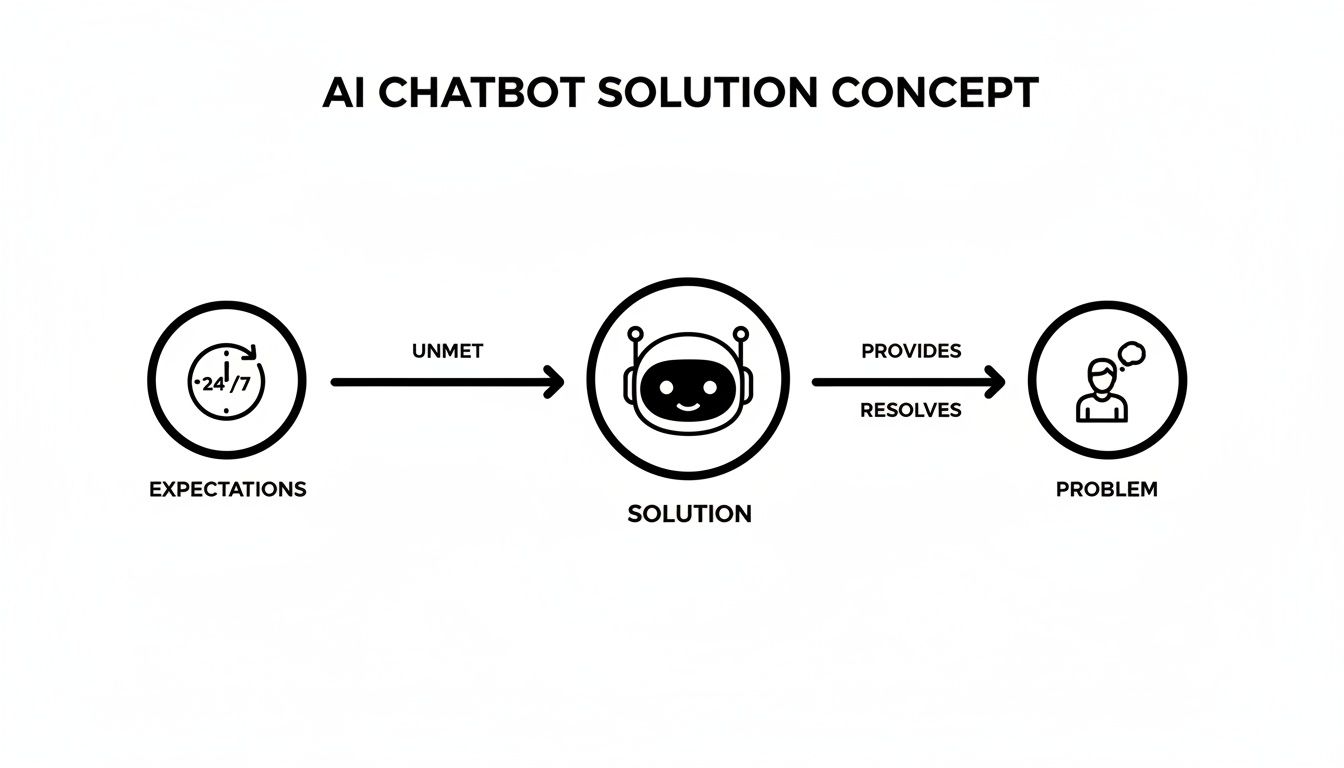
As you can see, it creates a direct line from a customer needing 24/7 support to getting a solid answer, completely avoiding the frustration of waiting in a queue.
The Power of a Single Source of Truth
By training the bot on your own content, you guarantee every answer is perfectly in sync with your brand’s voice, policies, and information. There's no risk of the AI making things up or giving out generic advice it found somewhere else on the web.
The real magic is that your expertise becomes its expertise. Your help docs, product pages, and internal guides are transformed into a single source of truth that the AI uses to deliver consistent, trustworthy support every single time.
This direct training method is what makes an AI chatbot such a game-changer, especially for smaller teams. It takes all the hard work you've already put into creating great content and turns it into an automated, round-the-clock support channel.
Plus, modern platforms with features like auto-refresh keep the bot's knowledge current by automatically re-scanning your sources for any changes. This means you don't have to manually update the bot every time you tweak a help article. The result is an AI assistant that grows and learns right alongside your business.
The Real Business Impact of AI Support
So, what does an AI chatbot for customer service actually do for your business? Beyond the impressive technology, its real value shows up on your bottom line. For smaller teams and growing businesses, this isn't about chasing the latest tech trend. It's about a smart investment that pays back in efficiency, happier customers, and real growth.
Think about it. Every time a team member answers "What are your hours?" or "Where's my order?", that's time they could have spent on a complex problem or a high-value customer. An AI chatbot takes all those repetitive questions off their plate, essentially acting as a force multiplier for your human agents.
This kind of automation leads to serious savings. Many businesses see their operational costs drop by as much as 30%. In fact, chatbots are saving the global economy an estimated $8 billion a year in customer service alone. If you want to dive deeper, you can explore more chatbot stats to see just how big their impact is across different industries.
Unlocking 24/7 Global Reach
In an online world, your storefront never really closes, even if your team has gone home for the day. An AI chatbot offers non-stop, 24/7 support, meaning you never miss a chance to connect with a customer, no matter their time zone.
This round-the-clock availability is a game-changer for reaching a global audience. A potential buyer in another country doesn't have to wait until you're awake to get the info they need to click "buy." They get an instant, helpful answer, which makes for a much better first impression of your brand.
By offering immediate answers anytime, you're not just providing support; you're building a frictionless customer journey that turns late-night browsers into loyal buyers.
From Cost Center to Growth Engine
When done right, an AI chatbot can flip the script on customer support, turning it from a necessary expense into a powerful tool for boosting revenue and loyalty. The benefits create a virtuous cycle that strengthens your entire operation.
Let's break down the key impacts:
- Reduced Customer Churn: People hate waiting. When they get fast answers, they feel heard and are far less likely to get frustrated and look elsewhere.
- Increased Agent Productivity: By handling up to 80% of routine questions, your chatbot frees up your human experts to focus on the tricky stuff—solving complex problems and building real customer relationships.
- Enhanced Lead Generation: A chatbot can do more than just answer questions. It can proactively engage website visitors, ask qualifying questions to identify hot leads, and even book demos, turning your site into an automated sales assistant.
This shift is especially powerful in e-commerce, where 83% of companies now use chatbots. These bots help slash cart abandonment by 29% and boost average order values by 15% with smart, timely upsells. B2B companies are seeing huge wins too, using bots to cut down their lead qualification time by over 60% and convert 2.4 times more leads than a simple contact form.
At the end of the day, adding an AI chatbot is about more than just cutting costs. It’s a strategic move to build a more resilient, efficient, and customer-focused business that's ready to scale.
AI Chatbots Solving Real-World Problems
The real magic of an AI chatbot for customer service isn't in the tech itself, but in how it solves everyday business headaches. These aren’t just futuristic tools for mega-corporations; they’re practical solutions helping businesses of all sizes work smarter and keep their customers happy.
So let's ditch the abstract theory and look at some specific, real-world situations where AI is making a tangible difference.
The E-commerce Assistant Who Never Sleeps
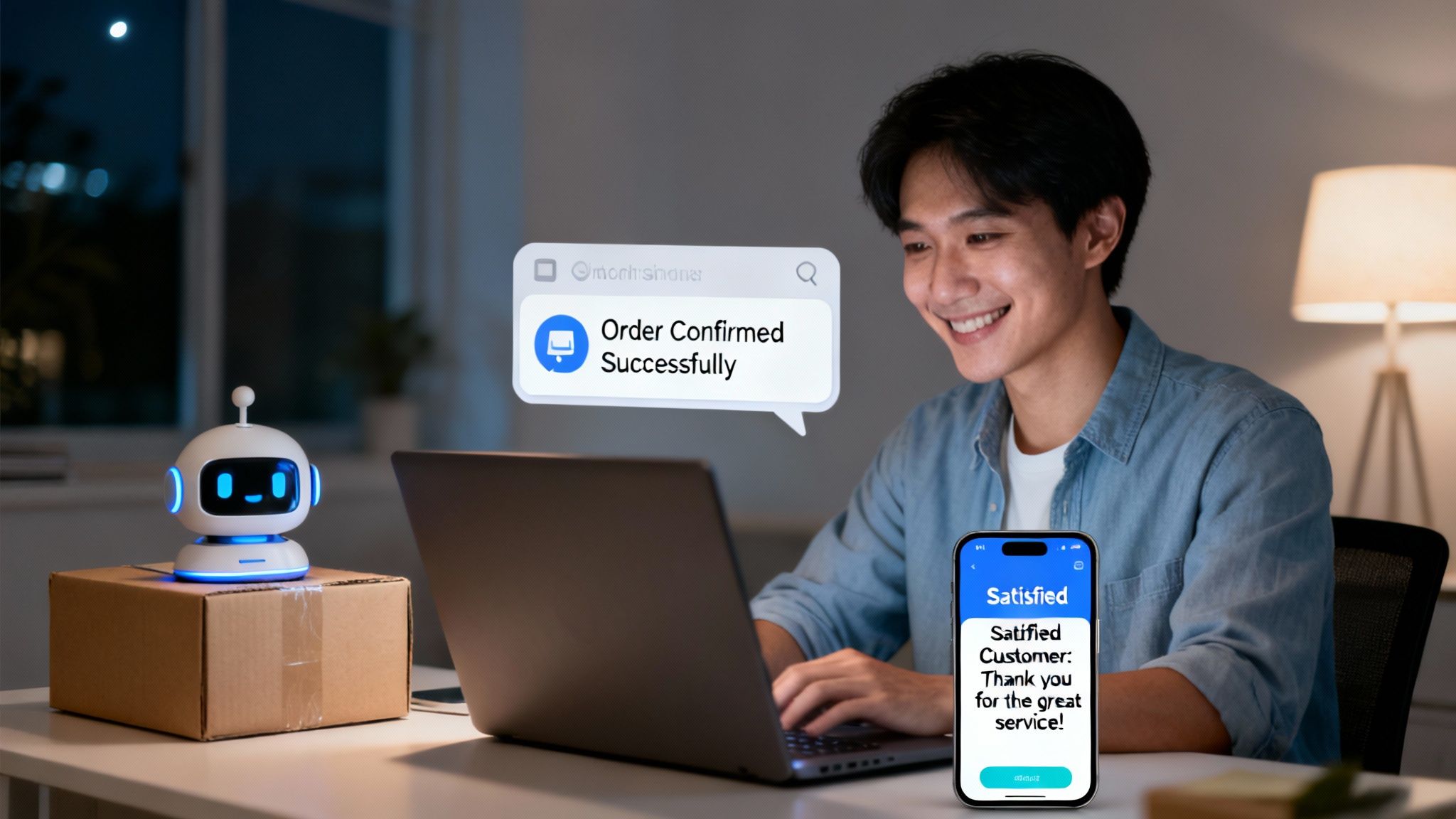
Picture an online clothing store. It’s 11 PM, and a potential customer is eyeing a new jacket but has no idea what size to get. The human support team signed off hours ago. Without a quick answer, that customer will likely close the tab and forget all about it by morning.
That’s a classic lost sale. Now, let’s replay that scenario with an AI chatbot trained directly on the store's product catalogs and sizing guides.
- The Problem: A customer needs an instant sizing recommendation after business hours.
- The Solution: The chatbot instantly pulls up the product's sizing chart, asks for the customer's measurements, and gives a perfect recommendation. It might even suggest a matching pair of pants.
The result? A sale is made, and the customer is thrilled. The chatbot turned a moment of uncertainty into a conversion, all without a single human touchpoint.
The SaaS Onboarding Specialist
For any growing software company, the first few interactions with a new user are everything. But new users almost always have the same basic questions: "How do I connect my account?" or "Where do I find this setting?" This flood of repetitive questions can bury a small support team, leading to long wait times and frustrated customers.
This is where a chatbot trained on the company’s own help documentation becomes a game-changer.
Think of the AI as a dedicated onboarding specialist, available 24/7. It guides new users through those critical first steps, answers common setup questions, and points them to the right tutorials. This alone can cut initial support tickets by over 40%.
Freeing up the human team from these simple tasks allows them to focus on the tricky technical problems and build real relationships with high-value customers. It ensures every new user gets off to a smooth start.
The Internal "Company Brain"
Chatbots aren't just for talking to customers; they can be incredibly powerful tools for your own team. Imagine a new hire trying to figure out the company's vacation policy or how to set up their benefits. Instead of tapping a coworker on the shoulder and breaking their focus, they can just ask the internal chatbot.
This "Company Brain" can be trained on all your HR docs, internal wikis, and policy handbooks to provide instant, accurate answers. It makes onboarding a breeze, cuts down on internal distractions, and makes sure everyone is working from the same playbook.
The trend here is undeniable. By 2025, a massive 80% of companies are expected to have AI-powered chatbots. We're already seeing the impact: ServiceNow's AI agents now handle 80% of their inquiries independently, and Lyft reported an 87% drop in resolution times. You can discover more AI customer service stats that show just how widespread this shift is.
Getting Your First AI Chatbot Live in Four Steps
The thought of building an AI chatbot for customer service might feel like a huge technical project, but the reality is much simpler today. Thanks to modern platforms, you don’t need a crew of developers or any coding know-how to get a smart, capable assistant on your website. Seriously, you can get it done in minutes.
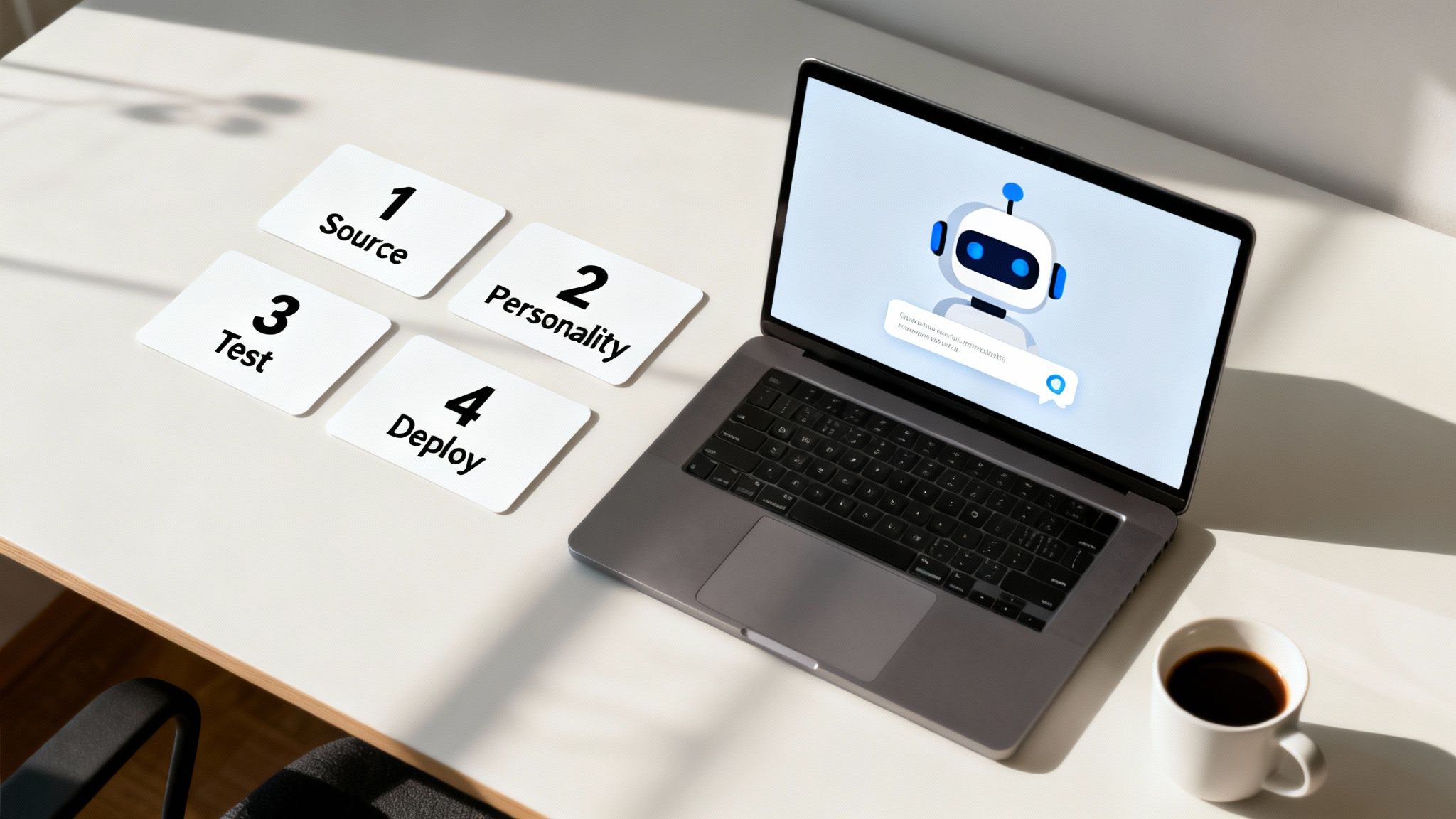
Forget those long, drawn-out development cycles you might be imagining. We can break the whole thing down into four straightforward steps. Anyone on your team can handle it, getting you from zero to a live support agent without the usual headaches.
Step 1: Give It a Brain (Source Your Knowledge)
First things first, your chatbot needs to know what it's talking about. This is where you feed it all the information it will use to answer customer questions. But instead of manually writing out endless scripts, you just point the AI to your existing content. It’s that simple.
This source training is what builds your chatbot's expertise. You can connect it to pretty much any knowledge source you already have:
- Your Website: Just tell the AI to crawl your entire site—product pages, blog posts, FAQs, you name it.
- Specific URLs: Point it directly to key help center articles or important landing pages.
- Document Uploads: You can even upload internal files like PDFs, company policy guides, or spreadsheets.
By training it on your own verified materials, you're creating a single source of truth. Every answer it gives will be grounded in your company's official information.
Step 2: Shape Its Personality
A great chatbot should feel like a natural extension of your team, not some nameless, faceless robot. The next step is all about defining its personality and tone of voice. Do you want it to be formal and to the point? Or maybe more casual and friendly?
Modern platforms make it incredibly easy to set these brand guidelines. This step is key to making sure the chatbot delivers on‑brand answers every single time, giving your customers a consistent experience that feels just like talking to anyone else at your company.
This little bit of customization is what makes the chatbot truly feel like it belongs.
Step 3: Put It to the Test
Before you set your new AI assistant loose, you need to kick the tires a bit. The testing phase is where you double-check that its answers are accurate, relevant, and genuinely helpful.
All you have to do is ask it the kinds of questions your customers would. Hit it with queries about your return policy, shipping details, or how a specific product feature works. This is your chance to find any blind spots in its knowledge and tweak your source content if necessary. A quick test run ensures it’s ready to provide solid, reliable answers from the moment it goes live.
Step 4: Add It to Your Website
Once you're happy with how it performs, it's time for the final—and easiest—step. Getting the chatbot onto your site is usually just a matter of copying and pasting a small snippet of code.
There are no complex integrations or technical hurdles. You just paste the code into your website's backend, and the chat widget appears, ready to start helping visitors right away. This simple deployment means you can have an AI agent working for your business in less time than it takes to finish your morning coffee.
How to Choose the Right AI Chatbot Platform
With so many options out there, picking the right AI chatbot for customer service can feel like a huge task. The key is to cut through the marketing fluff and focus on what will actually make a difference for your team and your customers. A great platform isn't about having the flashiest new tech; it's about solving real problems in a practical way.
Think about the setup first. You shouldn't need a degree in computer science to get a chatbot up and running. The best platforms are designed for speed and simplicity, letting you train and launch your bot in minutes. This all starts with easy source training—the ability to just point the AI to your website, upload a few files, or paste in some links and let it learn your business inside and out.
After setup, your biggest concern should be accuracy. A chatbot that confidently gives out wrong information is a liability, not an asset. Look for systems that are trained only on the content you provide. This ensures every answer is grounded in your company's truth. And when the bot doesn't have an answer, it should say so, not make something up.
Finding the Best Fit for a Small Team
For a small but growing business, some features are simply non-negotiable. You need tools that address today's needs without creating tomorrow's headaches. The right platform should feel like an extension of your team, not another piece of software you have to fight with.
So, what should you actually look for when you're comparing options? We can break it down into a few essential criteria that separate the truly useful platforms from the rest.
The table below outlines the core features every small team should evaluate. Think of it as your checklist for finding a tool that will not only meet your needs but also scale with you as you grow.
| Feature to Evaluate | Why It Matters | What to Look For |
|---|---|---|
| On-Brand Customization | The bot is often the first "face" of your company. It needs to reflect your brand's voice, not sound like a generic robot. | Options to define a specific personality and tone. You want it to deliver on-brand answers that feel like they came from your team. |
| Automated Content Syncing | Manually updating your bot's knowledge base is a recipe for outdated answers and a lot of wasted time. | An auto-refresh feature that re-scans your sources automatically (daily, weekly, etc.) to keep its information current without any effort from you. |
| Effortless Deployment | If you can't get the chatbot onto your website easily, it's useless. You don't have time for a complex integration project. | Simple copy-and-paste embed codes, shareable direct links, or a hosted page option. You should be able to go live in minutes. |
| Transparent and Scalable Pricing | Surprise fees and restrictive user limits can kill your budget and hinder collaboration. | Clear, straightforward pricing plans. Look for providers that offer unlimited users so your whole team can get involved without extra costs. |
At the end of the day, choosing the right platform is about empowerment. It should give you the power to solve customer support headaches right now, without a long, drawn-out implementation.
Ultimately, the right platform is one that’s intuitive enough for anyone on your team to manage, yet powerful enough to handle customer questions accurately around the clock. It should work for you, not the other way around.
A Few Lingering Questions
Even with a clear plan, a few questions always pop up before you dive into a new tool. It’s completely normal. Let’s tackle some of the most common ones we hear from teams just like yours.
How Long Does This Actually Take to Set Up?
Forget about those long, drawn-out development projects you might have heard about. With today's tools, you can get a powerful, fully functional AI chatbot live in a matter of minutes. Seriously.
You just point it to your knowledge sources—like your website or help center docs—pick a personality that fits your brand, and hit publish. The days of needing a whole engineering team are long gone, which is a huge win for smaller businesses.
What Happens When the Bot Gets Stumped?
This is a great question, and the answer is simple: a well-built AI chatbot for customer service should never make things up. If it doesn't have the information in its knowledge base, its only job is to say so.
A straightforward "I don't have the answer to that" is a thousand times better than giving wrong information. This honesty is absolutely essential for keeping your customers' trust.
Plus, the best platforms have a seamless handoff built right in. The bot can instantly escalate the chat to a human agent, so the customer isn’t left hanging and always gets the right help.
How Does the Chatbot Keep Up With Changes?
Manually updating a bot every time you tweak a product or policy is a recipe for outdated answers. This is where you want to look for an auto-refresh feature.
It’s a game-changer. You can set the platform to automatically re-scan your content on a schedule—daily, weekly, whatever works for you. This means your chatbot's brain is always in sync with your latest information, all without you having to lift a finger. Your support stays accurate as your business grows.
Ready to see how an AI chatbot can work for your team? Get started with BizSage and build your first AI agent in just a few minutes. Explore our features and start your free trial today.