
Building a chatbot for your business is one of the smartest moves you can make to boost customer experience and gain back a ton of time. The whole process boils down to figuring out its purpose, feeding it your knowledge (like FAQs and help docs), picking a no-code platform, and then getting it trained, tested, and ready for action.
Why Building a Chatbot Is a Game Changer
Before we get into the nuts and bolts of how to build a chatbot, let's talk about the why. This isn't just about sticking a fancy new toy on your website. It's a fundamental shift in how you handle customer interactions and manage your team's time.
Think about it: what if you could answer a hot lead's sales questions at 10:00 PM on a Friday? Or what if your support team never had to answer another question about your refund policy again? That's the power we're talking about.

A well-built chatbot is like having a new team member who works 24/7 without ever needing a coffee break. It gives instant, accurate answers to customers and even helps your own staff find information quickly.
When you get it right, the benefits are huge:
- Capture More Leads: You can engage with visitors the moment they land on your site, catching potential customers you'd normally miss after hours.
- Make Your Team More Efficient: By automating the simple, repetitive questions, you free up your people to tackle the complex issues where they're needed most.
- Happier Customers: Nobody likes waiting. Instant answers lead to a much smoother, more satisfying experience for your customers.
- One Source of Truth: A chatbot centralizes all your company knowledge, ensuring everyone—customers and employees alike—gets consistent, correct information.
The numbers don't lie. The global chatbot market was valued at USD 7.76 billion in 2024 and is expected to rocket to USD 27.29 billion by 2030. This isn't some passing fad; it's becoming a standard piece of business infrastructure.
The Shift From Simple Bots to Smart Agents
We’ve all had those frustrating experiences with old-school chatbots—the ones that followed a rigid script and hit a dead end if you asked the "wrong" question. Thankfully, those days are over.
Today's AI-powered chatbots are a completely different breed. They're more like virtual agents, capable of understanding the context of a conversation and giving surprisingly human-like answers.
To really see the possibilities, it helps to understand what virtual agents are and how they operate beyond basic, pre-programmed responses. They’re built to solve problems, not just spit out information.
When you stop thinking about it as just "a bot" and start seeing it as a critical business system, you can build a powerful tool that works for you around the clock.
Charting Your Chatbot's Course: Purpose, Audience, and Personality
Before you even think about logging into a chatbot builder, the most critical work happens with a simple doc or a whiteboard. Seriously. A successful chatbot is born from a solid plan, not a slick interface. I've seen it time and again: teams that rush this stage end up with a bot that nobody wants to talk to. This initial planning is what separates a valuable digital teammate from a forgotten widget on your website.
The very first question you need to tackle is simple but profound: what is this chatbot's main job? A fuzzy goal like "improving customer service" won't cut it. You need something specific, something you can actually measure.
Think of this core purpose as your North Star. For example, a small e-commerce shop might aim to cut down support tickets by 30% by having the bot handle all the common shipping and return questions. A B2B software company, on the other hand, might want its bot to qualify new leads by asking a few key questions before booking a demo. See the difference? That clarity guides every single decision you'll make from here on out.
Figure Out What People Are Actually Asking
Once you know your goal, you have to get inside your audience's head. Don't just guess what they need. Your customers and your own team are constantly leaving a trail of breadcrumbs—the pain points, the repetitive questions, the things that trip them up. Your job is to play detective and follow that trail.
Here’s a practical way to dig in and find what really matters:
- Mine Your Support Channels: Go straight to the source. Read through your support emails, help desk tickets, and live chat histories. You'll quickly see patterns and themes emerge. What questions are people asking over and over again?
- Talk to Your Team: Your frontline staff are goldmines of information. Your sales team knows what prospects are hesitant about, and your support reps know exactly where customers get stuck after a purchase. A quick 15-minute chat with them can be more valuable than hours of speculation.
- Audit Your Website: Your FAQ page is the obvious starting point, but don't stop there. What are people asking in your blog comments? In the Q&A section on your product pages? These are direct lines into your customers' minds.
This process gives you a hit list of topics your chatbot absolutely must master from day one. It's the difference between building a bot that's truly helpful and one that defaults to "Sorry, I can't help with that" way too often.
Gather Your Bot's "Brain"
With a clear goal and a list of key questions, it's time to assemble the knowledge your chatbot will use to answer them. Think of it like putting together a training manual for a new hire. This is the collection of documents and content that will become its brain.
Your knowledge sources can be anything that holds an answer, like:
- Help Center Articles: All your official support docs and how-to guides.
- Product & Service Pages: The core pages on your site that explain what you sell.
- Internal Playbooks: Those handy documents your sales or support teams use for consistent answers.
- Policy Docs: The official stuff, like your return policy, privacy policy, or terms of service.
Get these materials organized. If you're using a tool like BizSage, this part is easy—you can just feed it the URLs or upload the files directly. The platform then digests all of it to create a powerful knowledge base for your AI agent.
The quality of your chatbot's answers is directly tied to the quality of the information you feed it. A chatbot can't pull answers out of thin air; it can only work with what you've given it. This is why having organized, up-to-date documentation is a non-negotiable for success.
Give Your Chatbot a Personality
Last but not least, let's talk personality. Your chatbot shouldn't sound like a generic, faceless robot. It should feel like a genuine extension of your brand. This creates a cohesive, trustworthy experience for anyone who interacts with it.
Think about how your brand already communicates. Are you typically:
- Friendly and Casual? Maybe you use emojis and a conversational tone in your marketing.
- Professional and Direct? Your style might be more formal, getting straight to the point.
- Witty and Playful? Perhaps you inject a bit of humor and character into your copy.
Deciding on this personality upfront is crucial. A chatbot for a law firm will have a radically different voice than one for a trendy sneaker brand. This personality should shine through in every interaction, from its opening greeting to how it explains that it can't answer a question. It’s what makes the experience feel authentic and on-brand.
Building Your First AI Chatbot in Minutes
Alright, the planning is done. You've got your strategy locked in. Now comes the fun part—actually bringing your chatbot to life. If you're imagining late nights hunched over lines of code, you can relax. Modern no-code platforms have completely changed the game, letting you build a functional AI agent in less time than it takes to finish your morning coffee.
This is where your ideas become a reality. Using a tool like BizSage, you'll see just how simple it is to get a bot up and running. The core task is to feed it the right information, give it a look that matches your brand, and define its voice. It’s all about setting it up to have helpful, productive conversations with your customers from day one. And if you want to get a head start, options like a custom ChatGPT solution can really speed things up.
Giving Your Chatbot a Brain: Adding Knowledge Sources
First things first, your chatbot needs to know stuff. You have to give it a "brain" by connecting it to all the documents and web pages that contain the answers your customers are looking for. The best chatbot builders give you a few different ways to do this.
-
Crawling Your Website: This is easily the quickest way to get going. Just drop in your website's homepage URL, and the platform will crawl every page just like Google does. It soaks up all the text from your product pages, blog, and FAQs to build its knowledge base automatically.
-
Uploading Files Directly: What about information that isn't public on your site? Think internal training manuals, detailed spec sheets, or PDF guides. You can upload these files directly, giving your bot access to proprietary information needed to handle those really specific, in-depth questions.
-
Adding Specific URLs: Sometimes, less is more. You might only want your bot to pull information from a few key pages—like pricing, shipping policies, or your contact page. By feeding it a list of specific URLs, you create a laser-focused knowledge base. This is a great way to stop it from referencing an old blog post or some other irrelevant page. It’s all about precision.
This diagram shows the simple flow: figure out the Goal, gather the Knowledge, and define the Personality. The build is just putting that plan into action.
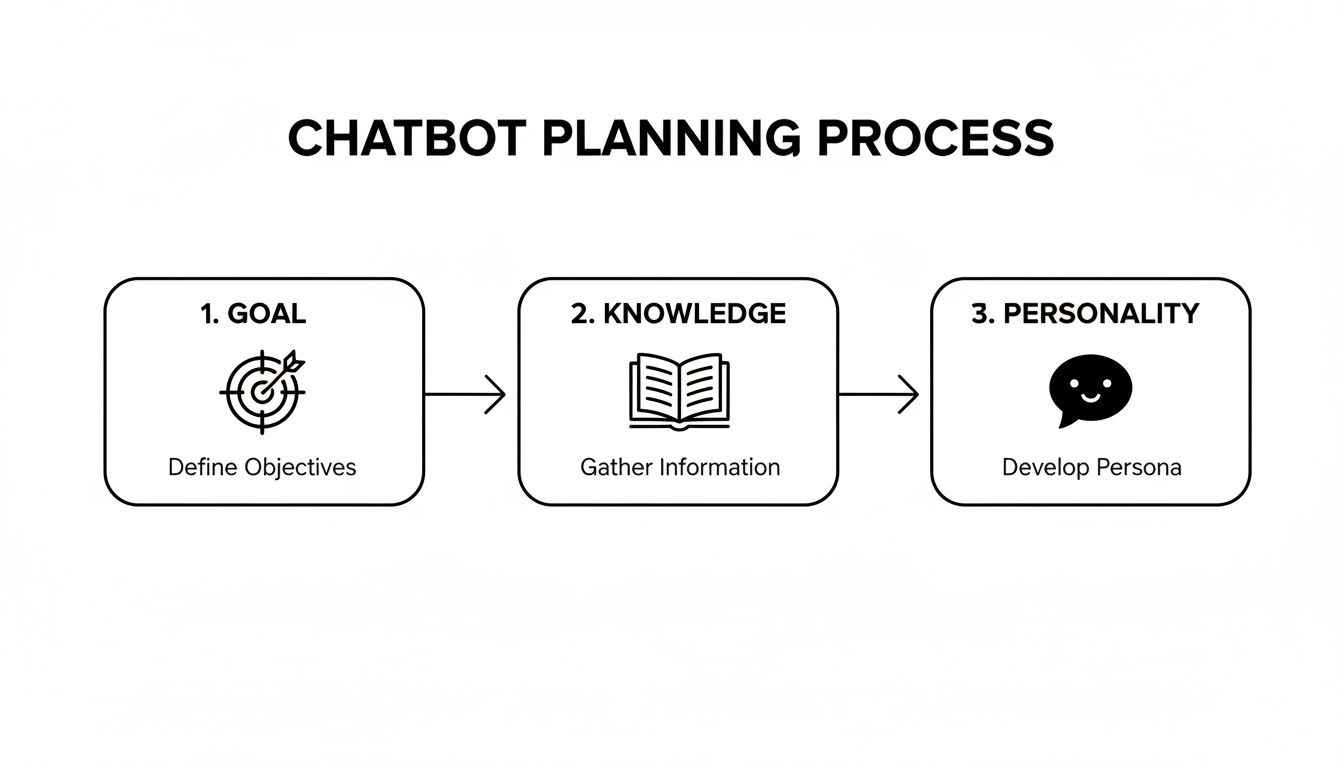
As you can see, building the bot is the final, practical step of a clear strategy, not some huge technical hurdle.
Customizing the Look and Feel
Once your bot is loaded up with information, it's time to make it look like it actually belongs on your website. Nothing screams "tacked-on" like a chatbot that clashes with your brand's design. Visual consistency builds trust.
Thankfully, you don't need to be a designer. Most platforms let you tweak the essentials with just a few clicks:
- Brand Colors: Match the chat widget to your website's color scheme. You can usually set a main color for the header and accent colors for buttons and chat bubbles.
- Company Logo: Pop your logo into the chat header. It's an instant visual cue that this is your chatbot.
- Welcome Message: Write a short, punchy greeting that users see when they first open the chat. This is your first—and best—chance to set the tone.
A great welcome message does more than say hello. It should immediately tell the user what the bot is for. Try something like, "Hi! I'm here to help 24/7. Ask me about our products, shipping, or returns." This manages expectations right from the start.
Defining Your Chatbot's Conversational Style
The last piece of the puzzle is deciding how your chatbot talks. Its personality should be a direct reflection of the brand voice you decided on earlier. Instead of writing out hundreds of responses, you simply give the AI a core instruction, known as a base prompt.
A base prompt is just a simple directive that tells the AI how to act. It's surprisingly powerful.
| Tone | Example Base Prompt |
|---|---|
| Professional | "You are a helpful and formal customer support agent. Answer questions directly and concisely." |
| Friendly | "You are a friendly and enthusiastic brand assistant. Use a conversational tone and emojis where appropriate." |
| Witty | "You are a clever and knowledgeable expert. Your answers should be accurate but delivered with a touch of humor." |
This one instruction sets the ground rules for every single response the bot generates, keeping its personality consistent without any manual scripting.
And just like that—with knowledge loaded, design customized, and personality defined—your chatbot is built. Now it’s ready for the most important stage of all: testing.
Testing Your Chatbot for Real-World Conversations
So you’ve fed your new chatbot all your company knowledge. Now for the moment of truth. Launching it without a thorough test run is a bit like sending a brand-new hire to a client meeting without a single day of training. It’s a gamble you don’t want to take.
This next phase is all about pressure-testing your creation. You need to see how it actually performs in a live conversation. This is where you’ll uncover what it truly knows, where it gets stuck, and most importantly, how well it represents your brand.
Probing for Knowledge and Identifying Gaps
Think of testing as a friendly but firm interview. You're not just checking for right or wrong answers. You’re evaluating accuracy, tone, and the chatbot's ability to gracefully admit when it doesn't know something. Honestly, a bot that confidently makes things up is far more damaging than one that simply says, "I don't have that information."
The first round of testing should be a deep dive into its core knowledge. The main goal here is simple: Did it actually learn what you taught it? Can it recall that information correctly when asked?
Start with the easy stuff—the questions you'd be shocked if it got wrong. Then, slowly ramp up the difficulty to see where its understanding starts to wobble. This methodical approach lets you systematically map out its comprehension.
A solid testing plan should include a mix of question styles:
- Straight Facts: Kick things off with direct questions like, "What is your return policy?" or "What are your business hours?" These are simple pass/fail tests.
- Layered Questions: Try combining a couple of ideas into one query. For instance, "Can I return an item without a receipt, and how long will my refund take?" This shows you if the bot can handle complexity without getting confused.
- Fuzzy Questions: Let's be real—your customers rarely type perfect, textbook questions. Test it with vague phrases like "info on shipping" or "help with my order." The best bots will ask clarifying questions to guide the user to the right answer.
A huge part of building user trust is knowing your chatbot's limits. Intentionally ask it questions you know are outside its knowledge base. If it comes back with a graceful, "I can't answer that, but I can help with X, Y, and Z," you've just scored a major user experience win.
Refining Answers and Nailing the On-Brand Tone
Once you're confident your chatbot can pull the right facts, it's time to look at how it's delivering them. Does the personality match what you defined in your original prompt? If you aimed for a friendly, casual vibe, does it actually sound that way, or is it defaulting to a generic, robotic tone?
This is where you'll start fine-tuning. Before you start tweaking, it's helpful to organize your tests to spot patterns. A simple checklist can make this process much easier.
Chatbot Testing Checklist
Here's a quick checklist to guide you through a structured testing session. Use it to check for accuracy, tone, and any potential knowledge gaps before you go live.
| Test Category | Example Question | What to Look For |
|---|---|---|
| Tone of Voice | "Tell me about your company's mission." | Does the response reflect the brand personality (e.g., formal, witty, casual) you set in the base prompt? |
| Answer Accuracy | "What are the specs for Product X?" | Does it pull the correct details? Are there any outdated facts or "hallucinated" data points? |
| Handling "I Don't Know" | "What's the weather like today?" | Does it correctly identify the query as out-of-scope and provide a helpful, on-brand refusal? |
| Navigational Help | "Where can I find tutorials?" | Does it provide a direct link or clear instructions on how to find the relevant page on your website? |
This process helps you pinpoint exactly what needs to be fixed. If the bot gives an inaccurate response or the tone feels off, you know right away that a knowledge source needs an update or your base prompt needs a small adjustment.
For example, if it keeps citing an old pricing model, you probably need to hunt down and remove an outdated PDF from its knowledge base. If it sounds way too formal, you could refine your prompt to something like, "You are a helpful and enthusiastic brand assistant. Always use a positive and encouraging tone."
This back-and-forth cycle of asking, evaluating, and refining is what turns a decent chatbot into a fantastic one. It ensures your AI isn't just a database, but a reliable, on-brand assistant that actually helps your customers and builds trust with every single conversation.
Getting Your Chatbot Live and Keeping It Sharp
Alright, you've done the heavy lifting—planning, building, and testing your chatbot. Now comes the exciting part: putting it in front of your customers. This is where all that hard work pays off, and thankfully, you don't need a developer to get it done.
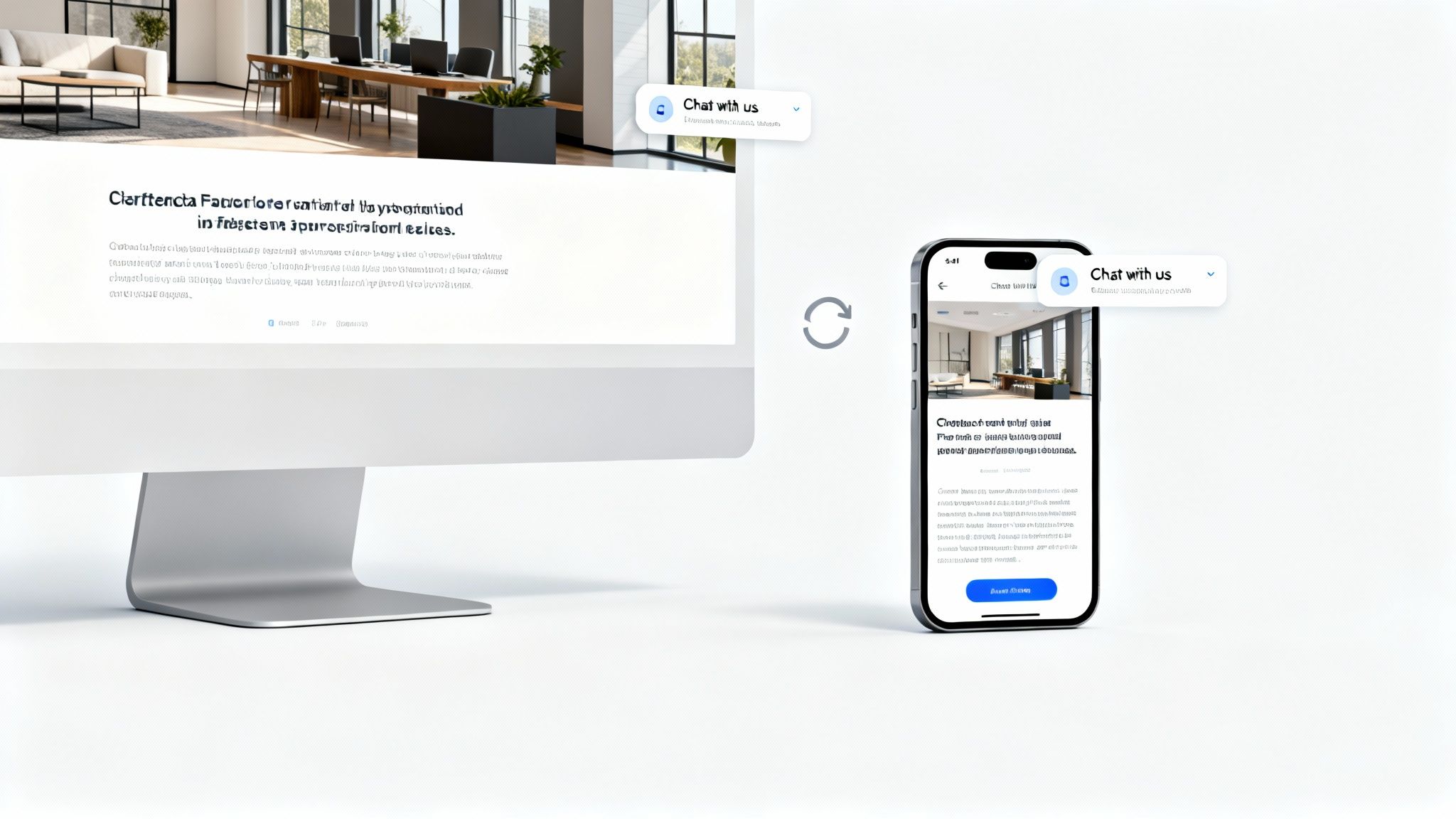
The most common and effective way to deploy your bot is to embed it as a widget on your website. Modern platforms give you a small snippet of code. You just copy and paste it into your site’s header or footer, and a friendly chat icon pops up. Simple as that. It invites visitors into a conversation right then and there, without ever having to leave the page.
But a website widget is just the beginning. You can get your chatbot into the hands of your audience in a few other clever ways, too.
More Than Just a Website Widget
Think about where your customers actually are. Your chatbot should be there, too. Depending on your goals, you can place it in a few different spots to maximize its reach.
Here are a few popular ways I’ve seen businesses share their AI assistants:
- Share a Direct Link: Most platforms, including BizSage, give you a unique URL for your chatbot. This is perfect for dropping into email signatures, social media bios, or even support ticket replies. It gives people a direct line to instant answers.
- Host on a Custom Subdomain: For a really polished, professional look, you can set your chatbot up on a subdomain like
help.yourcompany.com. This creates a dedicated self-service portal that feels like a core part of your brand. - Integrate via API: If you have more complex needs, an API is your best friend. It lets you wire your chatbot directly into other business systems, like your CRM or help desk software, creating a truly connected workflow.
Getting the chatbot live is usually a one-and-done task. The real secret to long-term success, however, is making sure its knowledge never gets stale.
The Magic of "Set It and Forget It" Maintenance
Nothing kills trust faster than a chatbot giving out wrong information. Imagine it confidently quoting last year's pricing or talking up a product you no longer sell. It’s a terrible customer experience. In the past, someone on the team was stuck manually updating the bot every time something changed.
This is where automated maintenance completely changes the game.
Modern chatbot builders can handle this for you with auto-refresh features. This one capability turns your chatbot from a static FAQ page into a living knowledge base that’s always up-to-date.
Think about it. Your team publishes a new blog post or updates a key feature on your website. With an automated sync, you do nothing. The chatbot simply re-crawls its sources on its own and instantly learns the new information.
Platforms like BizSage let you set a schedule for these syncs that fits your business rhythm.
- Daily Syncs: Perfect for businesses where things change fast—new promotions, pricing updates, or frequent support article revisions.
- Weekly Syncs: A solid middle ground for teams that publish new content like blog posts or update their help center on a regular schedule.
- Monthly Syncs: Good for businesses with more stable information that only needs an occasional refresh.
This hands-off approach ensures your chatbot remains a trustworthy resource long after you first launch it, saving your team from hours of mind-numbing manual updates. It's the final piece of the puzzle for creating a genuinely helpful, low-maintenance tool for your business.
Measuring Your Chatbot's Impact on Your Business
So, your chatbot is live and chatting away. But is it actually working? Success isn't just about launching a bot; it's about seeing a real, tangible impact on your business. Simply counting the number of chats won't tell you the whole story.
What you really need to do is connect your chatbot's activity to real-world business outcomes. Is your support inbox a little less chaotic? Is your sales team waking up to more qualified leads that came in overnight? That’s the kind of proof that shows your chatbot is truly earning its keep.
Key Metrics That Truly Matter
To get a clear picture of your bot's performance, you have to focus on the analytics that tell a story. Sure, look at the number of conversations it’s handling, but more importantly, dig into what those conversations are actually about. The most common questions your customers ask are a goldmine of insight.
Start by zeroing in on these specific metrics:
- Resolution Rate: What percentage of questions does the bot solve all on its own, without a human needing to step in? A high resolution rate is a direct sign of efficiency and customer self-service success.
- User Satisfaction (CSAT) Scores: This is your most direct feedback loop. Many chatbots can ask for a quick thumbs-up or thumbs-down rating after a chat. Pay close attention to this feedback.
- Lead Generation: If you built your bot for sales, track how many chats end with a captured email or a booked meeting. This gives you a clear, hard number for your return on investment.
The real goal here is to use these insights to learn what your customers are actually looking for. If you see a ton of questions about a specific feature, that might signal a gap in your help docs or a great opportunity for a new tutorial video.
From Data to Strategic Action
Think of your chatbot’s analytics dashboard as more than just a report card—it's a strategic roadmap. The data you gather should guide improvements not just for the bot itself, but for your entire business. For example, if you see a sudden spike in questions about your return policy, that's a huge hint that you should probably make that information easier to find on your website.
While customer support is still the dominant use case—accounting for 42.4% of the market in 2024—the insights you gather can drive improvements across sales, marketing, and even your internal workflows.
This is exactly why standalone platforms, which make up 58% of the market, are so popular. They provide the focused analytics you need to adapt and grow. You can discover more insights about conversational AI trends and their business impact. Ultimately, these platforms give you the power to turn a simple chat log into a clear plan for making your business better.
Got Last-Minute Questions Before You Start?
Even with the best plan in hand, it's completely normal to have a few questions pop up right before you jump in. Building your first chatbot can feel like a big step. Let's tackle some of the most common concerns I hear so you can move forward with confidence.
Do I Need to Be a Coder to Build a Chatbot?
Not at all. In fact, that's the whole point of today's chatbot platforms. They're built for business owners, support teams, and marketers—not developers.
If you can navigate a website and type into a text box, you've got all the technical skill you need. The process is really just about showing the tool where your information lives (like your website or your internal knowledge base) and then using a simple, visual editor to tweak the colors and personality. Zero coding is required.
Is My Chatbot Going to Sound Like a Robot?
This is a big one, but thankfully, the answer is a firm no. The clunky, keyword-based bots of the past are long gone. Modern AI agents, especially those running on technology like GPT-4, are designed to hold natural, fluid conversations.
You have complete control over its personality. Want it to be witty and fun? You can do that. Prefer a more formal, straight-to-the-point tone? Easy. The AI understands the context of a conversation, not just isolated words, which makes the whole experience feel much more human.
The real game-changer here is consistency. Your chatbot is always patient, polite, and perfectly on-brand. It delivers the same excellent service at 3 AM on a Sunday as it does during business hours.
How Much Work Is It to Keep the Chatbot's Information Current?
This is probably one of the best parts—it’s almost entirely automated. Instead of manually feeding your bot new product details or updated policy information, you can simply tell it to re-scan your content on a schedule.
For example, you can set it to crawl your website once a day. That way, any new blog post you publish or change you make to a service page gets automatically absorbed into its brain. It’s a “set it and forget it” system that ensures your chatbot is always giving out the most accurate information without you having to lift a finger.
Ready to create an AI assistant that gives customers instant, accurate answers? With BizSage, you can turn your existing content into a powerful, on-brand chatbot in just a few minutes. Start your free trial and see for yourself!