
Building a chatbot really comes down to a few key steps: figuring out its purpose, feeding it your company's information, teaching it to sound like you, and finally, getting it live on your website. With the tools available today, you can go from an idea to a fully functioning bot in just a few hours.
Why Building a Chatbot Is a Strategic Move
Thinking about building a chatbot isn't just about adding a cool new gadget to your site. It’s a serious business decision that can make a huge difference in your efficiency and how happy your customers are.
If you run a small business, you know the drill. Your team gets stuck answering the same questions over and over—what are your hours? What's your return policy? Can you tell me about this feature? It’s a time-suck, pulling people away from the work that actually grows the business.
This is where a good chatbot completely changes the game. I’m not talking about those clunky, frustrating bots that made everyone angry a few years back. Modern AI agents can actually understand what people are asking, pull precise answers from your own content, and work 24/7 without needing a coffee break.
The Clear Return on Investment
Let’s be honest, the biggest reason to build a chatbot is the return on investment. It's a pretty simple equation: when you automate repetitive tasks, you cut down on the manual labor needed to get them done, which directly lowers your operational costs.
Here’s where you’ll see the biggest wins:
- A Lighter Support Load: By deflecting all the common questions, a chatbot frees up your team to handle the tricky, high-stakes customer issues that really need a human touch.
- Always-On Availability: Your business can give people instant answers anytime, day or night. This not only makes for a better customer experience but also helps you grab leads you’d otherwise lose after hours.
- Better Operational Efficiency: The knowledge base you build for your chatbot doubles as a central "Company Brain." It creates a single source of truth, making sure everyone on your team—and the bot—is giving out the same, consistent information.
This visual really nails how a chatbot can turn high overhead into a positive ROI.
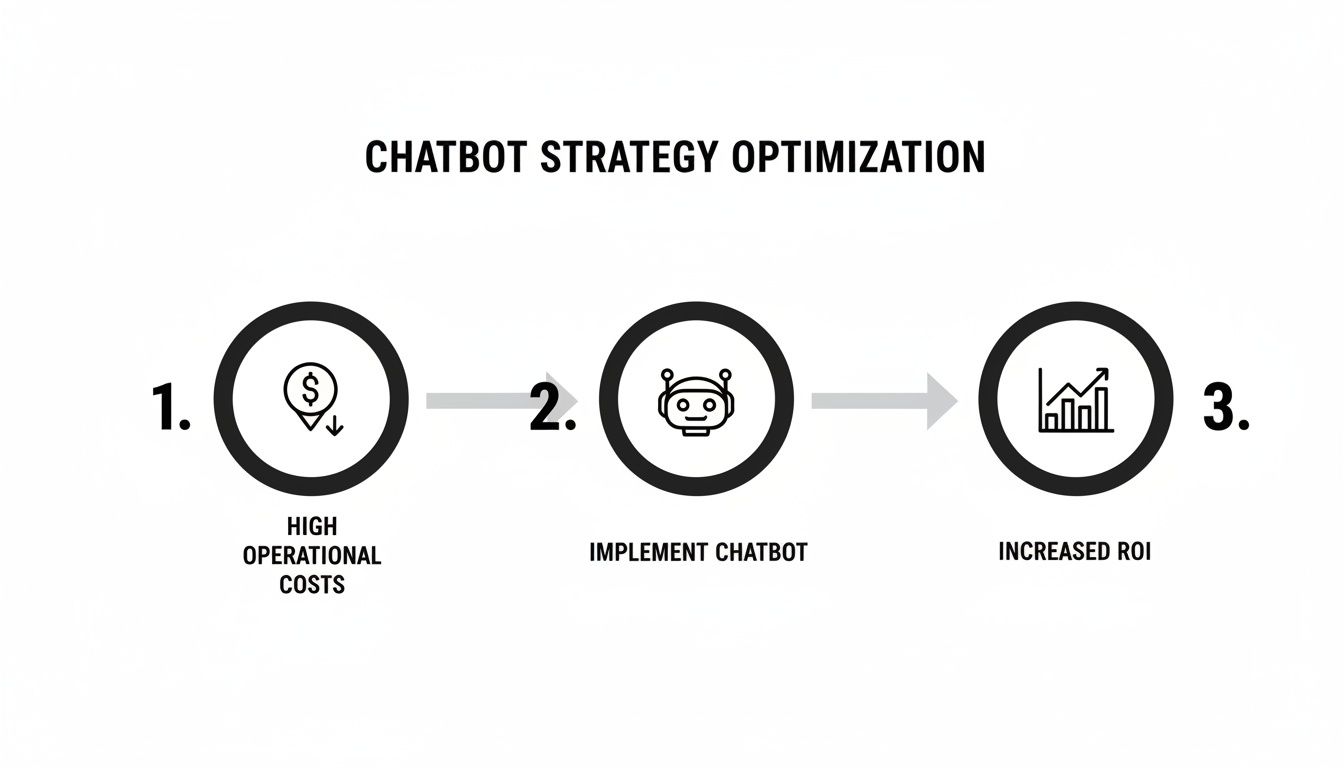
It’s a direct line from investing in the tech to seeing real gains in how your business runs. And the market is proving this out. The global chatbot market jumped from $2.47 billion in 2021 and is on track to hit $46.64 billion by 2029. That kind of growth sends a clear signal: automation in customer interaction is here to stay.
A chatbot isn't just another expense. It's a hardworking asset that turns a cost center (repetitive support) into a scalable tool for engaging customers and sharing internal knowledge.
To get the full picture, it helps to think about the bigger trends in how to use AI in business. For many companies, launching a chatbot is their first practical step into AI, and it often opens the door to much more.
Creating Your Chatbot Blueprint
Before you even think about touching a tool like BizSage, we need to talk about the plan. I've seen it a hundred times: someone gets excited about a new chatbot, dives straight into the build, and ends up with something that just frustrates customers. The most common reason bots fail is a lack of a clear blueprint from the start.
This planning phase is all about making sure your bot has a purpose—one that actually helps your business.
Define a Single, Clear Purpose
First things first, you have to answer one critical question: "What is the one main job I want this chatbot to do?" Trying to build a bot that does everything for everyone is a classic mistake. It leads to a confusing, clunky experience that helps no one. The secret is to focus on a single, high-impact goal.
For most small businesses, that goal usually falls into one of these buckets:
- Deflect Repetitive Support Questions: This is often the biggest and fastest win. The goal here is simple: automate answers to the top 10-20 questions your support team gets peppered with every single day. Think "What are your hours?" or "How do I track my order?"
- Generate and Qualify Leads: Your bot can be a 24/7 salesperson. Its job is to engage visitors, ask a few key qualifying questions ("What's your company size?"), and then either book a demo or grab their contact info for your sales team to follow up.
- Serve as an Internal Knowledge Base: Sometimes the biggest time-saver is a bot for your own team. The goal could be giving instant answers on HR policies, IT troubleshooting, or project details, saving everyone from digging through shared drives.
Just pick one. Seriously. That single focus will be your north star, guiding every other decision you make.
Map the User's Journey
Once you know the bot's job, you need to think about how people will actually use it. And please, don't just guess. Dig into your data. Look at old support tickets, live chat transcripts, and sales emails to see what real people are asking and how those conversations flow.
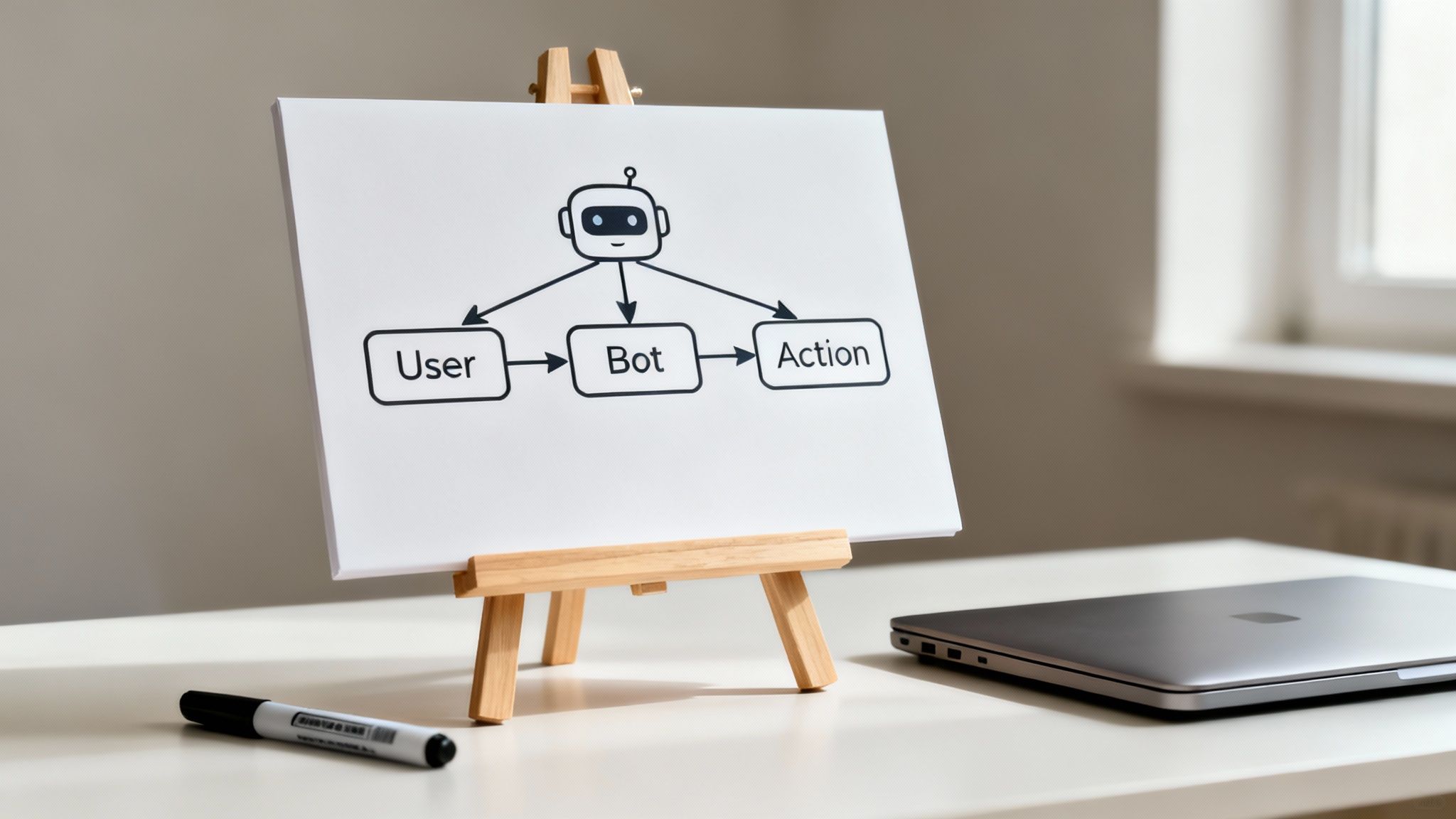
Your research will help you map out a few primary user journeys. For a support bot, a common journey might look something like this:
- A visitor is on your pricing page and asks, "What's the difference between the Starter and Pro plans?"
- The bot instantly pulls a comparison table from your knowledge base.
- The visitor follows up: "Do you offer a non-profit discount?"
- The bot confirms you do and provides a direct link to the application form.
Mapping these flows is invaluable. It shows you exactly what information the bot needs to have on hand to be helpful. It also shines a light on potential dead ends where a user might get stuck, telling you precisely where to add an escape hatch like, "Would you like to talk to a human?"
A great chatbot feels like a shortcut, not an obstacle. By understanding the user's journey, you build the shortest, most helpful path from their question to their answer.
Start with a Minimum Viable Product
I know the temptation is strong to load your bot with every feature you can dream of right out of the gate. Resist it. The smartest way to learn how to build a chatbot is to launch a Minimum Viable Product (MVP).
An MVP isn't a half-finished bot; it's a highly focused bot that does one thing exceptionally well. For instance, instead of trying to answer 100 different questions, build an MVP that flawlessly answers your top 10 most frequent ones.
This approach pays off in a few huge ways:
- Faster Launch: You can get a genuinely useful bot live in days, not months, and start seeing value right away.
- Real-World Feedback: You'll immediately learn what users are actually asking, which lets you improve the bot based on hard data instead of assumptions.
- Avoids Feature Bloat: It keeps you from wasting weeks building a complex feature that, it turns out, nobody ever uses.
Your blueprint should clearly define the scope of this MVP. What's in for version one, and what's out? Once it's live and helping people, you can use the analytics and user feedback to thoughtfully plan your next move. That iterative cycle of launch, learn, and improve is the real secret to building a chatbot that people love.
Building a High-Quality Knowledge Base
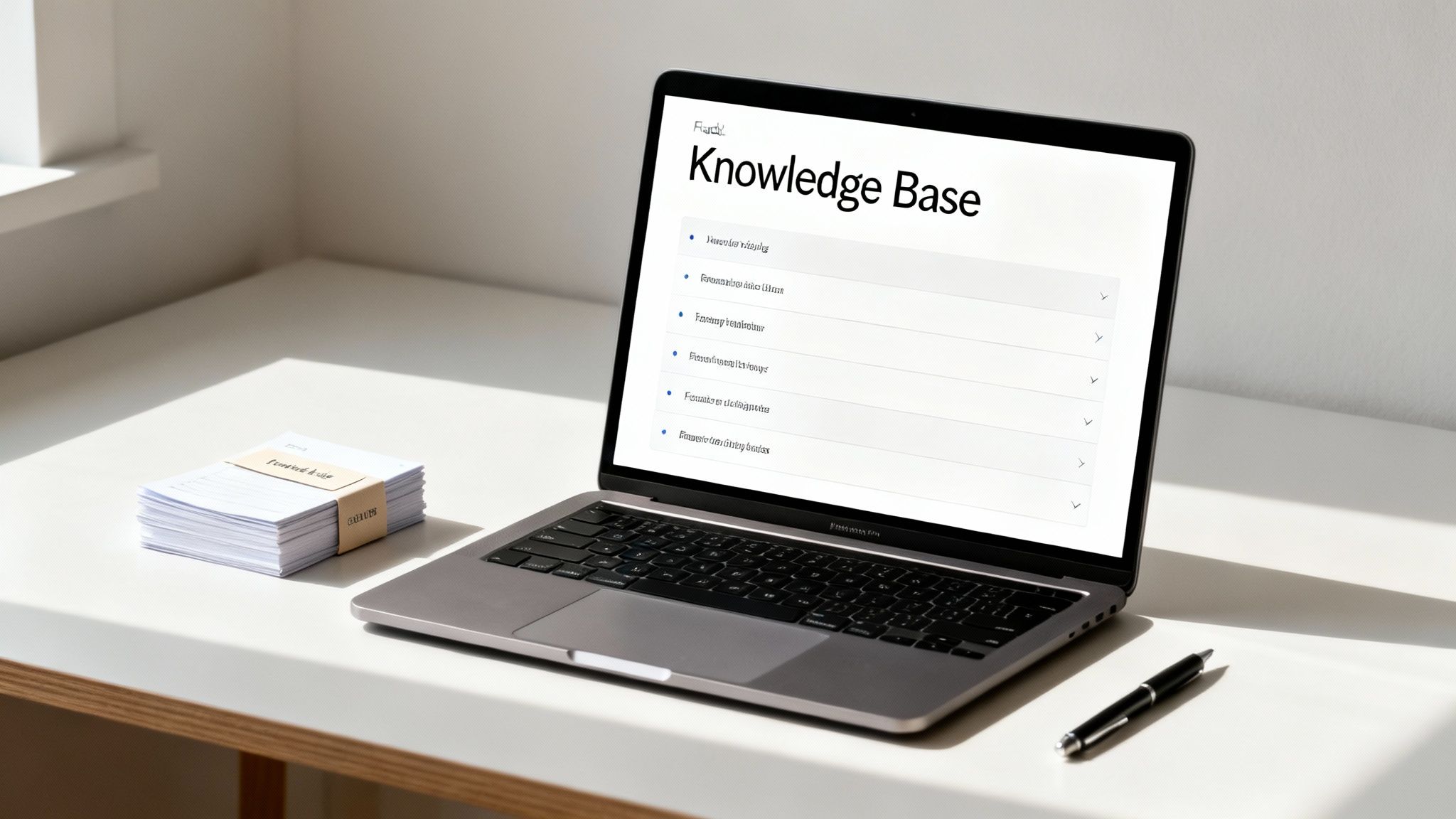
Let's be blunt: a chatbot is only as good as the information it's built on. The real magic isn't in some complex code; it's in the quality of the content you feed it. This collection of information is the chatbot's knowledge base—essentially, its brain. Get this part right, and you'll have a helpful, trustworthy assistant.
Think of it like onboarding a new team member. You wouldn't just point them to a desk and hope for the best. You'd give them the employee handbook, product manuals, and key documents. That’s exactly what we’re doing here, but for your new digital employee.
Sourcing Your Chatbot's Core Knowledge
The good news is you're probably sitting on a goldmine of ready-to-use content. Don't feel like you have to start writing everything from scratch. The first, most effective step is simply to gather what you already have.
You’ll find excellent source material in places like:
- Your Website: This is the lowest-hanging fruit. Pointing a tool like BizSage to your FAQ, pricing, and "About Us" pages is the fastest way to get your bot up and running with core company info.
- Support Documentation: If you have a help center or Zendesk full of how-to guides, you've struck gold. This content is already designed to answer user questions clearly.
- Internal Documents: Dig into those shared drives. Things like PDFs, spec sheets, company policy handbooks, and even sales scripts are packed with valuable information that can give your chatbot real depth.
Once you’ve rounded up your sources, you can start feeding them into the system.
How Chatbots Actually Use Your Documents: A Quick Look at RAG
To really grasp how modern chatbots stay accurate, you need to know about Retrieval-Augmented Generation (RAG). It sounds technical, but the idea behind it is simple and incredibly important.
Imagine asking a research assistant a question. Instead of just pulling an answer out of thin air, they walk over to a filing cabinet, pull the exact file with the information, read the relevant paragraph, and then give you the answer.
That's precisely what RAG does for your chatbot.
When a user asks a question, the system doesn't just guess. It follows a clear process:
- Retrieve: It quickly searches through all the documents and web pages you provided (your knowledge base) to find the most relevant chunks of text.
- Augment: It takes those specific text snippets and gives them to the AI model as strict context.
- Generate: It crafts a human-like answer based only on the factual information it just found.
RAG is the technology that keeps your chatbot tethered to the truth. It prevents the AI from "hallucinating" or making up answers by forcing it to cite its sources—your sources. This is the key to building a bot you can actually trust.
This process ensures your chatbot becomes a true expert on your business, not just a generic language machine. To keep it that way, you’ll want to adopt effective knowledge management practices to keep your source material fresh and organized.
Writing Content That Your Chatbot Will Love
While existing content gets you most of the way there, you'll eventually want to create new material or tweak what you have. Writing for a chatbot is a little different than writing a blog post.
Here are a few quick tips I've learned for optimizing content:
- Be Direct and Specific: Use clear, straightforward language. Instead of a long, narrative paragraph about your shipping policy, break it into simple statements. Think "Standard shipping takes 3-5 business days."
- One Idea, One Paragraph: Keep paragraphs short and focused. This helps the RAG system pinpoint the exact answer without getting confused by surrounding text.
- Use Clear Headings: A well-structured document is a gift to your chatbot. Descriptive headings and subheadings act like signposts, helping the AI understand the context and hierarchy of the information.
Ultimately, a thoughtfully curated knowledge base is the bedrock of a great chatbot. By taking the time to source, organize, and refine your content, you're not just feeding it data—you're building a reliable, accurate, and genuinely helpful assistant.
Training Your Bot for Natural Conversations
Having a smart knowledge base is one thing, but a chatbot's personality is what makes it feel like part of your brand. This is where you move beyond just what your bot knows and start teaching it how to talk. The goal is to make its responses feel like a natural, helpful extension of your company, not just a robotic script.

This part of the process is less about writing code and more about giving clear, simple instructions. By defining a specific tone and, just as importantly, planning for moments when the bot gets stuck, you build an assistant that people will actually trust and want to use.
Defining Your Chatbot's Voice and Tone
Think of your chatbot as the first "person" a customer might interact with on your site. If that voice doesn't match the rest of your brand, it's a really jarring experience.
Imagine a serious financial consulting firm with a bot that's cracking jokes and using emojis—it just doesn't fit. The same goes for a trendy ecommerce shop with a bot that sounds like a formal legal document.
To get this right, you need to align the bot's personality with your brand identity. It helps to ask a few simple questions first:
- Who are we talking to? Is your audience full of seasoned engineers or people just starting a new hobby?
- What's our brand's personality? Are you professional and straight-to-the-point, or more witty and informal?
- What's the context? A bot handling a billing issue should probably be more direct than one helping someone pick out the perfect gift.
Once you have a good handle on that, you can translate it into direct instructions for the AI. This is usually done through what’s called a system prompt—a set of core rules that guide every single response the bot generates.
Crafting a Powerful System Prompt
A system prompt is basically your bot’s permanent instruction manual. In a platform like BizSage, this is where you inject all that personality we just talked about. The good news is you don't need to be a developer to write a great one; you just need to be clear.
Here are a few real-world examples you could adapt:
For a Professional & Helpful Tone:
You are a customer support assistant for Acme Corp. Your tone is professional, clear, and helpful. Always provide direct answers based on the provided documentation. Do not use emojis or slang. Address the user politely and end conversations by asking if they need further assistance.
For a Friendly & Casual Tone:
You're the friendly guide for SunnySide Up Cafe! Your voice is warm, approachable, and a little bit fun. Feel free to use an occasional emoji (like a ☀️ or ☕️) where it makes sense. Keep your answers short and easy to read. If you're giving instructions, use a numbered list.
For an Internal Team Bot:
You are the internal "Company Brain" for our team. Your purpose is to provide fast, accurate answers from our internal knowledge base. Be concise and direct—no fluff. If you provide data, bold the key numbers.
The more specific you are, the better. Detailed instructions lead to a bot that consistently reflects the personality you’re aiming for, which is a huge part of building a tool your users will actually trust.
The Art of Saying "I Don't Know"
One of the quickest ways for a chatbot to lose credibility is by making things up. When a bot gives a confidently wrong answer—a problem known as "hallucination"—it instantly shatters user trust. A truly smart chatbot needs to know when to admit it's stumped.
This "I don't know" response isn't a bug; it's a critical feature. A well-designed fallback plan does two things perfectly:
- It Maintains Trust: It proves to the user that the bot won't just invent an answer to seem smart.
- It Provides a Path Forward: It gracefully hands the conversation off to a human or points the user toward another resource.
Crafting a good "I don't know" response is pretty straightforward:
- Acknowledge the Gap: Start by clearly stating that the information isn't in its knowledge base.
- Offer an Alternative: Immediately give the user a next step. This could be a link to your contact form, an email for your support team, or an option to start a live chat.
- Capture the Question: Make sure the unanswered query is logged somewhere. This is pure gold—it tells you exactly what content you need to add to your knowledge base.
A solid fallback might sound something like this: "I couldn't find a specific answer to that in my knowledge base. To get you the right information, you can reach our support team directly at help@yourcompany.com or fill out our contact form."
A chatbot that can say "I don't know" is paradoxically more intelligent and trustworthy than one that tries to answer everything. It shows the system understands its own limits.
This simple strategy transforms a potential dead-end into a helpful, trust-building moment. As you figure out how to build a chatbot, mastering this graceful failure is just as important as getting the right answers. We're seeing this play out on a massive scale; generative models like ChatGPT now command 81.85% of the global market share largely because they provide relevant interactions and avoid obvious errors, showing how much users prefer reliable AI. You can dig into more of these trends in the latest AI chatbot market report.
Deploying and Improving Your Chatbot
After all your hard work sourcing content and training your bot, it's finally time for the main event: getting it in front of real people. Launching is a huge milestone, but it's important to think of it as the starting line, not the finish line. The real magic happens in the cycle of deploying, learning from how people use it, and constantly making it better.
This is how your bot goes from being a neat tool to a dynamic, invaluable part of your team that actually grows with your business.
Choosing Your Deployment Method
Getting your chatbot live is thankfully one of the easiest parts of the whole process. Platforms like BizSage give you a few simple options, so you can pick whatever makes the most sense for your website and how you want your customers to interact with it. The best part? You don't need a developer. It's usually just a copy-and-paste job.
Here are the most common ways to get your bot out there:
- Embed a Widget: This is what most people do. It adds that familiar little chat bubble to the corner of your website. It's instantly accessible but doesn't get in the way.
- Share a Direct Link: You can give the chatbot its own dedicated page. This is perfect for sharing in emails, social media bios, or your support team's signatures to send people to a focused conversation.
- Host on a Subdomain: For a more polished, integrated feel, you can set it up on a subdomain like
help.yourcompany.com. This gives your chatbot a permanent, professional home that feels like a core part of your brand.
Your Pre-Launch Quality Check
Okay, before you hit the big red "launch" button, you need to do one last quality assurance (QA) check. This quick run-through helps you catch any last-minute hiccups and makes sure day one goes smoothly. Think of it as the final dress rehearsal.
Grab a coworker and spend a few minutes running through this simple checklist:
- Ask the Obvious Questions: Fire off the top 10-15 questions you absolutely expect users to ask. Do the answers make sense? Are they 100% accurate?
- Test the "I Don't Know" Path: Deliberately ask a weird question you know the bot can't answer. See what happens. Does it fail gracefully and give the user a clear next step, like how to contact a human?
- Check the Brand Voice: Read a few responses out loud. Does it sound like you? If the tone feels off, you might need to tweak the system prompt one last time.
- Proofread Everything: Scan for any typos or weird formatting in the bot’s greeting, suggested prompts, and common answers.
This isn't about chasing perfection. It's about making sure that first impression is solid, trustworthy, and genuinely helpful.
The goal of a pre-launch check isn't to find every possible flaw. It's to confirm that the core user journey works as intended and that the bot can handle its primary job effectively.
The Cycle of Analysis and Improvement
Once your chatbot is live, the real learning begins. Every single conversation is a goldmine of data, telling you what's working, what's falling flat, and where you need to focus your attention. This is the most important phase for building a chatbot that delivers real, long-term value. Don't just set it and forget it.
Your job now is to look for patterns in the analytics. Hop into your chatbot's dashboard and keep an eye out for two key things:
- Unanswered Questions: This is basically a ready-made to-do list. If you see multiple people asking something your bot can’t answer, that's a glaring sign to add that information to its knowledge base.
- Conversations Needing Human Escalation: Look at the chats that got handed off to your team. These often reveal more complex issues or gaps in your bot's knowledge that you can patch up.
Building a chatbot puts you right in the middle of a massive and growing industry. The market is expected to skyrocket from $7.76 billion in 2024 to an incredible $27.29 billion by 2030. This boom is fueled by businesses that see the power of smart, automated conversations. Just look at WhatsApp: with over 3 billion users, it now handles 175 million business conversations every day, showing just how much people want to message brands. No-code tools are a huge part of this, often cutting development time by up to 80%. You can dive into the numbers with these chatbot market growth insights.
This growth really drives home the need for ongoing maintenance. A great chatbot is never really "done." It’s a living part of your team that needs regular tune-ups to stay sharp. By setting aside a little time each month to review its performance and refresh its knowledge, you'll ensure it remains a powerful asset for your customers and your business.
Your Top Chatbot Questions, Answered
As you start planning your chatbot, a bunch of practical questions are bound to come up. It's totally normal. Moving from the "great idea" stage to actually building the thing is where the rubber meets the road, and you start thinking about cost, time, and whether you have the right skills.
Let's dive into the most common questions we hear from teams who are just getting started. Getting these sorted out now will help you set realistic goals and sidestep some common frustrations later on.
How Much Is This Going to Cost?
This is usually the first thing people ask, and the honest answer is: it really depends on the path you take. The investment can be anything from a couple of coffees a month to a serious line item in your budget.
Generally, your options break down into three tiers:
- DIY with a No-Code Platform: For most small businesses, this is the magic spot. Tools like BizSage have plans with free tiers or affordable monthly subscriptions, usually in the $50 to $300 range. You get all the powerful AI without needing to hire a developer.
- Hiring an Agency or Freelancer: If you need the bot to do something more complex, like talk to your inventory system, you might bring in an expert. This could run you anywhere from $2,000 to $20,000, depending on how intricate the project is.
- Building It From Scratch In-House: This is the most expensive route by a long shot, easily costing $50,000 or more. It's typically only for large companies with very unique, complex requirements and their own team of engineers.
My two cents? For most businesses, starting with a user-friendly platform gives you the best bang for your buck. You get powerful features for a predictable cost, letting you focus on making your content great instead of wrestling with code.
How Long Does It Take to Get a Bot Running?
Time is everything, right? The good news is that modern tools have made this process so much faster. You can get a genuinely helpful bot live and working for you quicker than you probably think.
Here’s what a realistic timeline looks like, depending on your approach:
- A Simple FAQ Bot: If your goal is just to answer your top 10-20 questions, you can honestly build and launch a working chatbot in a few hours. The main task is just getting your answers written down and organized.
- A More Polished AI Bot: To create a bot with a distinct personality, a well-curated knowledge base, and solid testing, you should probably set aside a few days to a week.
- A Fully Integrated Bot: A project that needs to connect to other software (like your CRM) will naturally take longer. For something like that, you're looking at a timeline of several weeks to a few months for proper planning, building, and testing.
A little pro-tip: start small. Get a simple, focused version of your bot live in 2-4 weeks. Then, listen to what real users are asking and use that feedback to make it better over time.
Do I Need to Be a Coder?
Nope. Not anymore. This is probably the biggest myth that stops people from even trying.
A few years ago, building a bot meant you needed to be a pro in programming languages like Python and understand complex machine learning. That's all changed. The boom in no-code and low-code platforms has opened the door for everyone, no matter your technical skill level.
Tools like BizSage were built for business users, not developers. If you can use a word processor or navigate a website, you've got this. The platform does all the heavy lifting with the AI and technical stuff in the background.
This frees you up to focus on what actually makes a chatbot great:
- The Strategy: What's the bot's job? What problem is it solving?
- The Content: Is the information accurate, helpful, and clear?
- The Vibe: Does the bot sound like it belongs to your brand?
For almost every business use case out there, your expertise in your own company is way more valuable than knowing how to code.
What are the Most Common Mistakes to Avoid?
Learning from someone else's missteps is the best shortcut to success. I've seen a few common traps that can sink a chatbot project before it even gets going.
Just knowing what to watch out for is half the battle:
- No Clear Goal: Building a bot without a specific purpose is like hiring an employee without a job description. It’ll just wander around aimlessly, not helping anyone.
- Bad Knowledge Base: This is the #1 killer of chatbots. If you feed it outdated, wrong, or poorly written information, it will give bad answers. Garbage in, garbage out.
- Ignoring Brand Personality: A bot that sounds like a generic robot feels disconnected and weird. It can actually hurt the trust you've built with your customers.
- Forgetting the "Escape Hatch": There must always be a clear and easy way for a user to talk to a human. Hiding that option is a fast track to customer frustration.
- Launching It and Forgetting It: A chatbot isn't a crockpot; you can't just set it and forget it. The best bots are constantly tweaked and improved based on real user conversations and analytics.
Steer clear of these, and you'll be miles ahead of the competition, well on your way to building a chatbot that your customers and your team actually find useful.
Ready to build a chatbot that actually works for your business? With BizSage, you can turn your company content into an on-brand, 24/7 AI assistant in minutes. No code required. Start your free trial today.